Portfolio — 2026Tokyo, Japan

Kosei Kawaguchi

川口 晃世/ KKTeX

TeXで組版の道具をつくっています。CTAN公式パッケージ8本と、TeX64・Scoring64・MathPointの3種類の公開プラグインの著作者。株式会社Fermion共同創業者、東京大学理科一類1年。

I build typesetting tools in TeX. Author of eight packages on CTAN and three published plugins: TeX64, Scoring64 and MathPoint; co-founder of Fermion Inc., first-year student at the University of Tokyo.

portfolio.texLaTeX
\documentclass[a4paper]{jsarticle}
\usepackage{KKsymbols,KKran}
\usepackage{gckanbun}

\author{川口 晃世 (KKTeX)}
\title{Portfolio}

\begin{document}
\maketitle
\end{document}▍
KKTeX
KKTeX
@KKTeX_LaTeX3
08
CTAN公式パッケージ
packages on CTAN
3
ChatGPT・Claudeのプラグイン
plugins for ChatGPT & Claude
5
Fermionのプロダクト
products at Fermion
11/21
TeXConf2026 登壇
talk at TeXConf2026
01 — AboutNo TeX, No Life

No TEX,
No Life.

開成中学校・高等学校
東京大学理科一類

高校一年の冬、同期の影響でLaTeXを触りはじめた。最初にやっていたのは鉄緑会の教材をなんとかして再現することで、黎明期のChatGPTと問答しながら、今見るとひどいと言わざるを得ないコードを書いて無理やり動かしていた。

2025年、東京大学理科三類を受験して失敗し、一年の暇ができた。TeXを本格的に扱いはじめたのはここからである。まずTeXの書籍を執筆しようとして翔泳社に持ち込んだが、企画は流れた。その間に書き続けていたOSSパッケージだけが手元に残った。

特殊記号を扱うKKsymbols、解答欄やマークシートを簡単につくるKKran、漢文組版のgckanbunのリワークなど、合計8本の公式パッケージの著作者になった。2026年に東京大学理科一類へ入学し、同大学三年生であった幸川卓実氏と株式会社Fermionを立ち上げた。

I started with LaTeX in the winter of my first high-school year, pushed along by a classmate. What I actually did was try to reproduce my cram-school textbooks, arguing with an early version of ChatGPT and forcing code I would now call unreadable to compile.

In 2025 I failed the entrance exam for the University of Tokyo's Faculty of Science III, which left me a spare year. That is where TeX became serious. I first tried to write a book and pitched it to Shoeisha; the plan fell through, and what remained were the packages I had been writing all along.

Eight of them are now official CTAN packages. In 2026 I entered the University of Tokyo and founded Fermion Inc. with Takumi Yukikawa, then a third-year student there.

02 — Timeline2019 → 2026
2019

開成中学校に入学。そのまま開成高等学校へ。

Entered Kaisei Junior High School, continuing to Kaisei Senior High School.

2023

高校一年の冬、LaTeXを始める。鉄緑会の教材の再現から。

Began using LaTeX, reproducing cram-school textbooks.

2025

理科三類の受験に失敗。一年の余白をTeXに充てる。書籍を翔泳社に持ち込むが企画は流れる。

A spare year after a failed entrance exam, spent on TeX. A book pitch to Shoeisha that did not go through.

2025–26

CTAN公式パッケージ8本の著作者になる。

Became the author of eight official CTAN packages.

2026

東京大学理科一類に入学。幸川卓実氏と株式会社Fermionを設立。TeX64 MCPがChatGPTのプラグインディレクトリに掲載される。

Entered the University of Tokyo. Founded Fermion Inc. with Takumi Yukikawa. TeX64 MCP was published in ChatGPT's plugin directory.

2026.11

11月21日、TeXConf2026で「リアルタイム TeX プレビュー」を発表。

Gave the talk “Real-time TeX Preview” at TeXConf2026 on 21 November.

Eight packages
on CTAN

04 — ProductsFermion Inc. / 2026–

株式会社Fermion

Fermion Inc.

2026年、幸川卓実氏と設立。TeXと数式、教育まわりのプロダクトを開発している。

Founded in 2026 with Takumi Yukikawa, building products around TeX, mathematical notation and education.

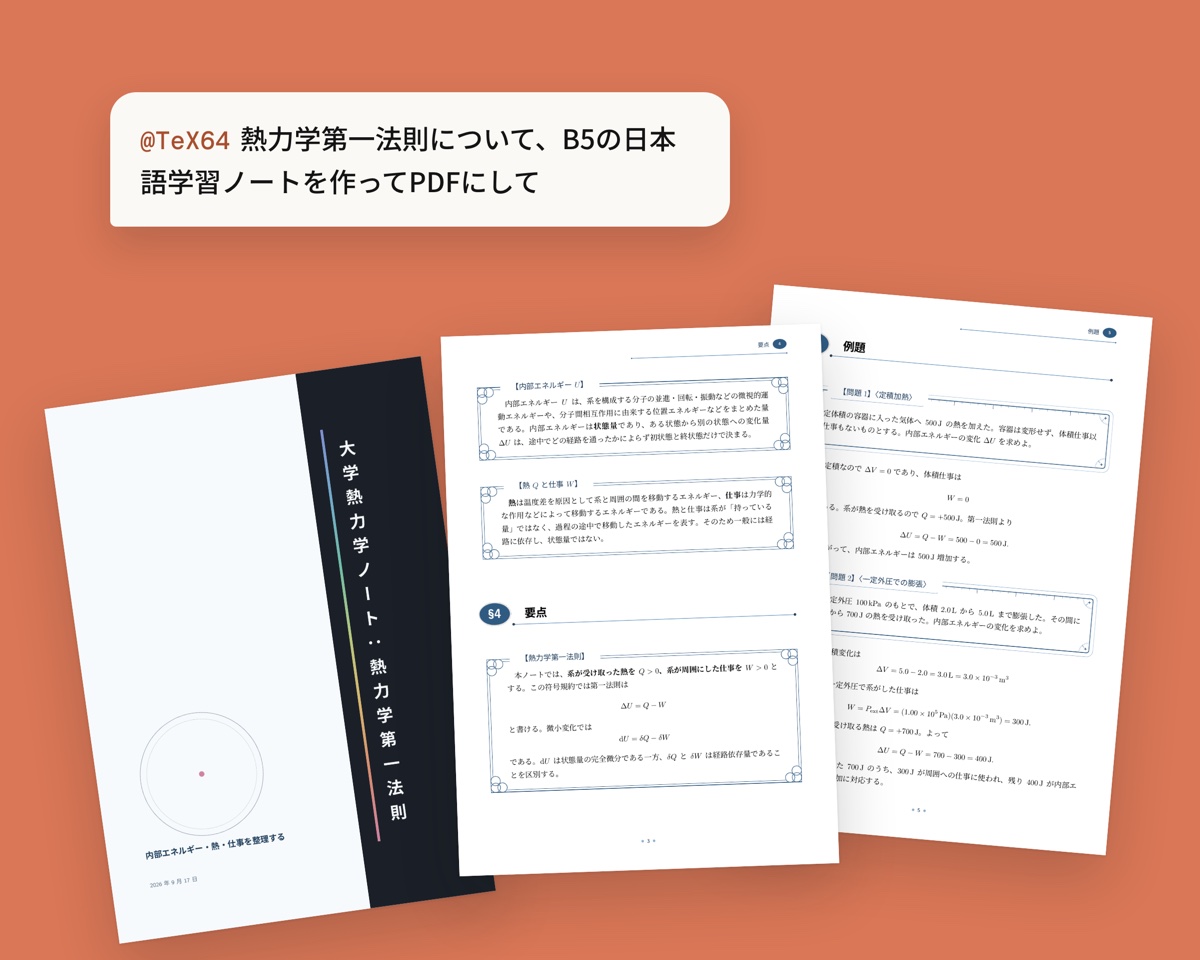
「@TeX64 熱力学第一法則について、B5の日本語学習ノートを作ってPDFにして」という依頼と、TeX64 MCPが組版した学習ノートの表紙・本文・演習ページ
ChatGPT・Claudeのプラグインとして公開中 Available as a ChatGPT & Claude plugin

TeX64 MCP

ChatGPTやClaudeから、講義資料を数式入りの日本語PDFに組版するMCPサーバ。TeXのインストールは不要で、ChatGPTでは @TeX64 と呼ぶだけで使える。

An MCP server that lets ChatGPT and Claude typeset course material into Japanese PDFs, equations and all, with no TeX install. In ChatGPT, just mention @TeX64.

  • ChatGPTプラグインディレクトリで公開(Education & Research)Published in the plugin directory (Education & Research)
  • ClaudeプラグインをGitHubで公開。公式ディレクトリの審査を通過Plugin on GitHub; approved for the official directory
  • MCPmcp.tex64.com
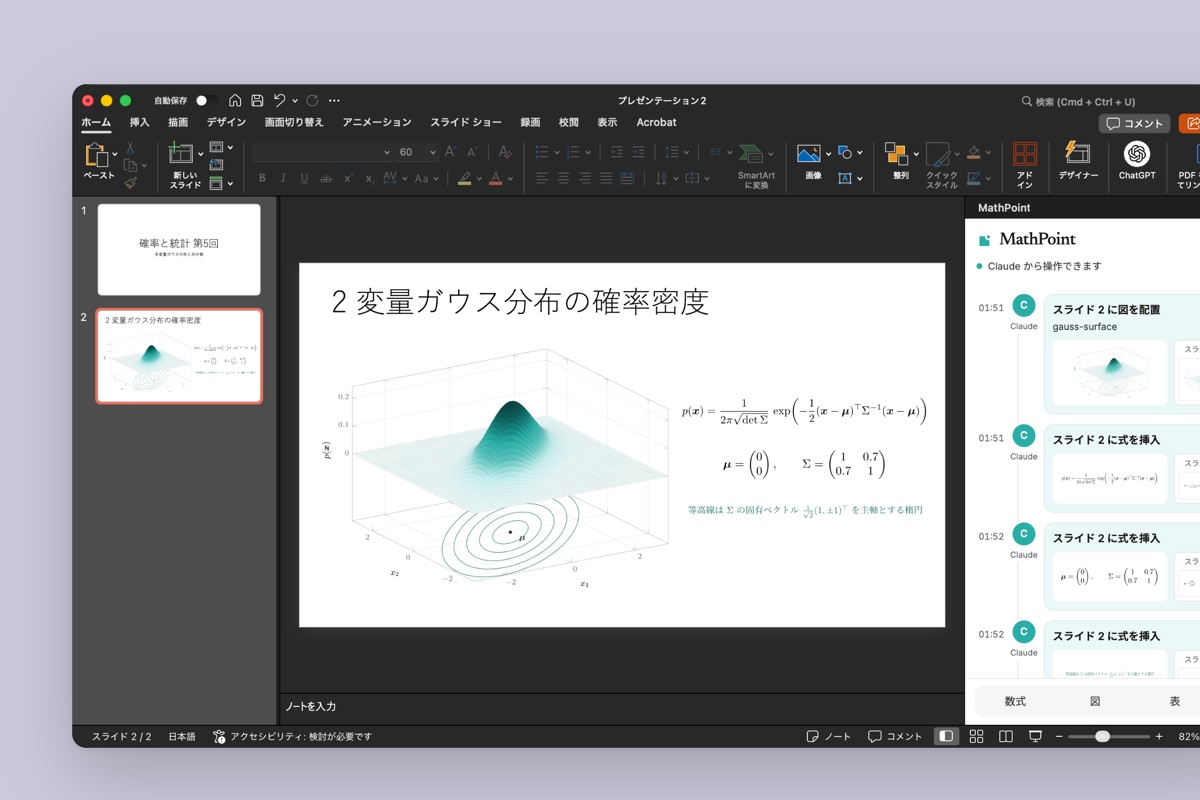
PowerPointのスライドに、TeXで組んだ2変量ガウス分布の3Dグラフと数式が入っている。右側のMathPoint作業ウィンドウに、Claudeが行った操作が並んでいる
MathPoint
mcp.tex64.com/mathpoint ↗

ClaudeやChatGPTのチャットから、開いているPowerPoint・WordにTeXで組んだ数式・図・表を入れるアドイン。組版はサーバーで行うので環境構築は不要。

An add-in that puts TeX-typeset equations, figures and tables into the PowerPoint or Word file you have open, straight from a Claude or ChatGPT chat. Typesetting runs on the server, so there is nothing to install beyond the add-in.

ChatGPTプラグインとして一般公開。公開ページからインストールして使える。Officeの編集にはMathPointアドインが必要。

Published as a ChatGPT plugin. Install it from the plugin page; editing Office files also requires the MathPoint add-in.

ChatGPTのプラグインを開くOpen the ChatGPT plugin ↗
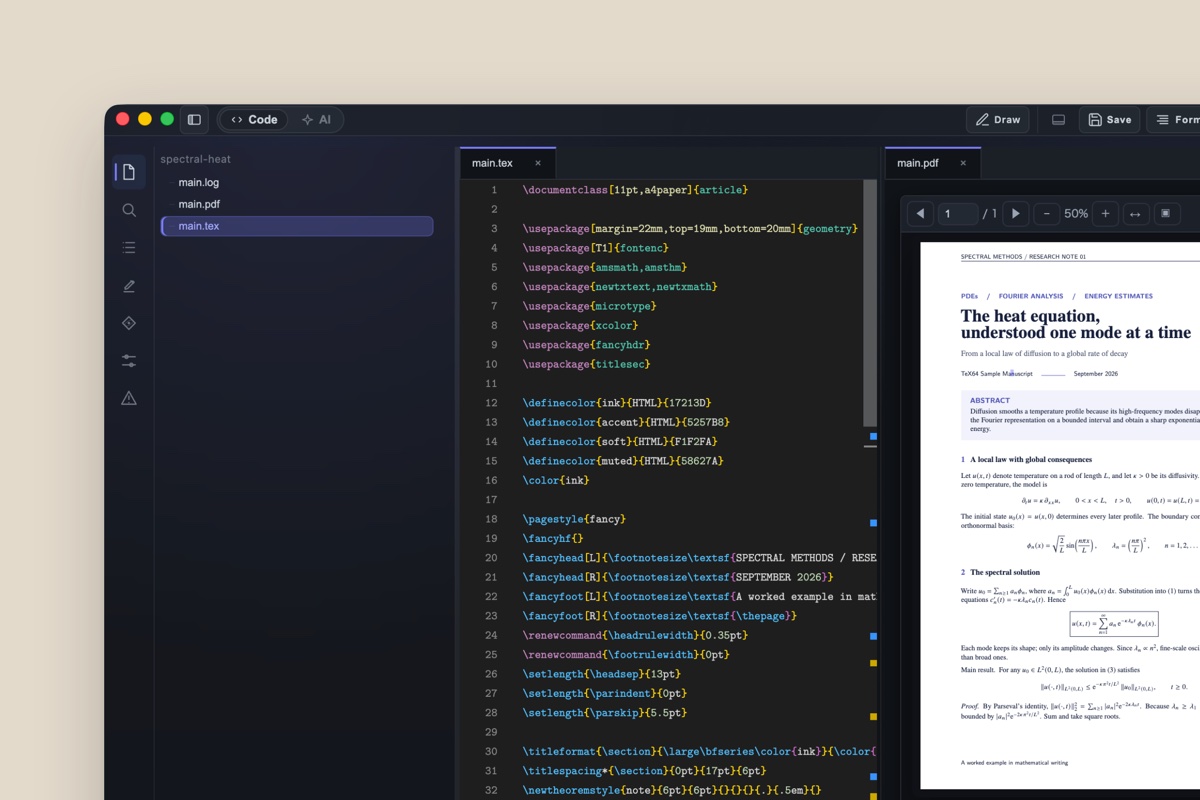
TeX64のエディタ画面。LaTeXのソースと組版したPDFを並べて表示している
TeX64
tex64.com ↗
macOS・Windows対応のローカルファーストLaTeXエディタ。AI執筆機能 Axiom、直感的な数式入力、画像からの数式OCR。

A local-first LaTeX editor for macOS and Windows, with the Axiom writing AI, visual equation input, and math OCR from images.

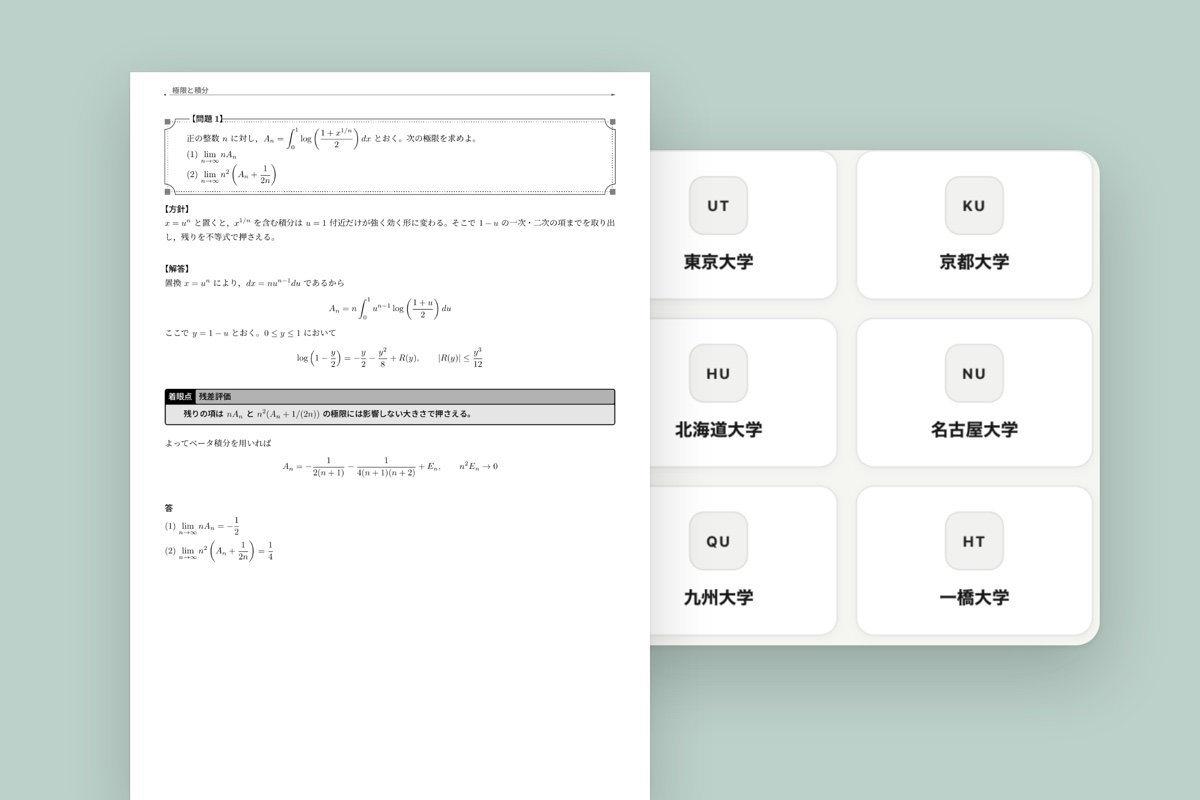
Evoltonが作成した入試数学の解答PDFと、大学を選ぶ過去問データベースの画面
Evolton
evolton.jp ↗

問題の写真から解答PDFを作成。13大学・4,313問の入試数学 過去問データベースとオーダーメイド問題集。

Answer PDFs built from a photo of a problem, plus a database of 4,313 entrance-exam problems from 13 universities.

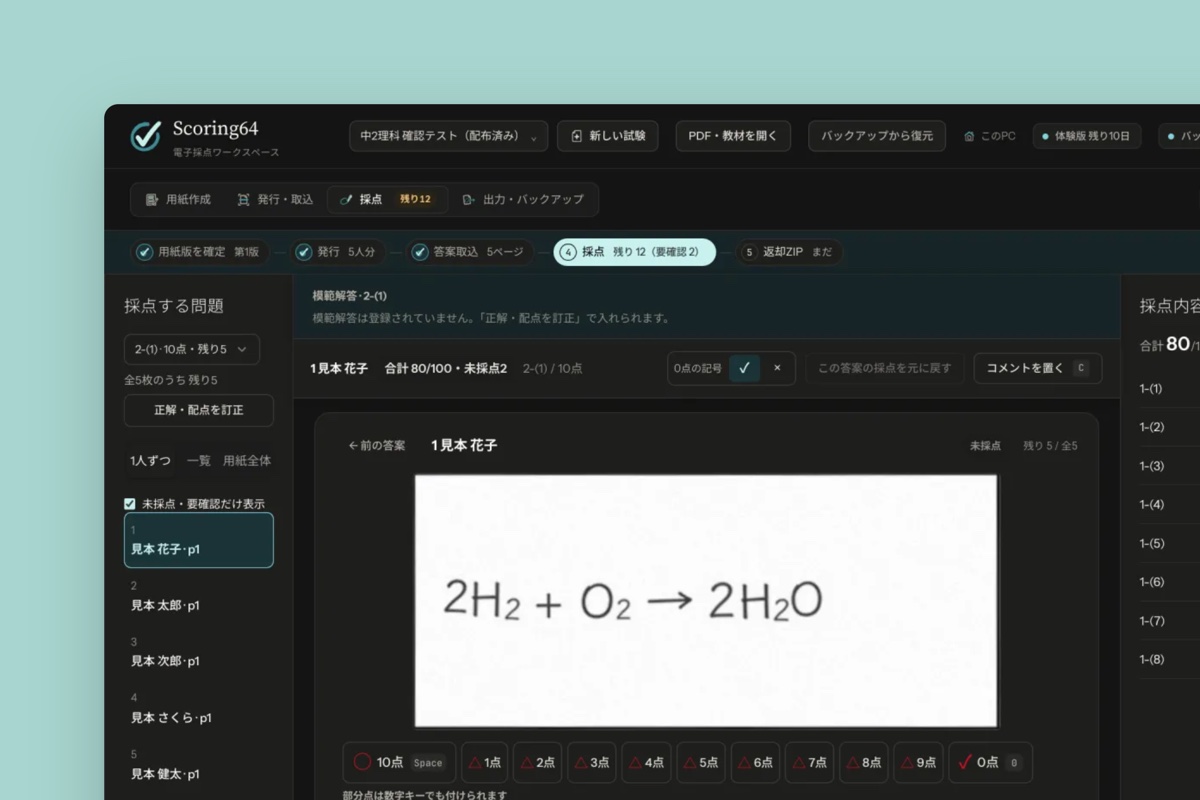
Scoring64の採点画面。スキャンした答案の記述を1人ずつ見ながら採点している
Scoring64
fermion-company.github.io ↗

塾の紙のテストの電子採点ソフト。答案をスキャンして取り込み、記号問題は自動で、記述問題は画面で採点する。Windows・Mac対応で、Mac版はMac App Storeで配信している。

Digital grading for cram schools' paper tests: scan the answer sheets in, and multiple-choice is marked automatically while written answers are marked on screen. For Windows and Mac; the Mac version is on the Mac App Store.

Mac App Storeで見るView on the Mac App Store ↗

ChatGPTのプラグインとしても公開。ChatGPTに頼むと、解答用紙の作成、返ってきた答案の取り込み、手書きの数学の記述を部分点と理由つきで採点、返却用PDFの書き出しまで進める。

Also published as a ChatGPT plugin. Ask ChatGPT and it creates the answer sheets, imports the returned answers, scores handwritten math with partial credit and reasons, and exports the PDFs to hand back.

ChatGPTのプラグインを開くOpen the ChatGPT plugin ↗ プラグインのソース(GitHub)Plugin source on GitHub ↗
05 — TalkTeXConf 2026 / 2026.11.21
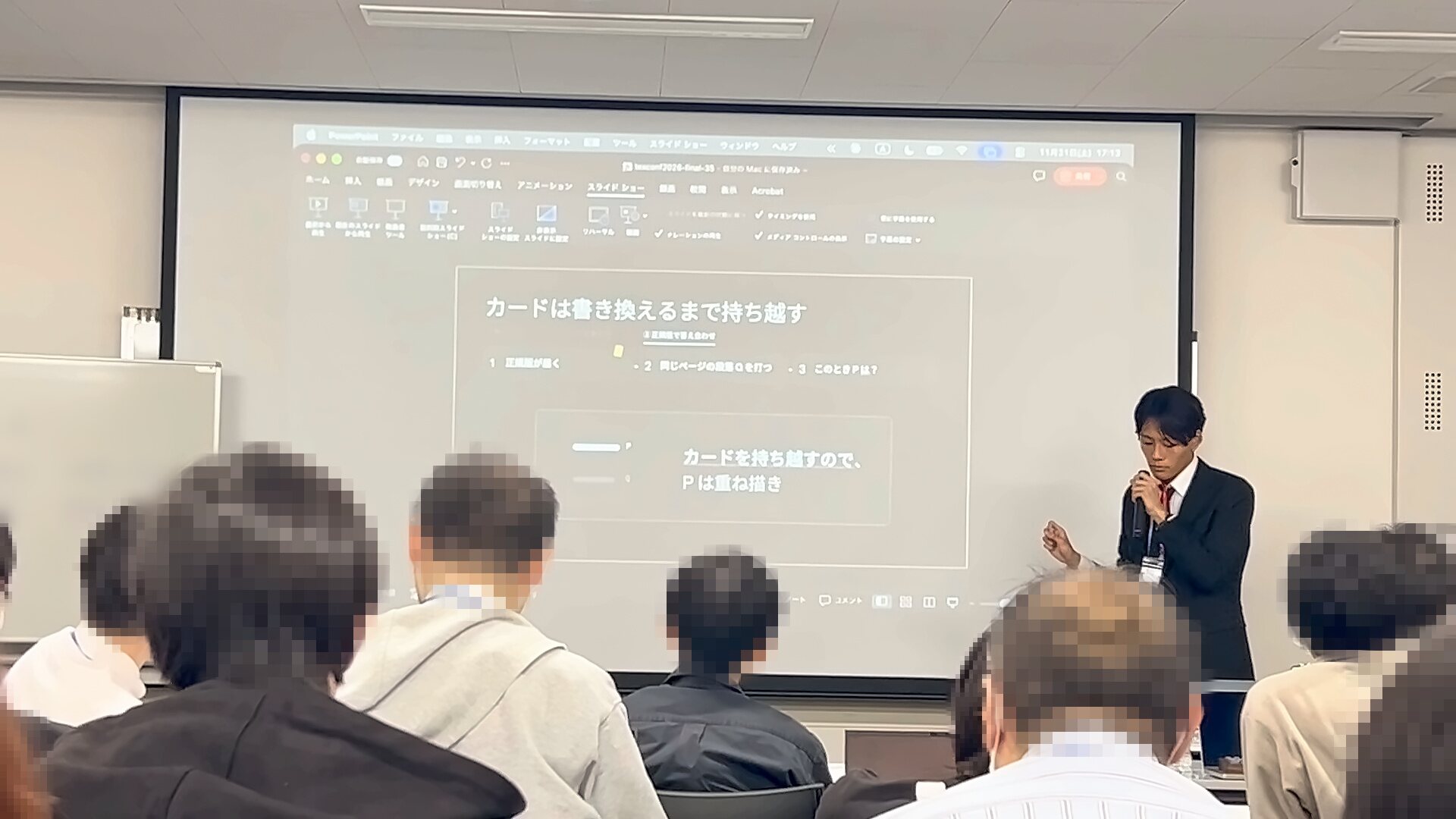
TeXConf 2026の会場で、マイクを持って発表している。スクリーンには「カードは書き換えるまで持ち越す」のスライドが映っている

リアルタイム
TEX プレビュー

Real-time
TEX Preview

打鍵の瞬間に該当ページだけが変わる。

Type, and only the page you touched changes.

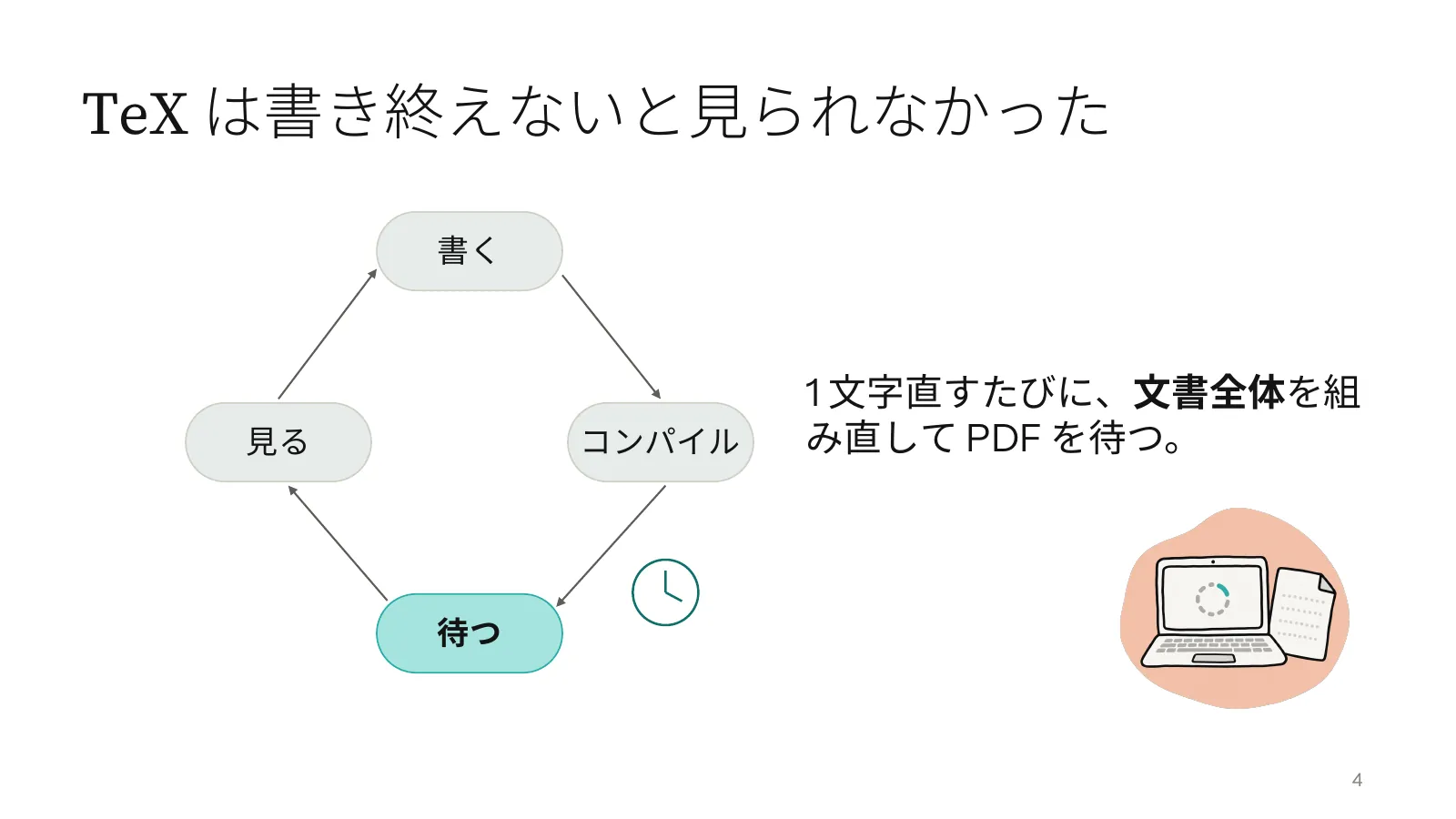
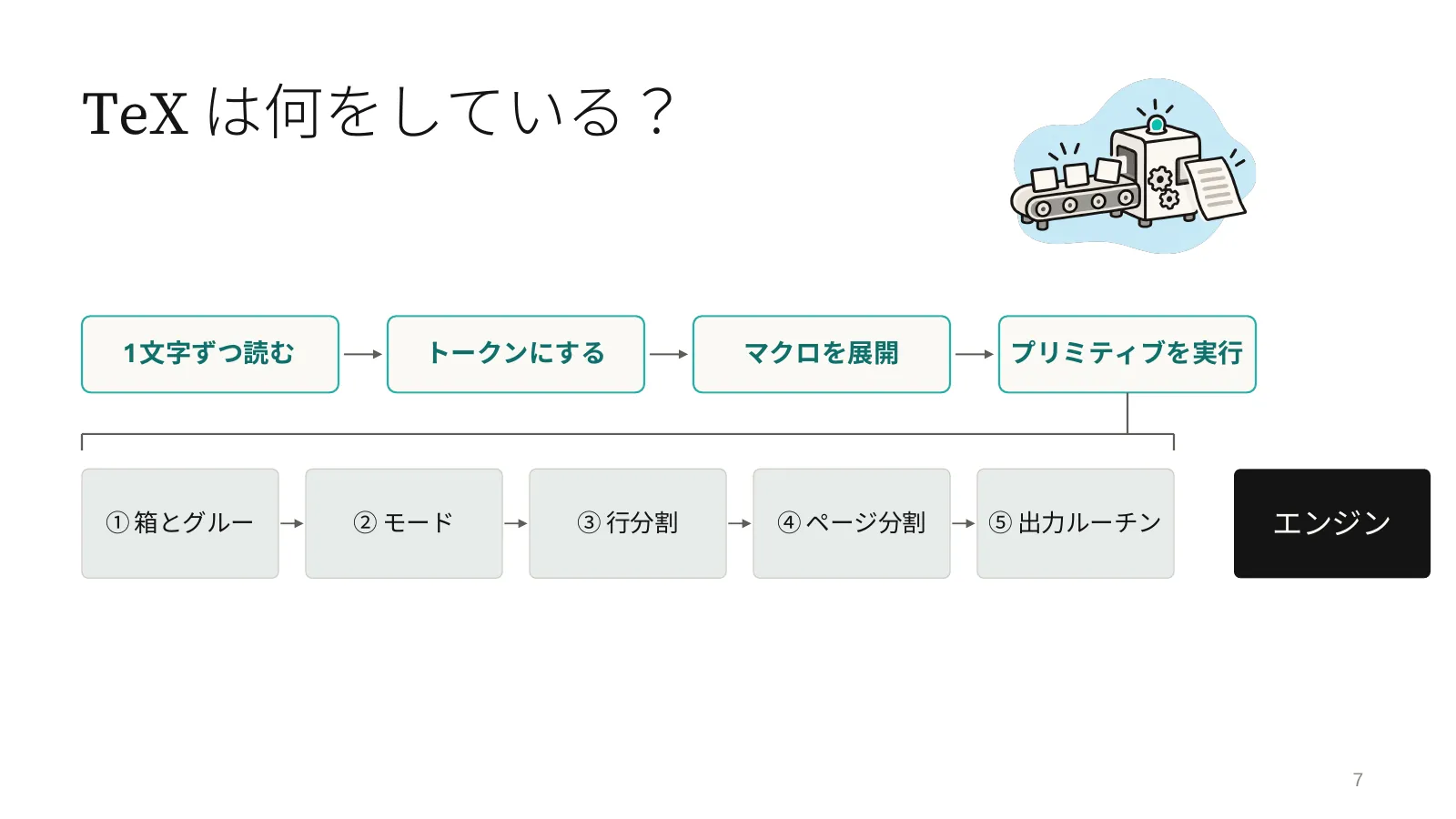
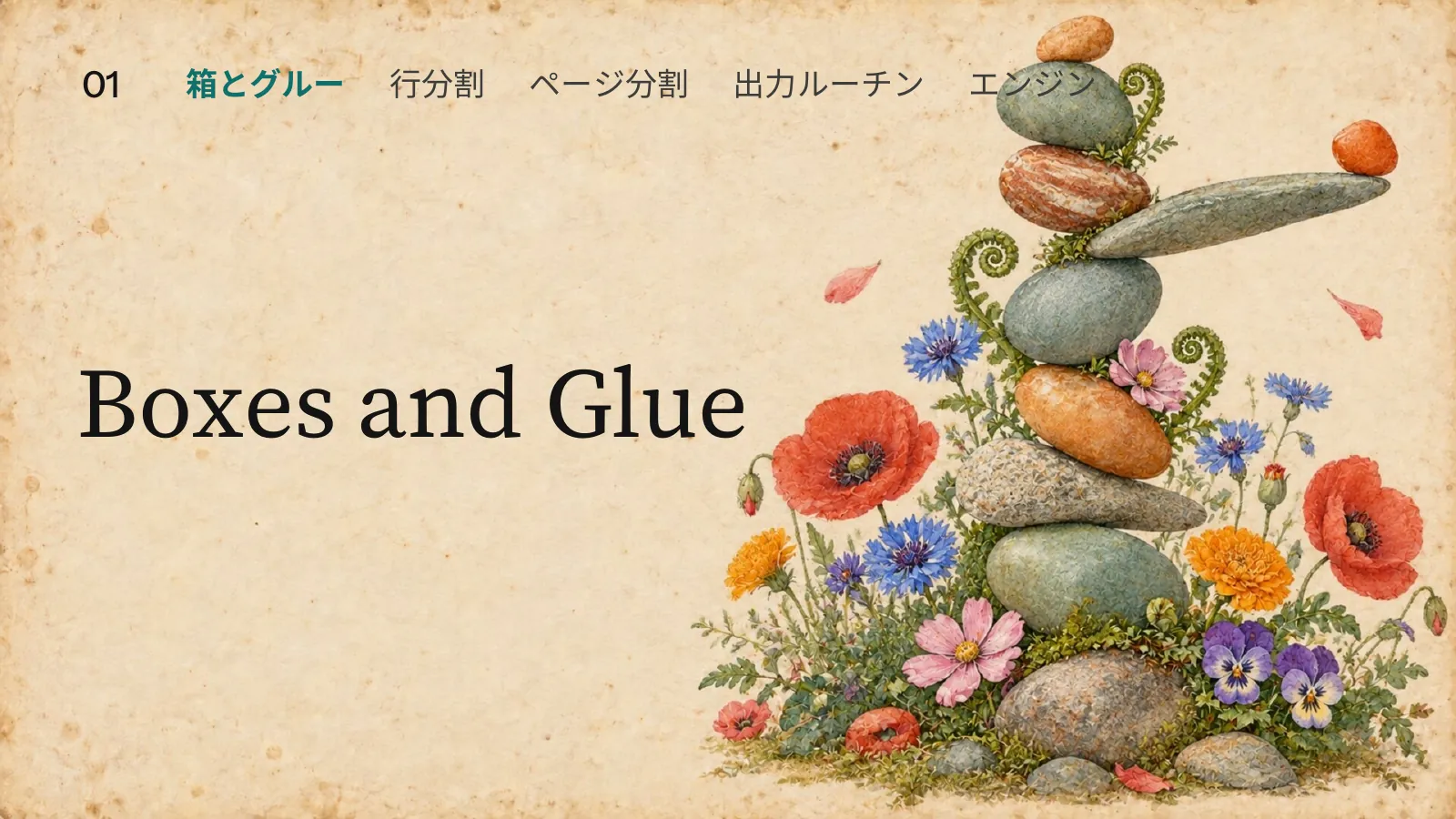
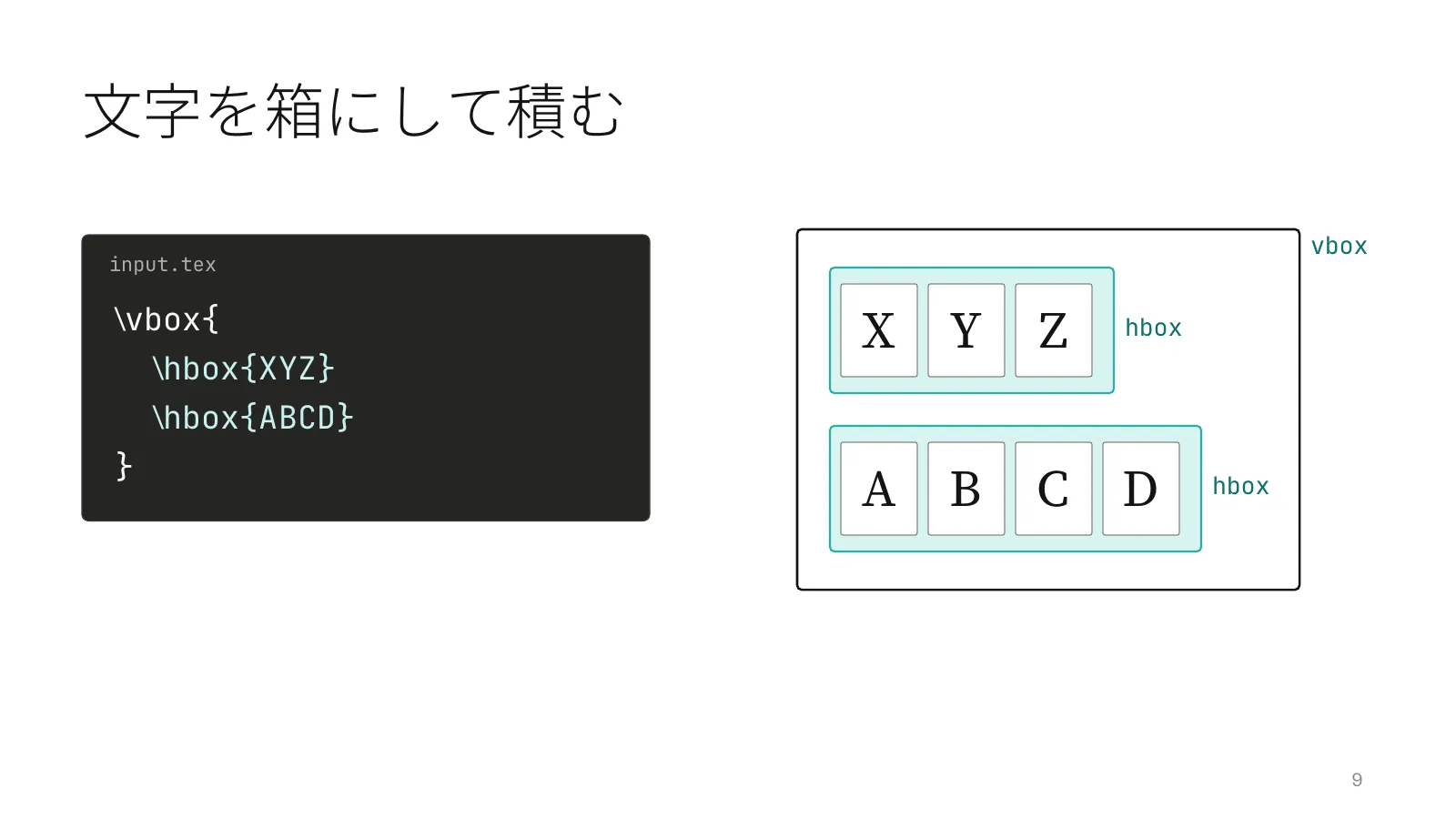
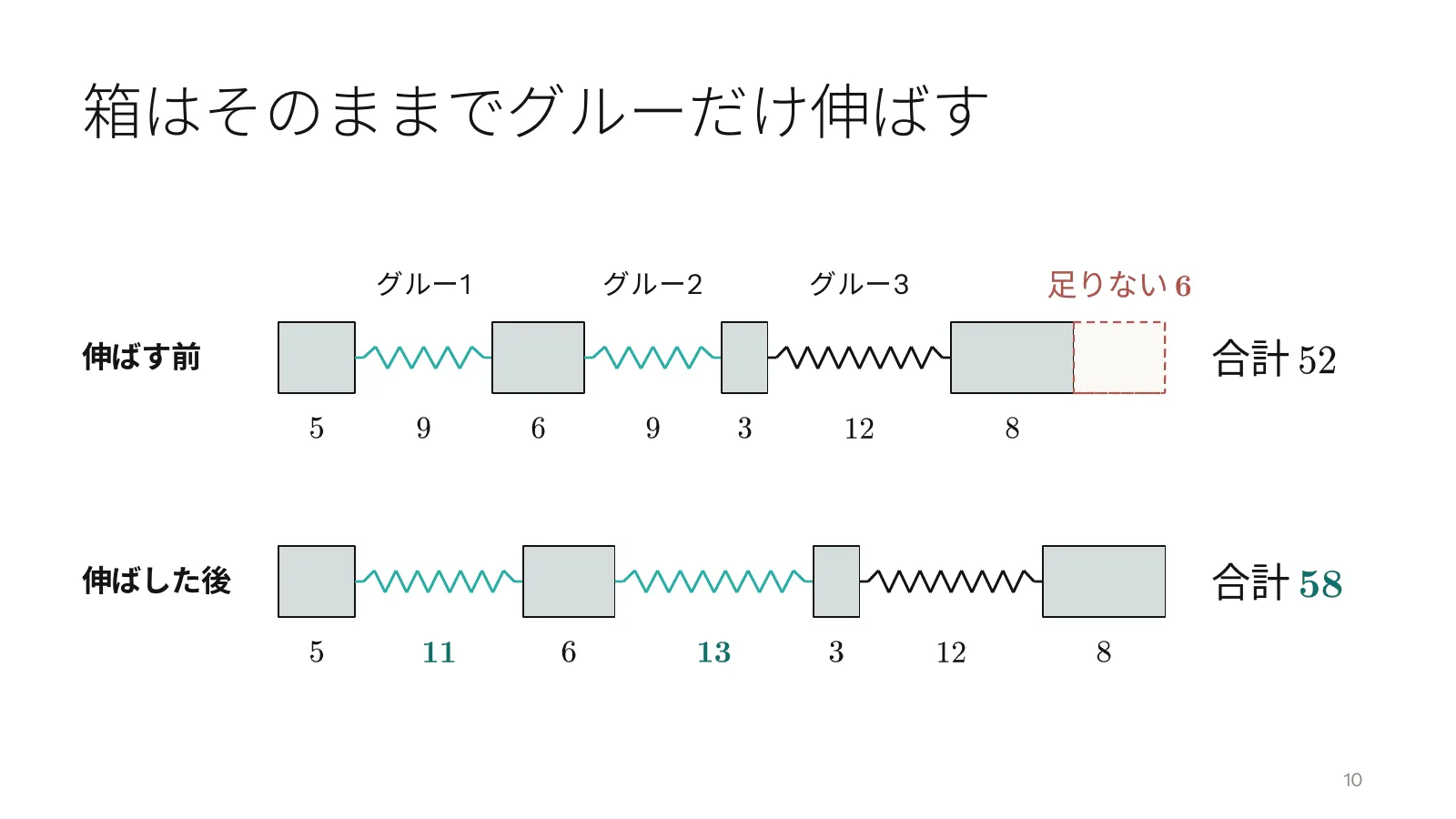
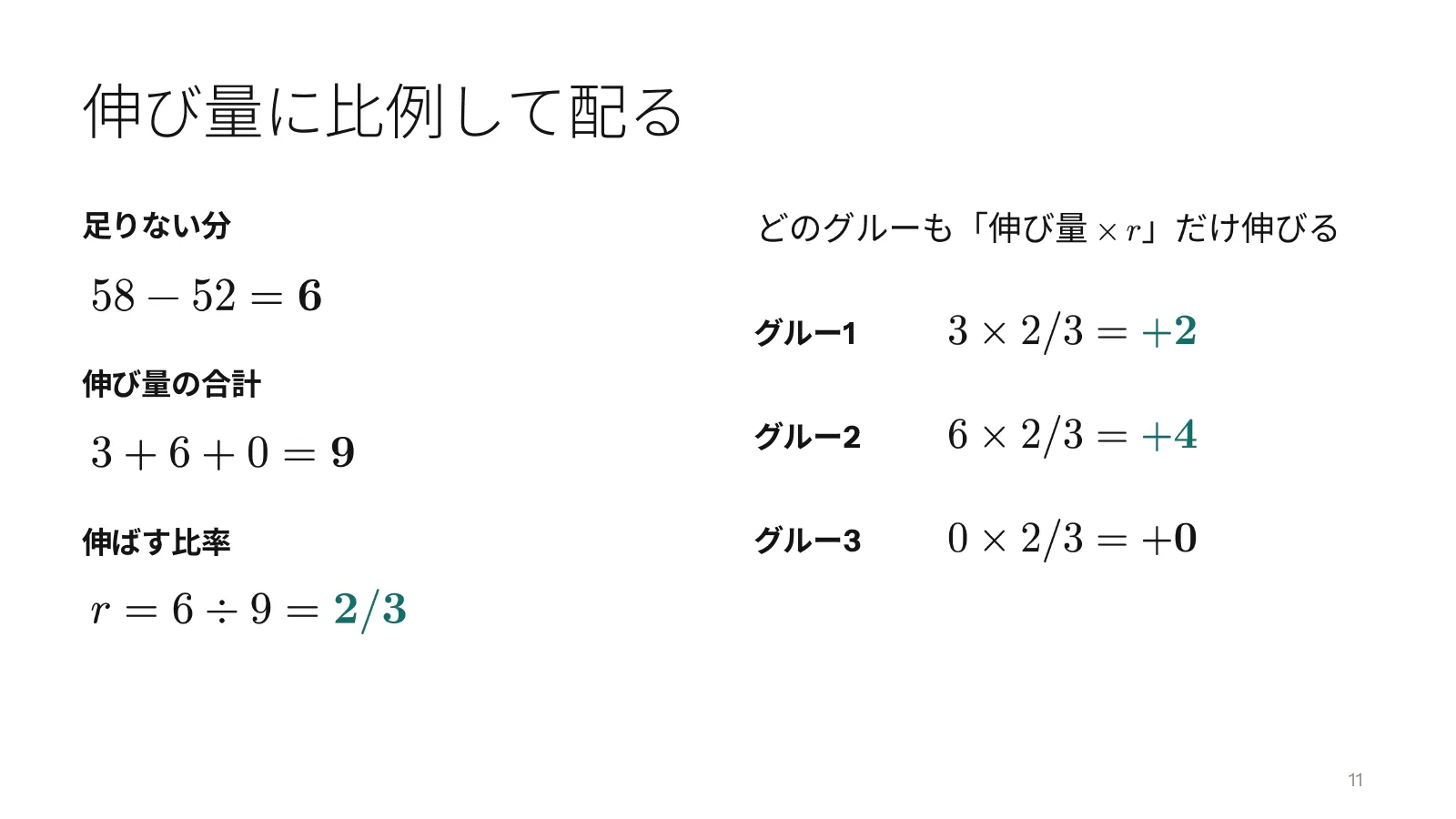
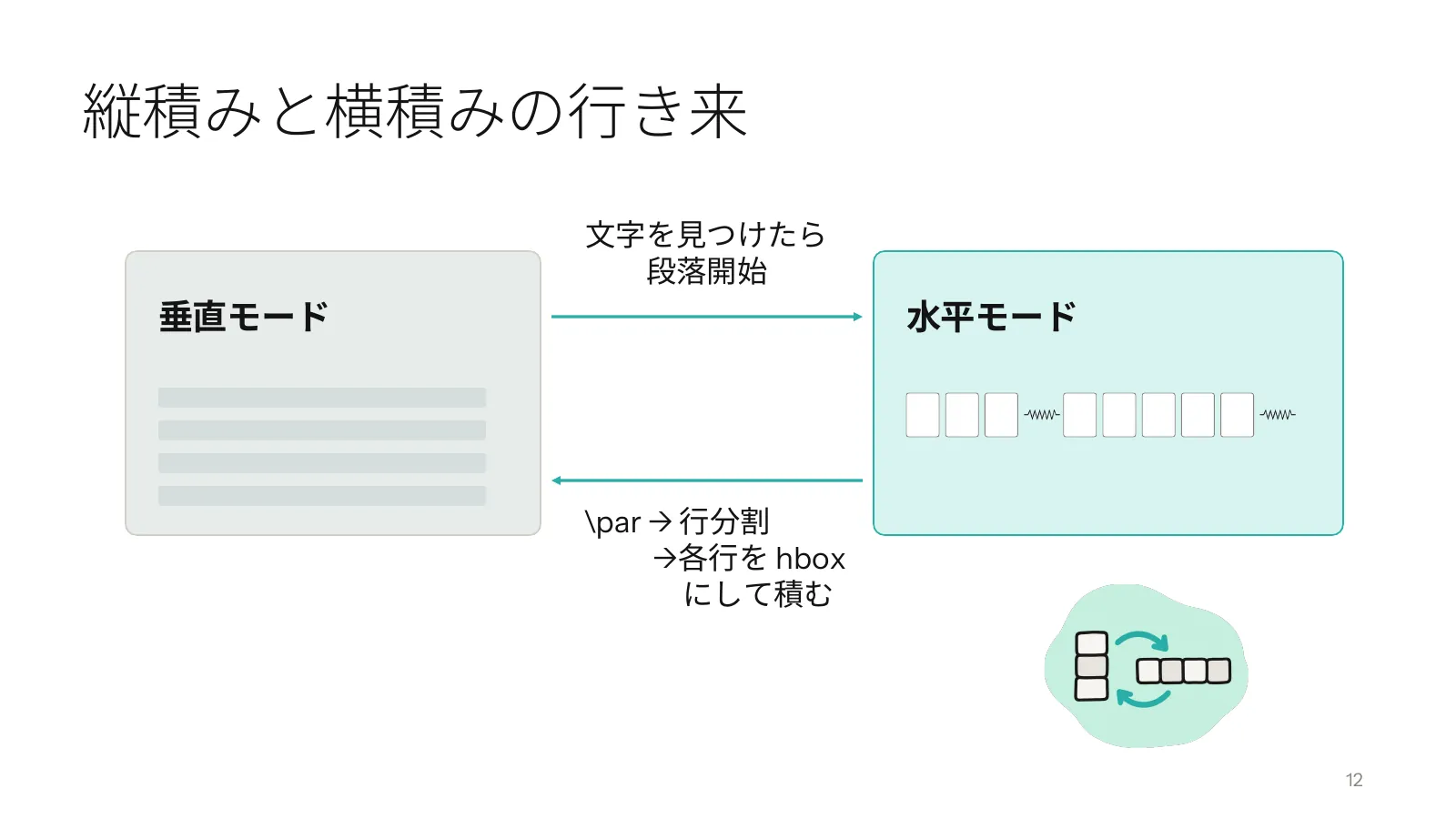
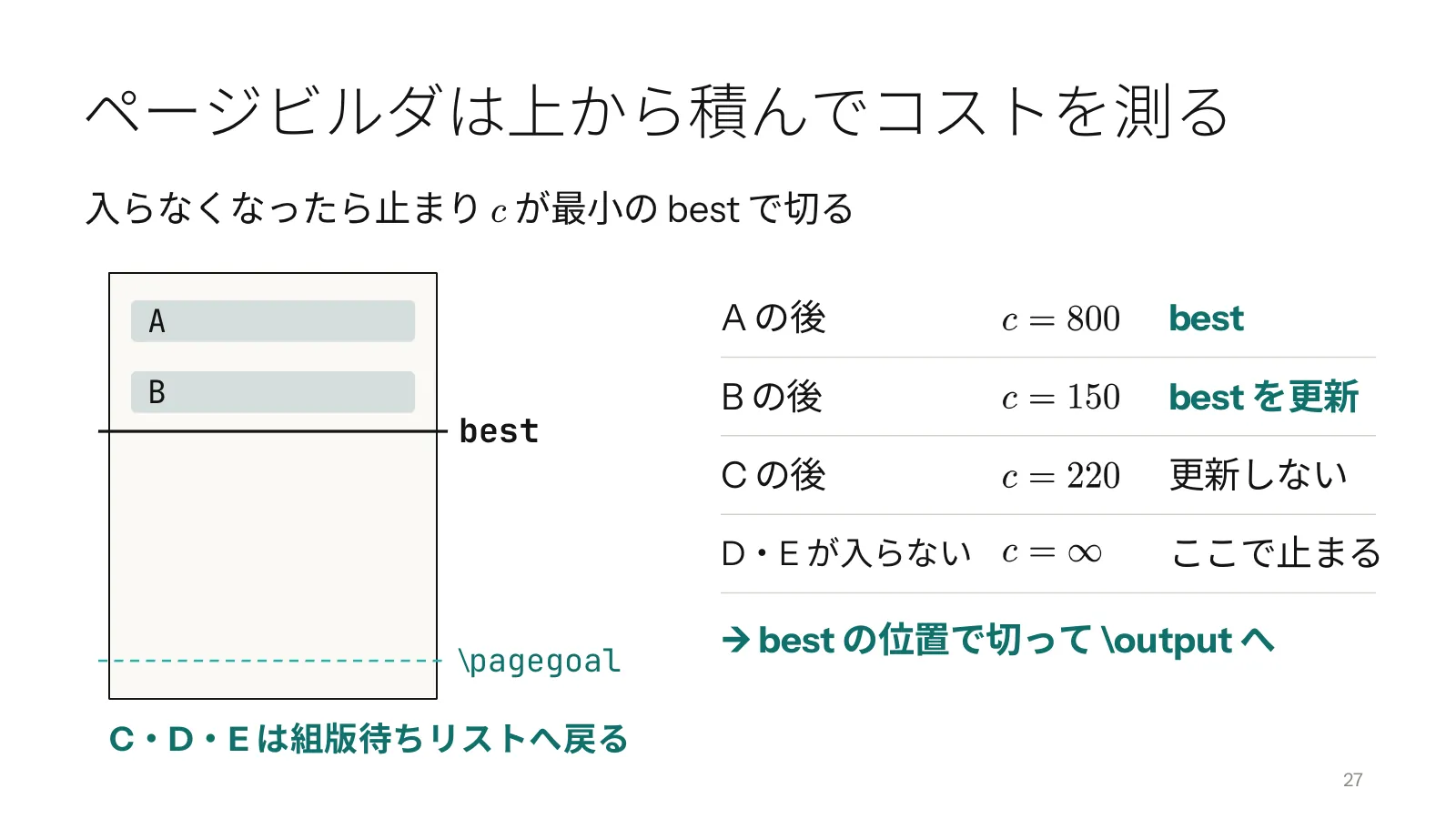
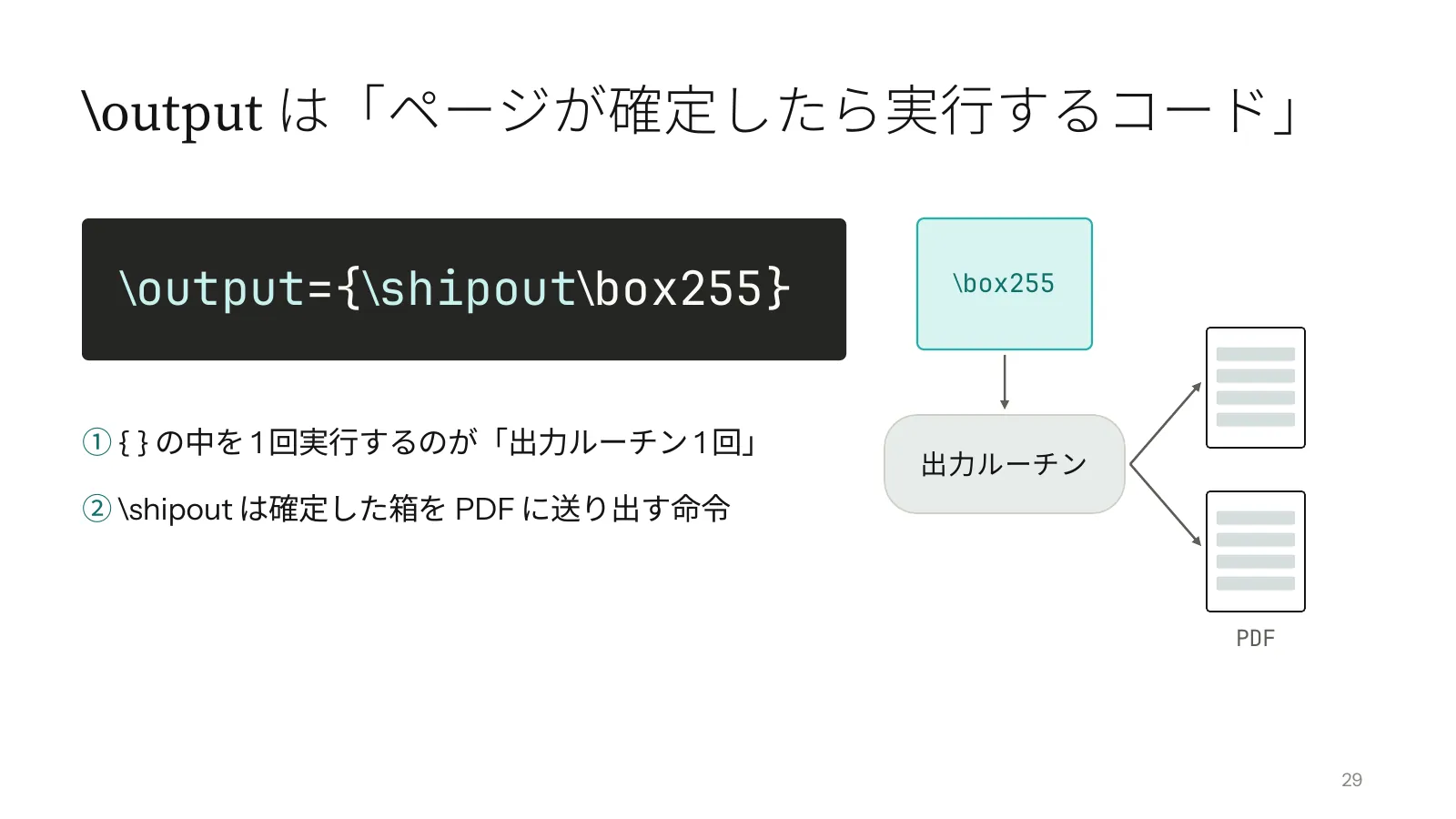
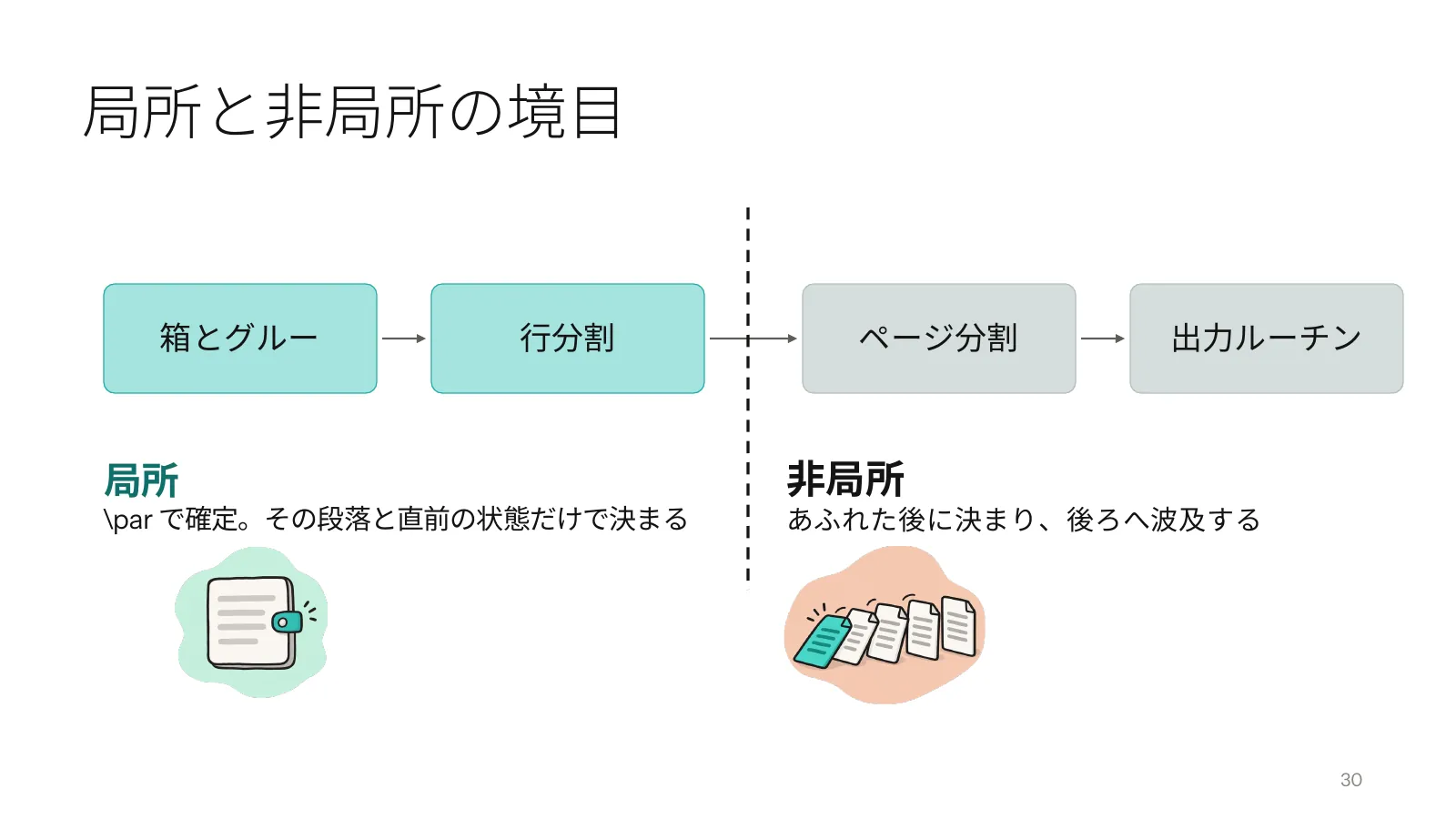
TeXはこれまで、1文字直すたびに文書全体を組み直しPDFを待つ道具だった。発表では、TeXの組版が「どこまで局所的で、どこから非局所的か」を切り分け、その線に沿ってリアルタイムプレビューのエンジンを設計した話をした。前半で箱とグルー、行分割、ページビルダ、出力ルーチンを追い、後半でエンジンの設計を説明した。

Qiitaの記事やXでの投稿など日本のTeX界の方々の目に留まり、登壇の依頼をいただいた。特に恩師である寺田侑祐さんには特別感謝申し上げたい。

Until now, TeX meant re-typesetting the whole document for every character you changed, then waiting for the PDF. The talk drew a line through TeX’s typesetting — what is settled locally and what is not — and designed a real-time preview engine along that line. The first half followed boxes and glue, line breaking, the page builder and the output routine; the second half explained the engine.

My Qiita articles and posts on X caught the attention of the Japanese TeX community, and the invitation followed. Special thanks to my teacher, Yusuke Terada.

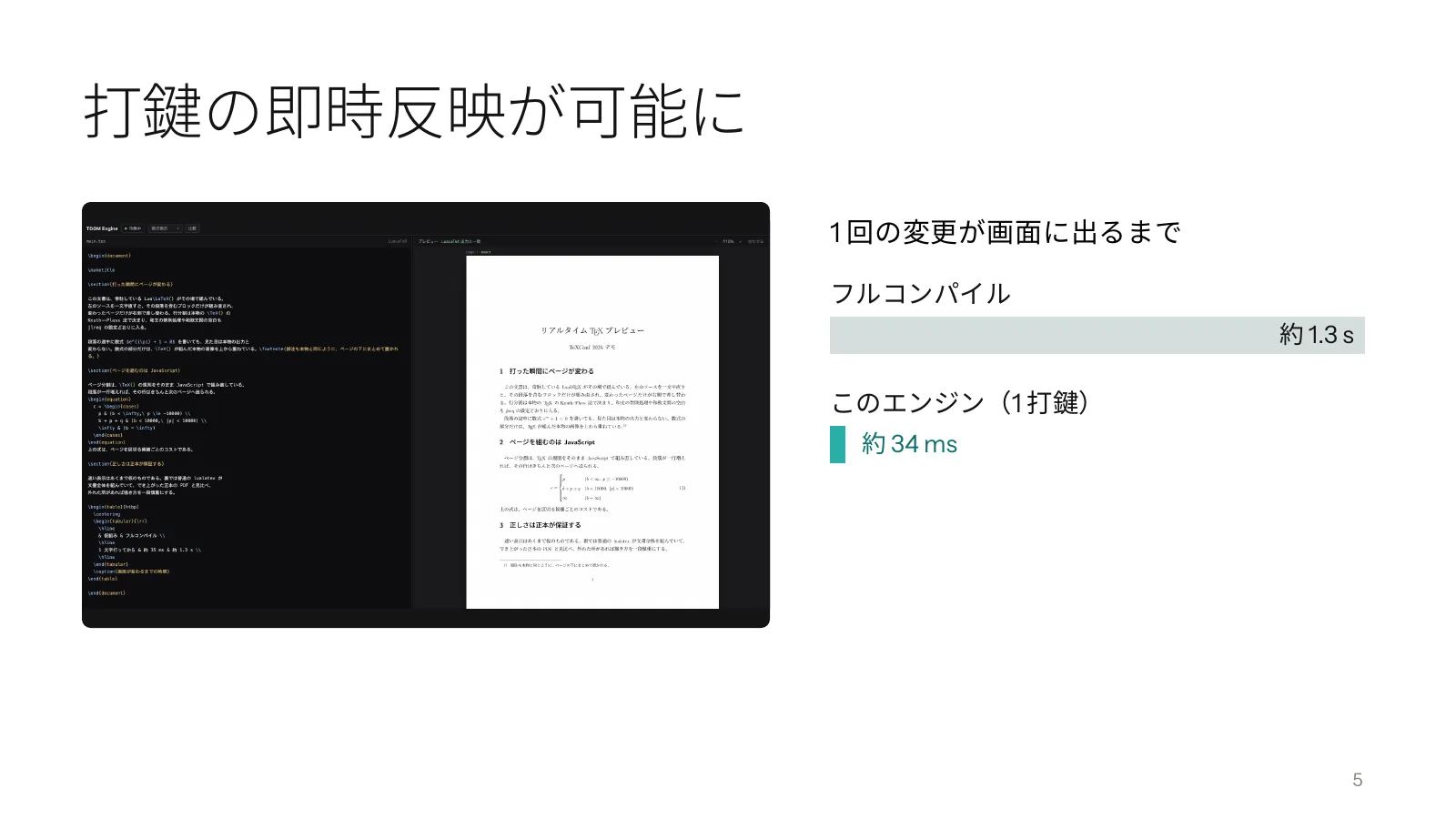
1.3 s

フルコンパイルで、1回の変更が画面に出るまで

From one edit to the screen, with a full compile

34 ms

このエンジンで、1打鍵が画面に出るまで

From one keystroke to the screen, with this engine

TeX64のリアルタイムプレビューの実演。30ページの数学の冊子に、9か所を1文字ずつ打ち込んでいる。86秒、速さには手を加えていない。 TeX64’s real-time preview: nine edits typed into a 30-page maths booklet, one character at a time. 86 seconds, shown at the speed it ran.

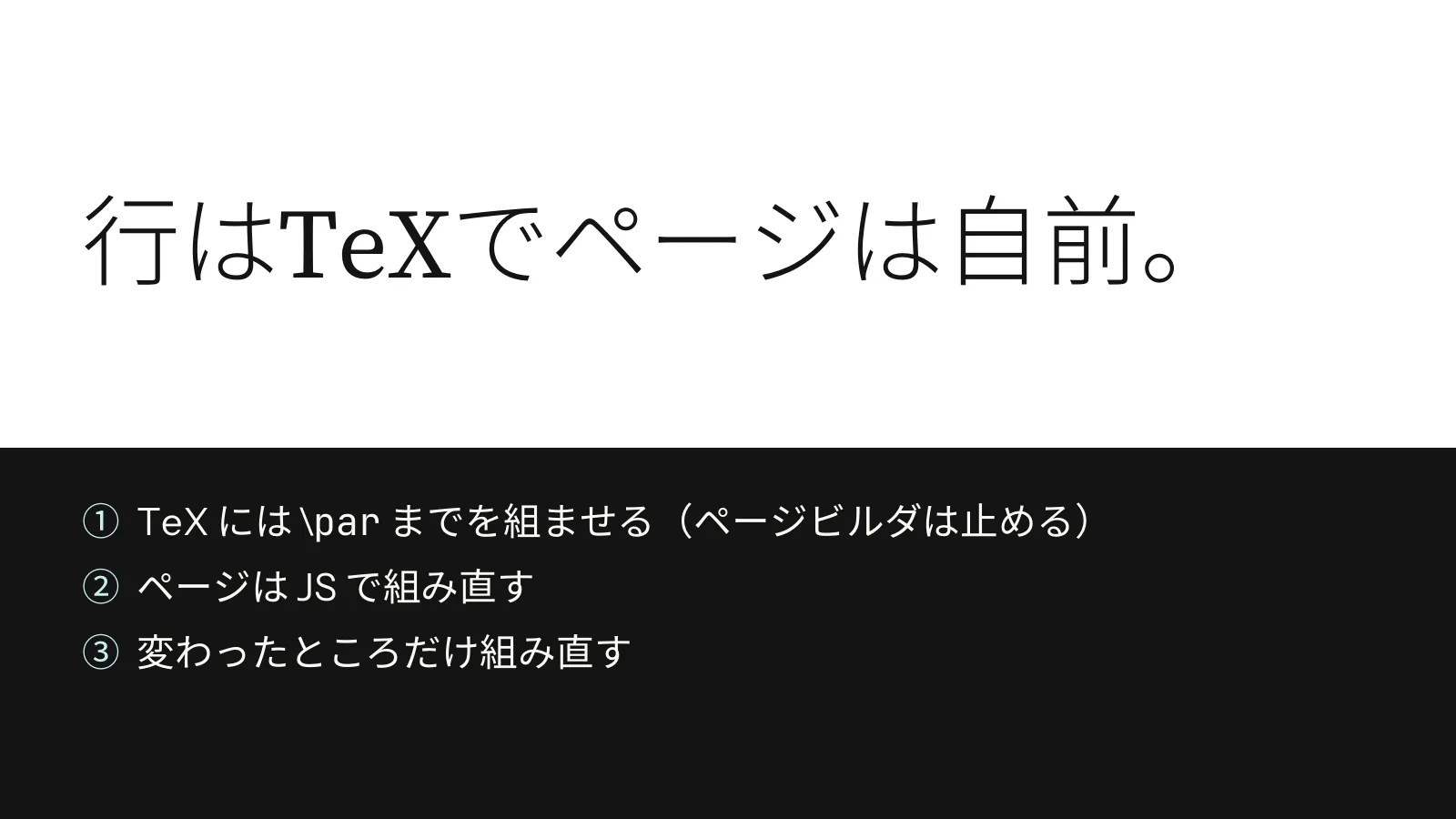
行はTEXで、
ページは自前。

TEX sets the lines.
We build the pages.

  1. 01TeXには \par までを組ませる(ページビルダは止める)Let TeX set everything up to \par, with its page builder stopped
  2. 02ページはJavaScriptで組み直すRebuild the pages in JavaScript
  3. 03変わったところだけ組み直すRe-typeset only what changed

発表スライド

The slides

スライド1「TeXConf 2026」
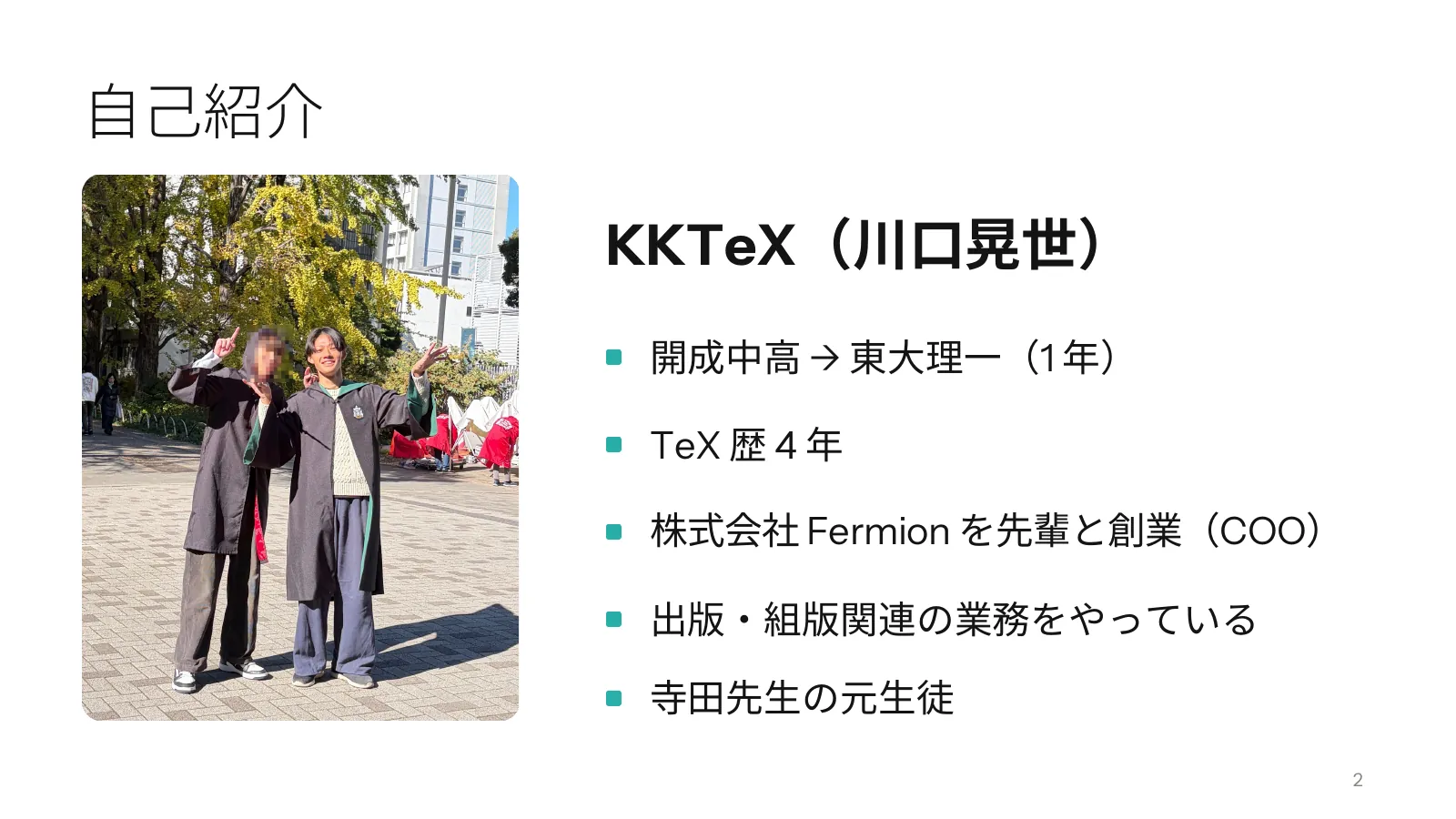
スライド2「自己紹介」
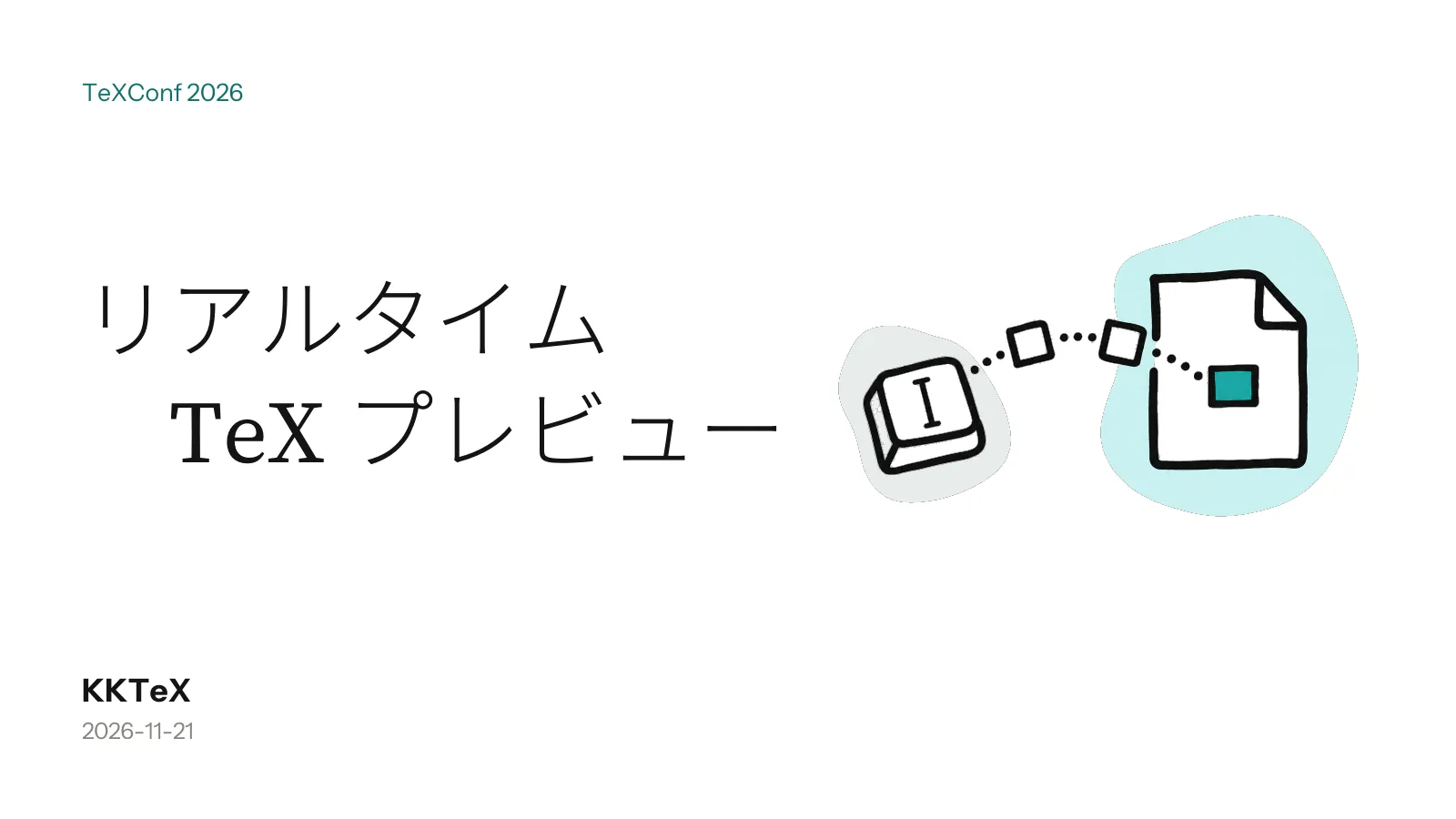
スライド3「リアルタイム TeX プレビュー」
スライド4「TeX は書き終えないと見られなかった」
スライド5「打鍵の即時反映が可能に」
スライド6「どうやって実現したの?」
スライド7「TeX は何をしている?」
スライド8「Boxes and Glue」
スライド9「文字を箱にして積む」
スライド10「箱はそのままでグルーだけ伸ばす」
スライド11「伸び量に比例して配る」
スライド12「縦積みと横積みの行き来」
スライド13「Line Breaking」
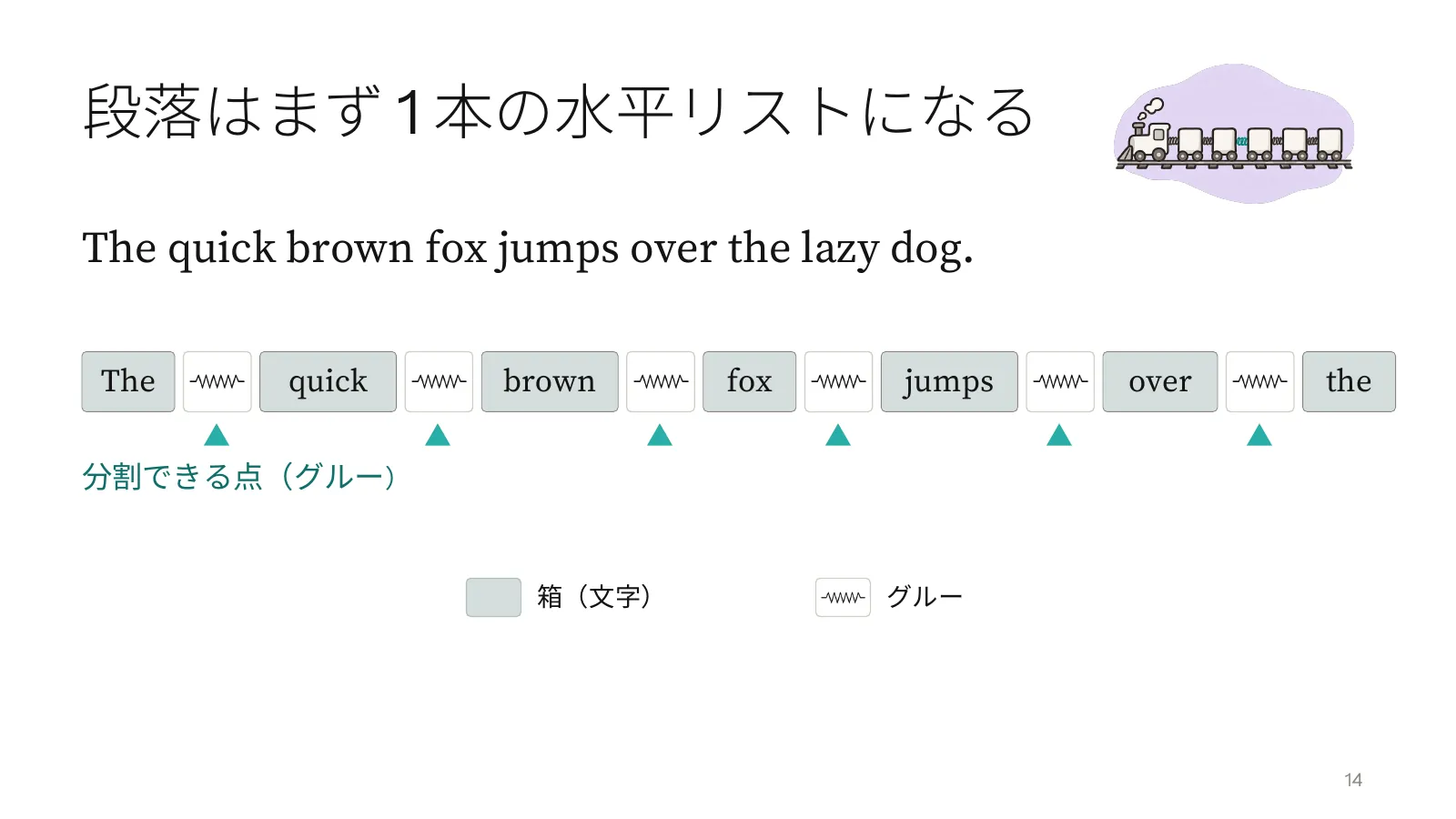
スライド14「段落はまず 1 本の水平リストになる」
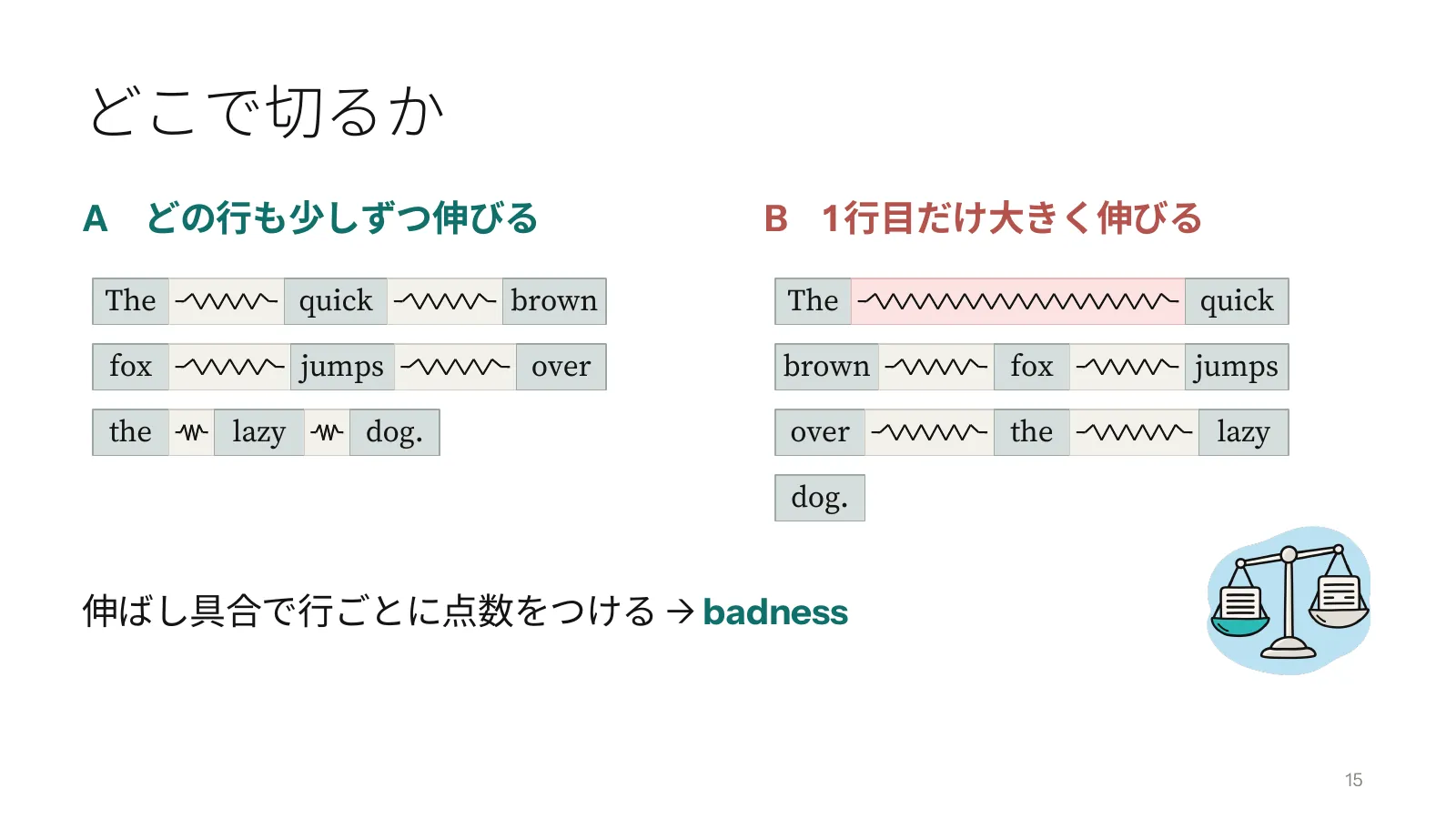
スライド15「どこで切るか」
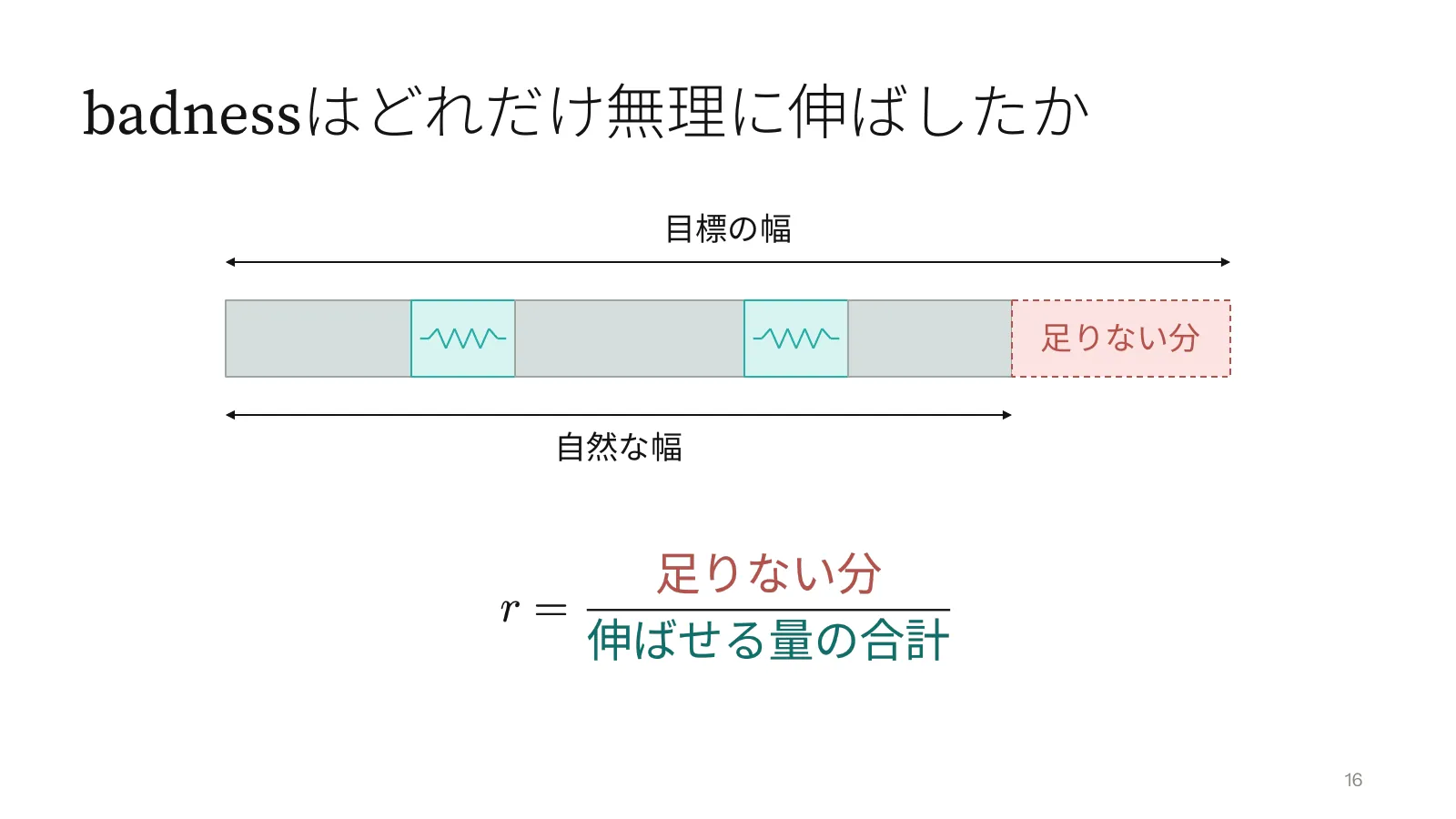
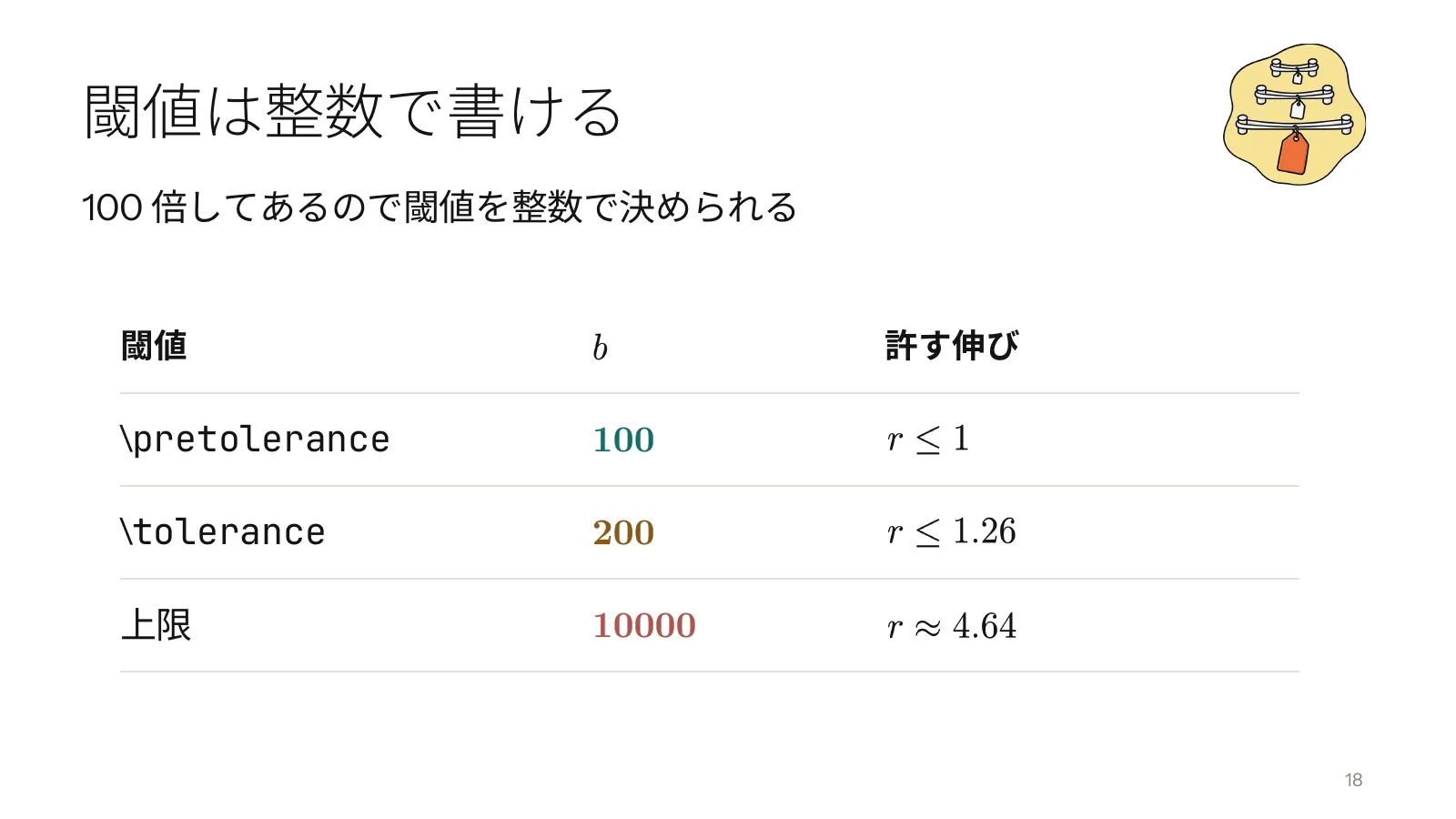
スライド16「badnessはどれだけ無理に伸ばしたか」
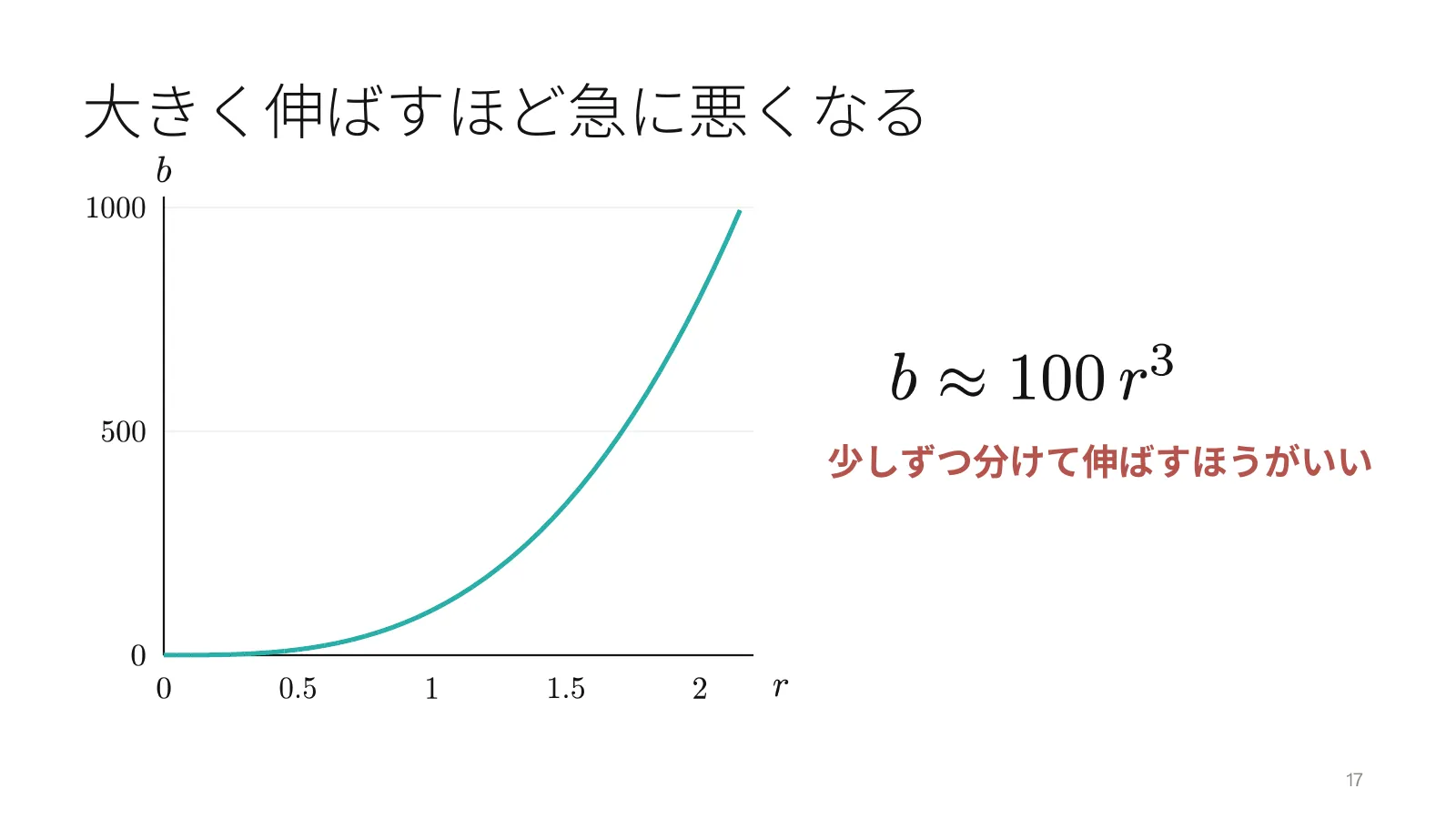
スライド17「大きく伸ばすほど急に悪くなる」
スライド18「閾値は整数で書ける」
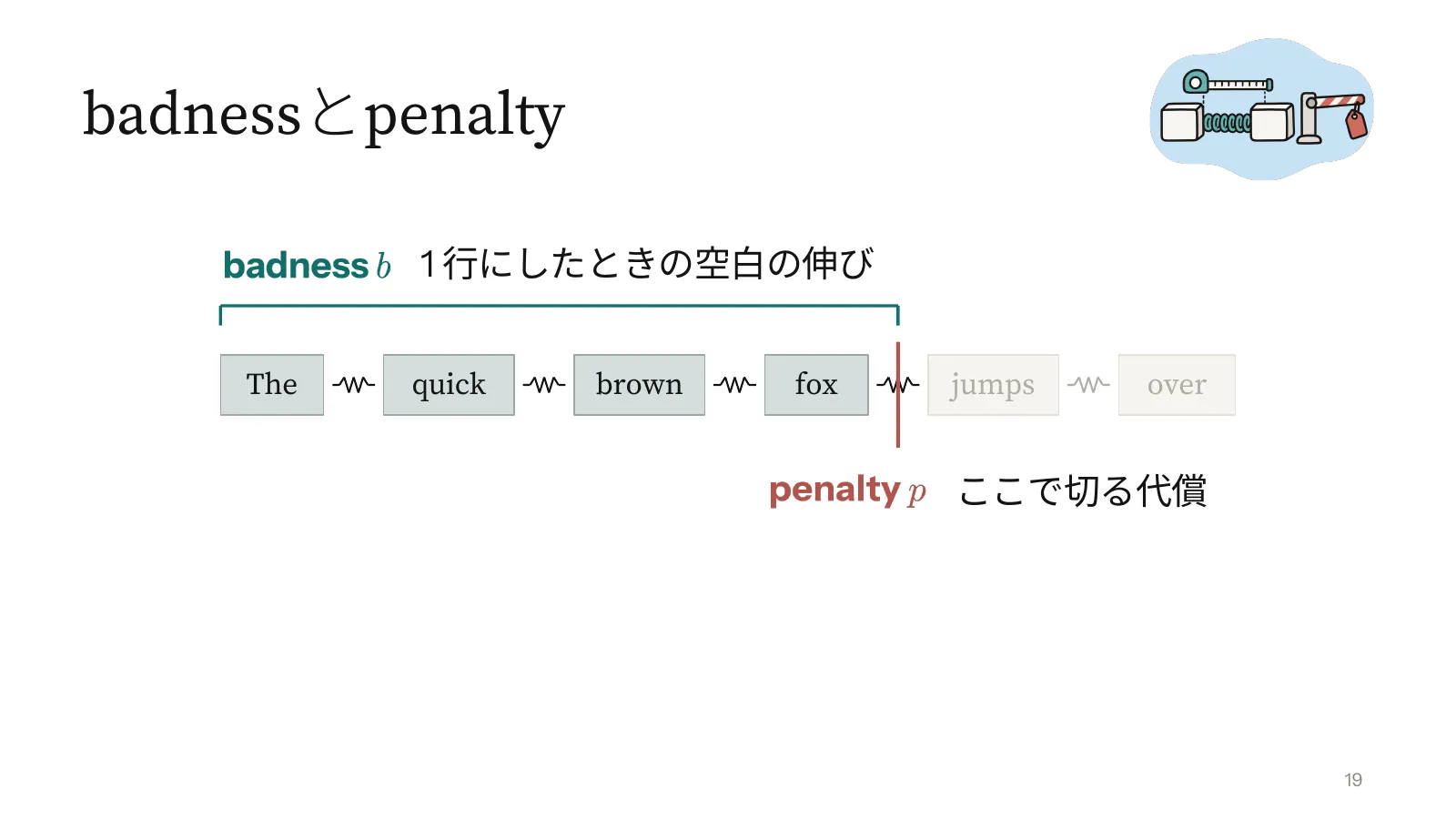
スライド19「badnessとpenalty」
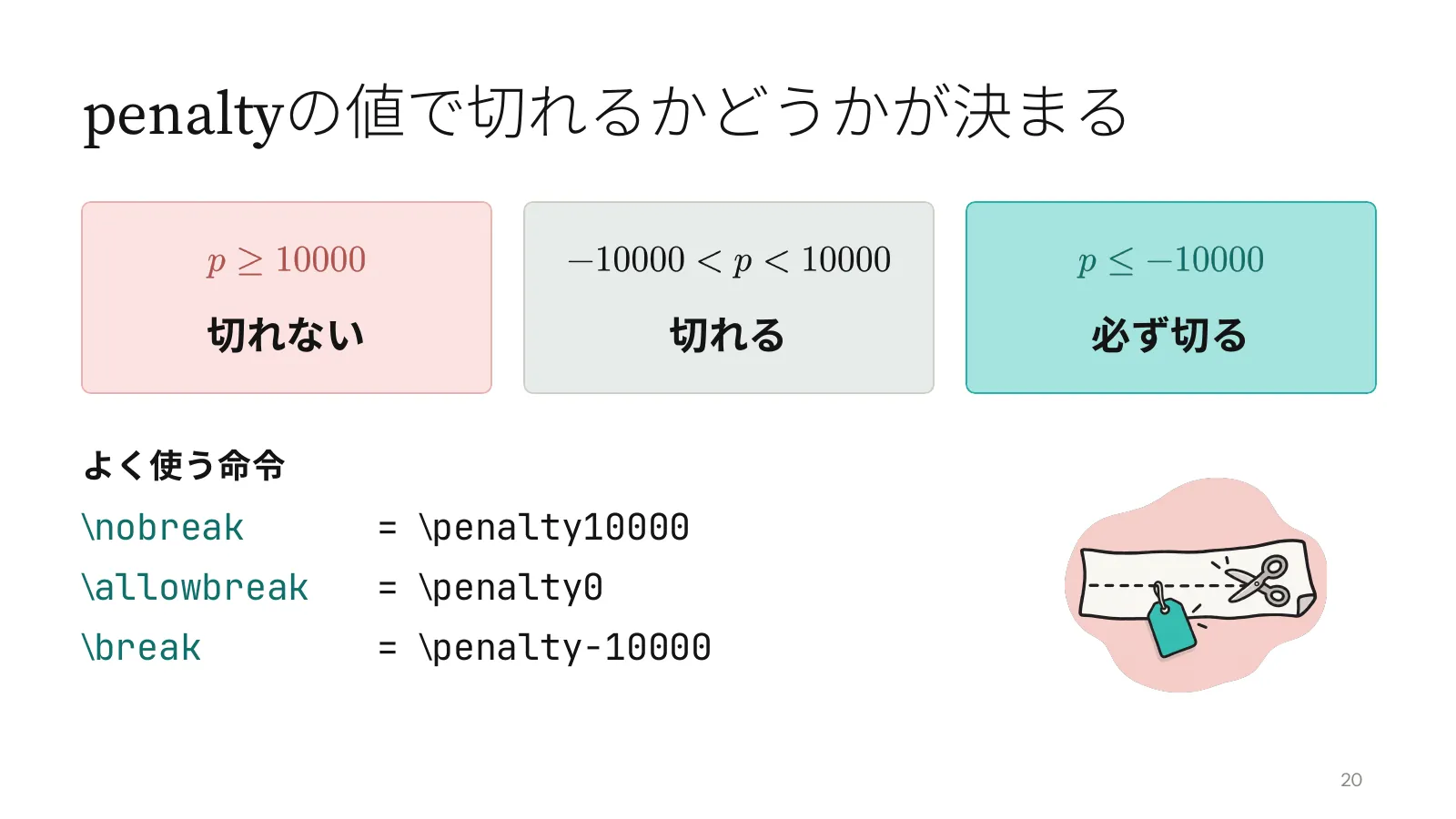
スライド20「penaltyの値で切れるかどうかが決まる」
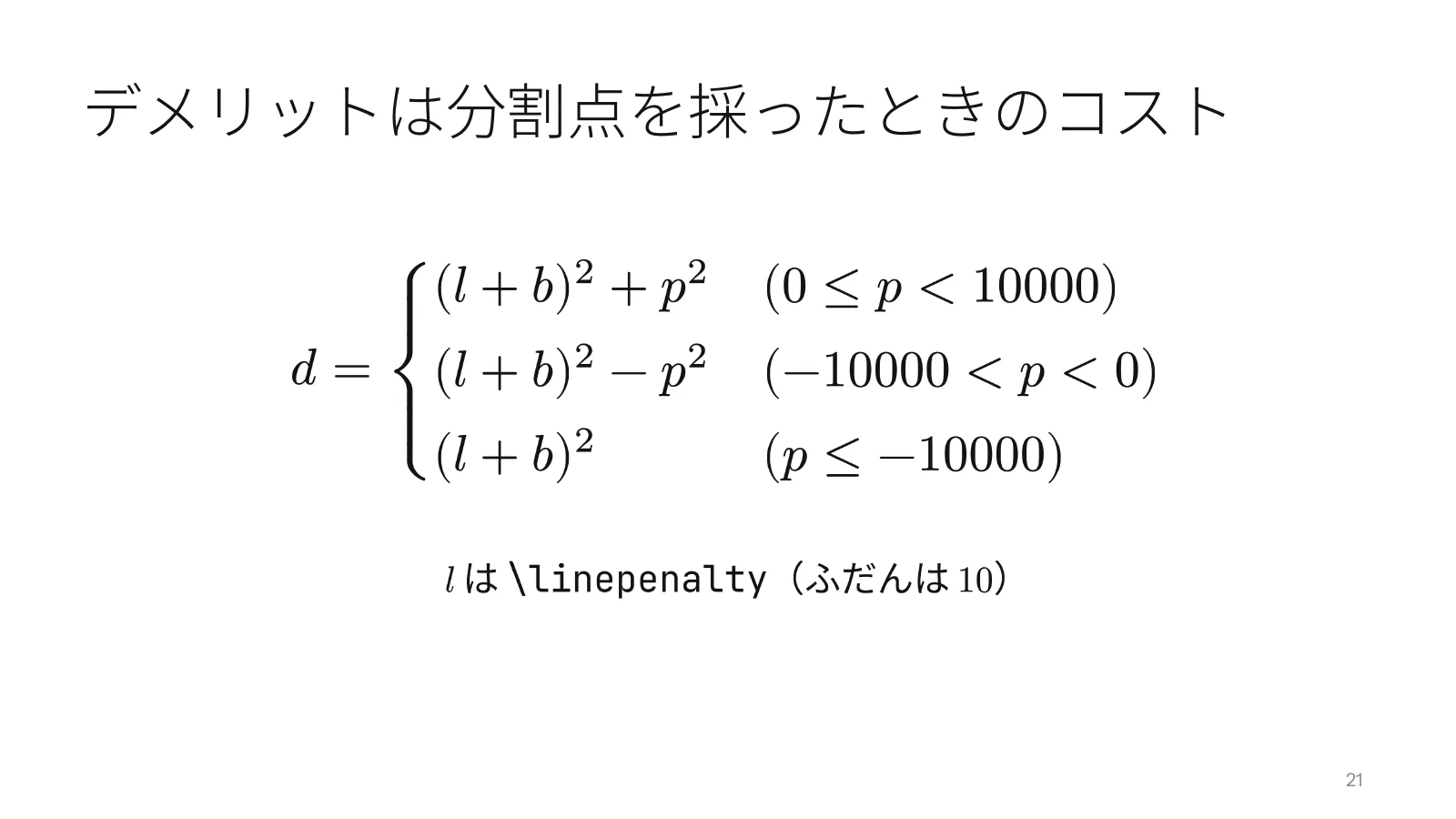
スライド21「デメリットは分割点を採ったときのコスト」
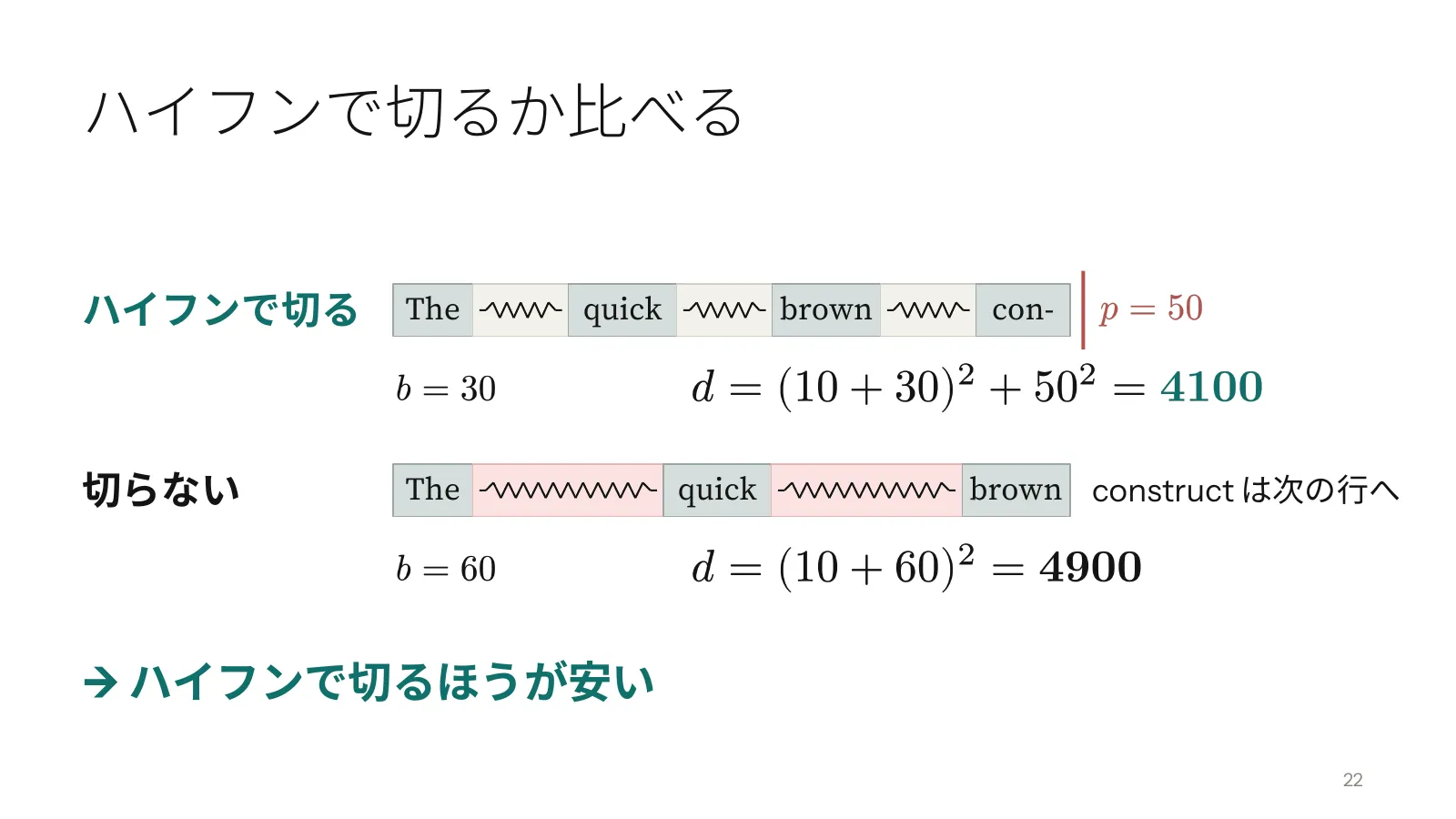
スライド22「ハイフンで切るか比べる」
スライド23「Page Breaking」
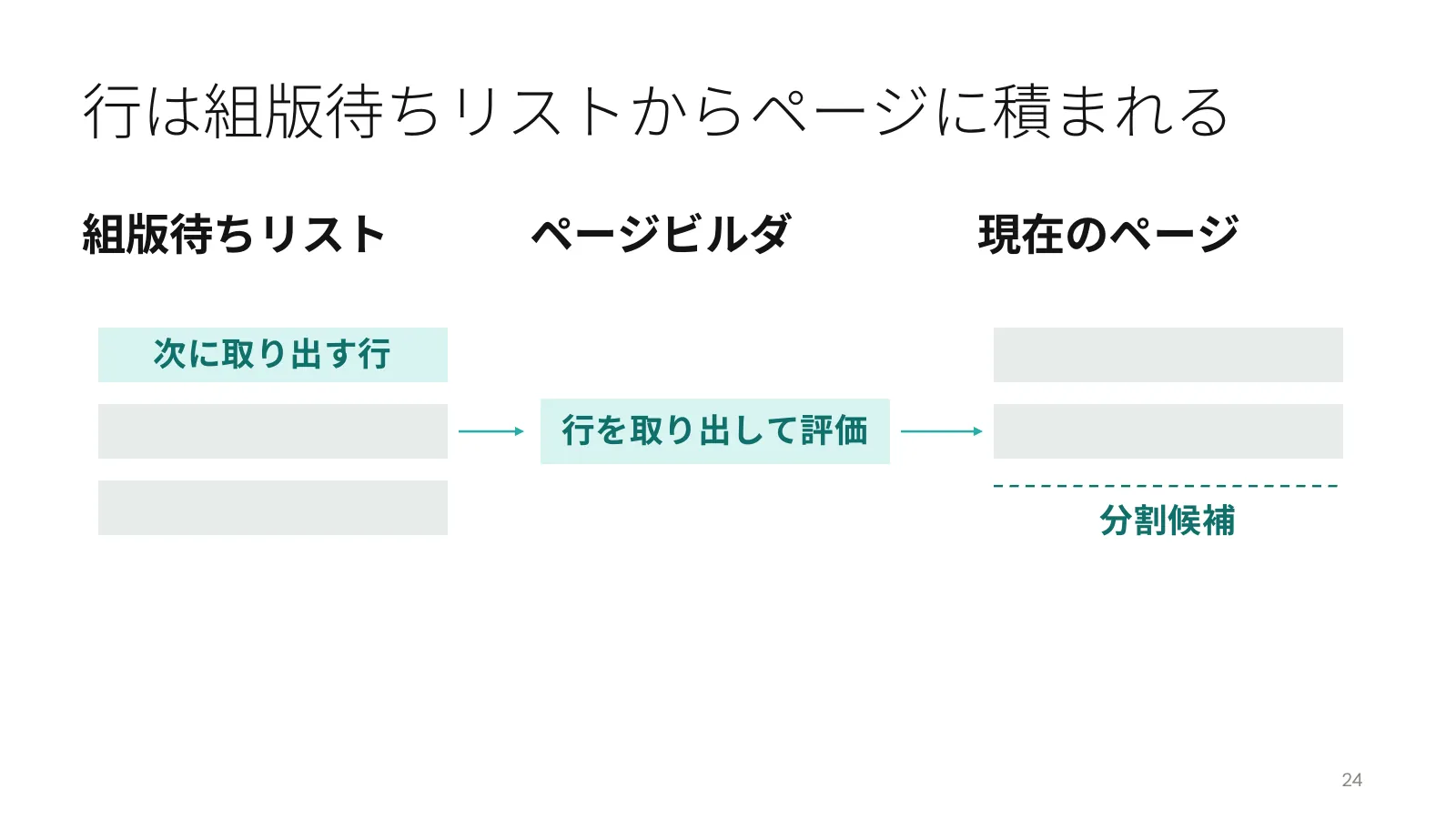
スライド24「行は組版待ちリストからページに積まれる」
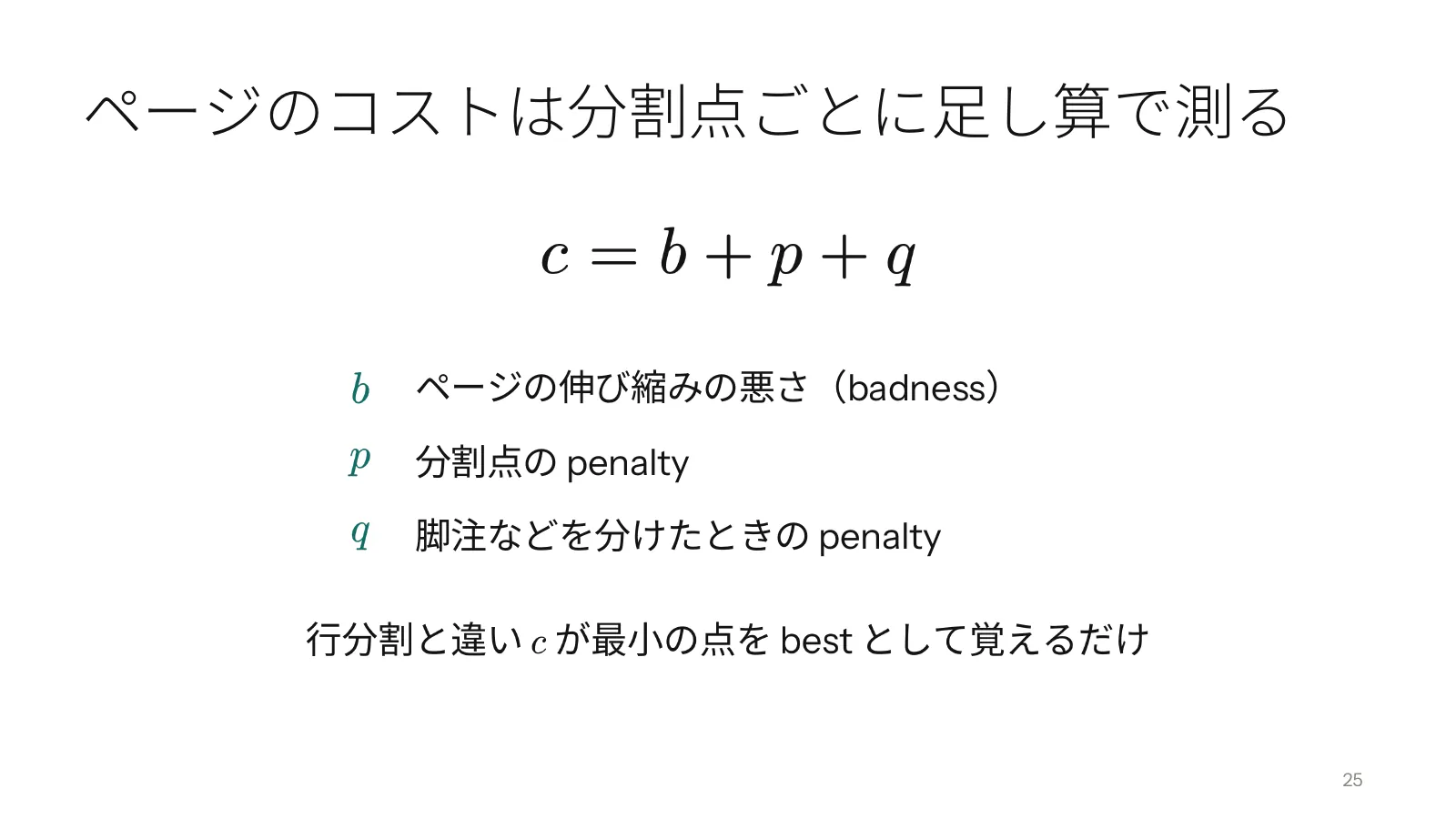
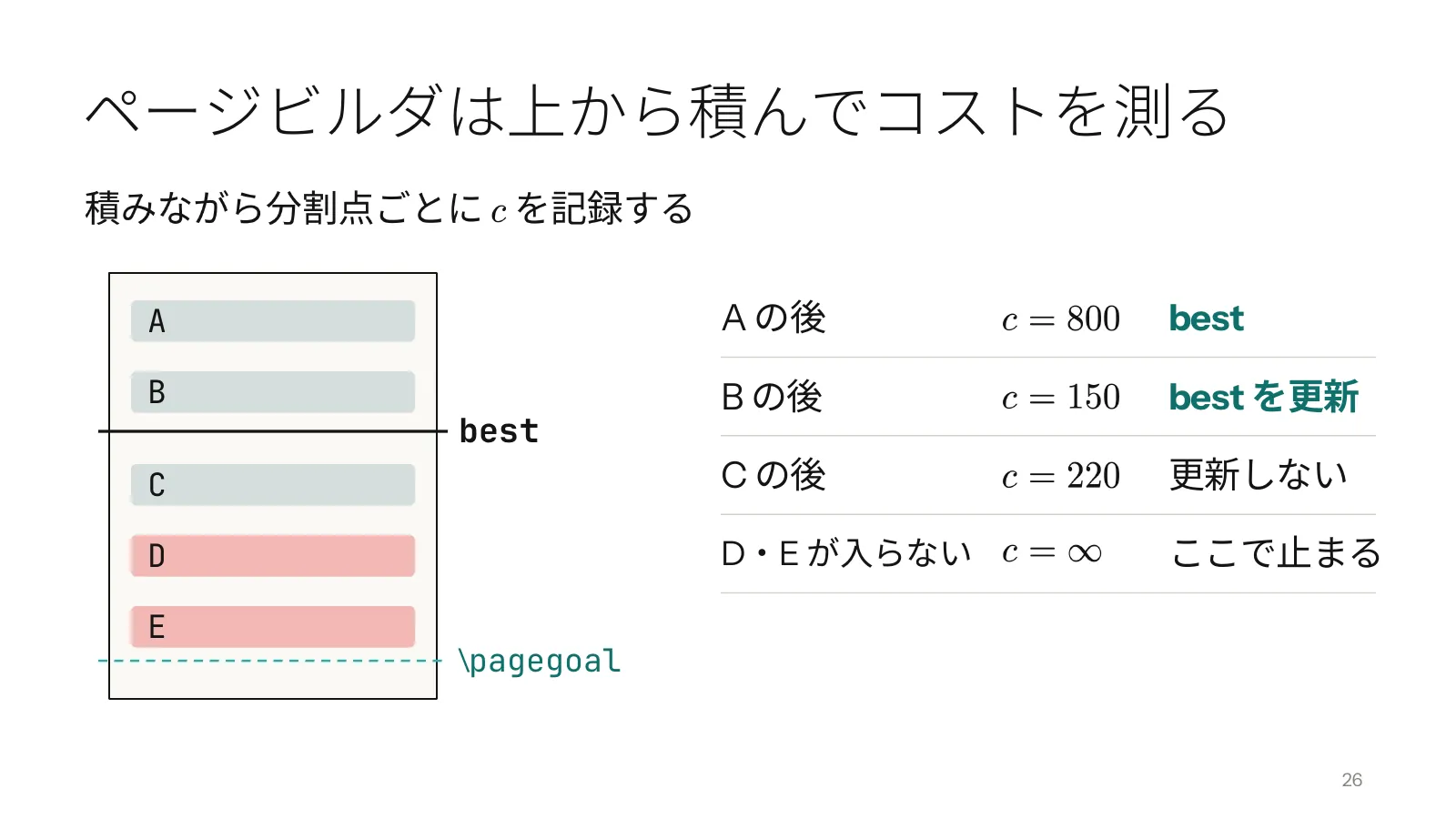
スライド25「ページのコストは分割点ごとに足し算で測る」
スライド26「ページビルダは上から積んでコストを測る」
スライド27「ページビルダは上から積んでコストを測る」
スライド28「The Output Routine」
スライド29「\output は「ページが確定したら実行するコード」」
スライド30「局所と非局所の境目」
スライド31「行はTeXでページは自前。」
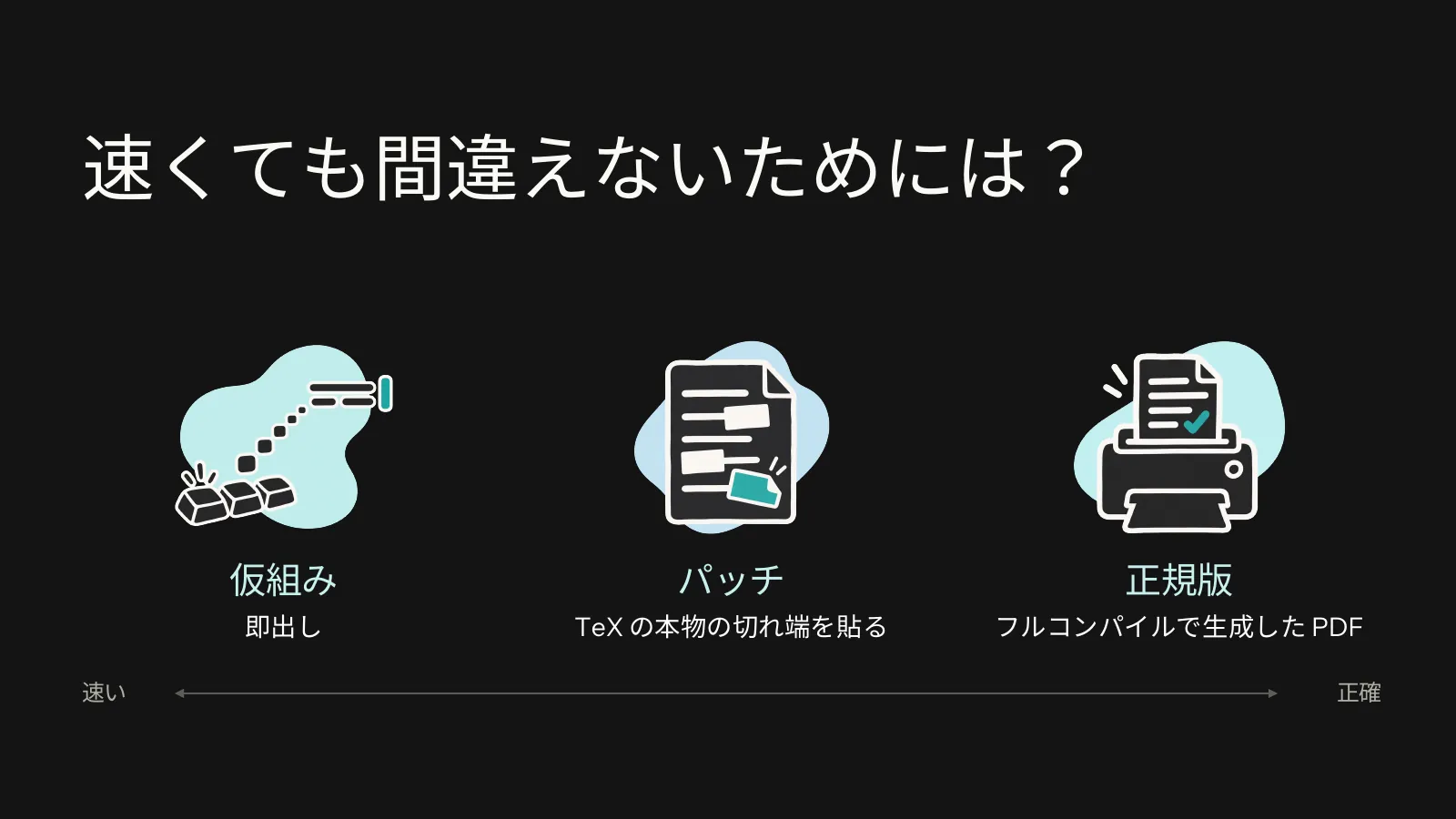
スライド32「速くても間違えないためには?」
スライド33「Don’t Let TeX Build the Pages」
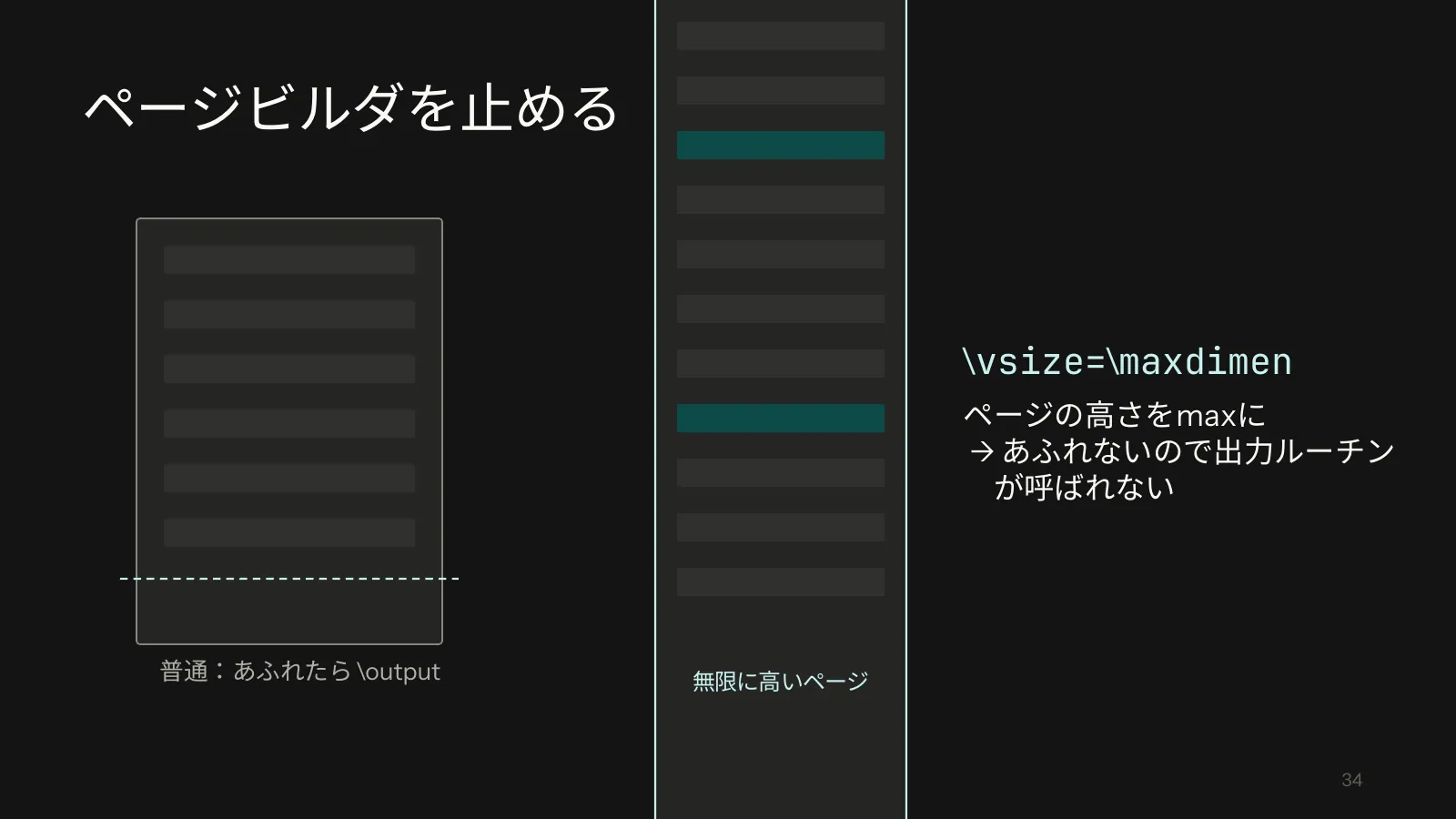
スライド34「ページビルダを止める」
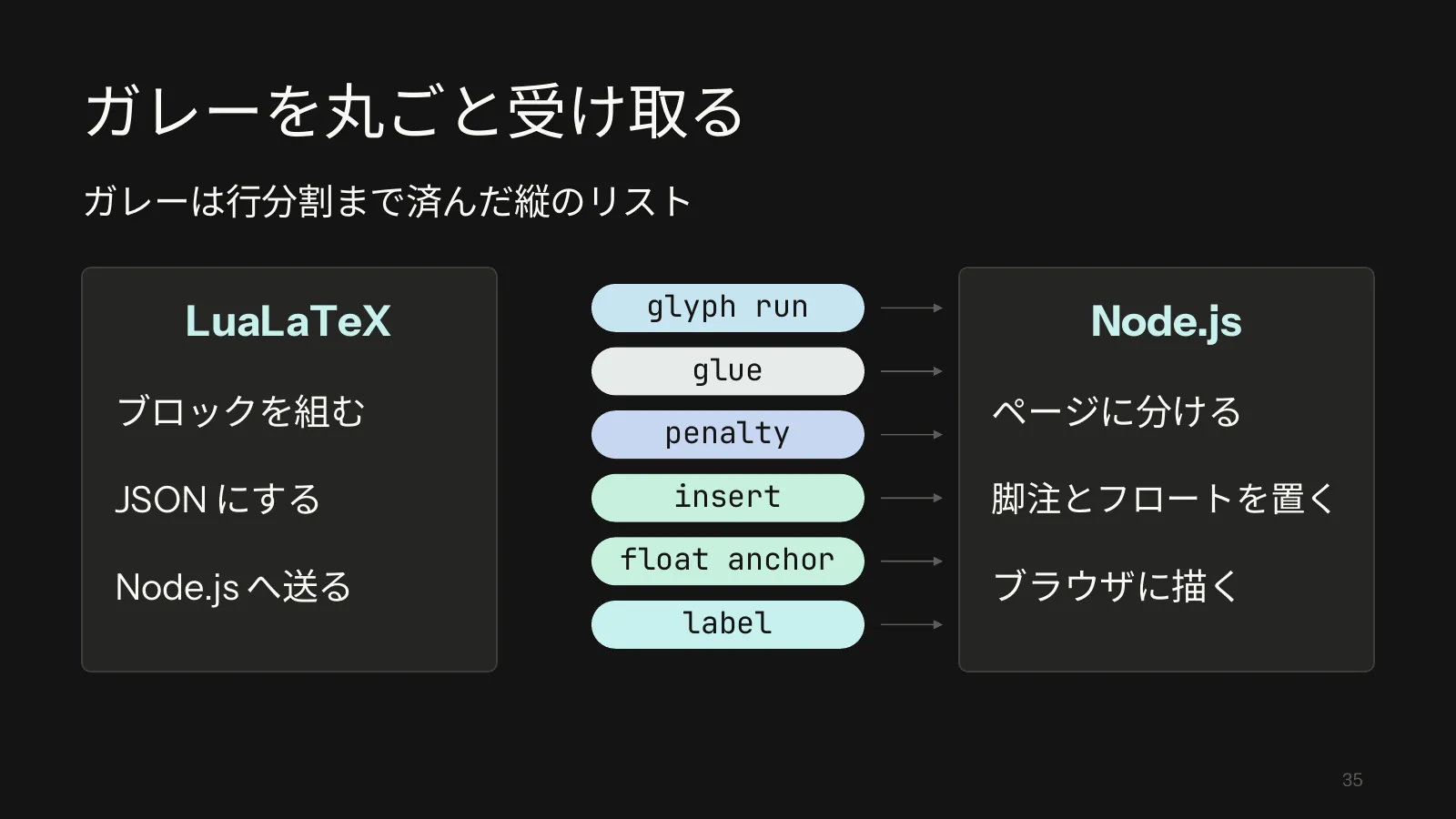
スライド35「ガレーを丸ごと受け取る」
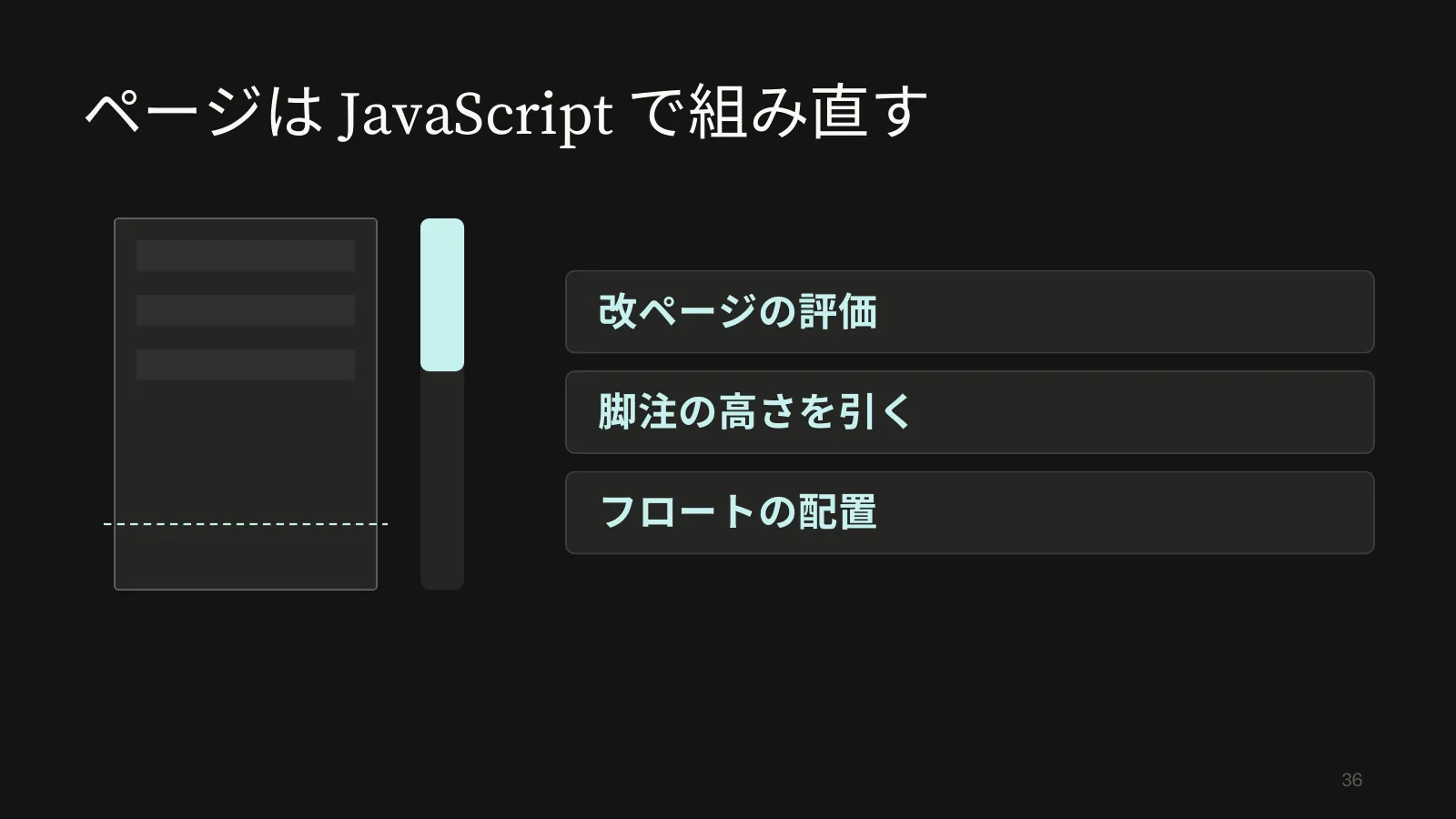
スライド36「ページは JavaScript で組み直す」
スライド37「Blocks and Checkpoints」
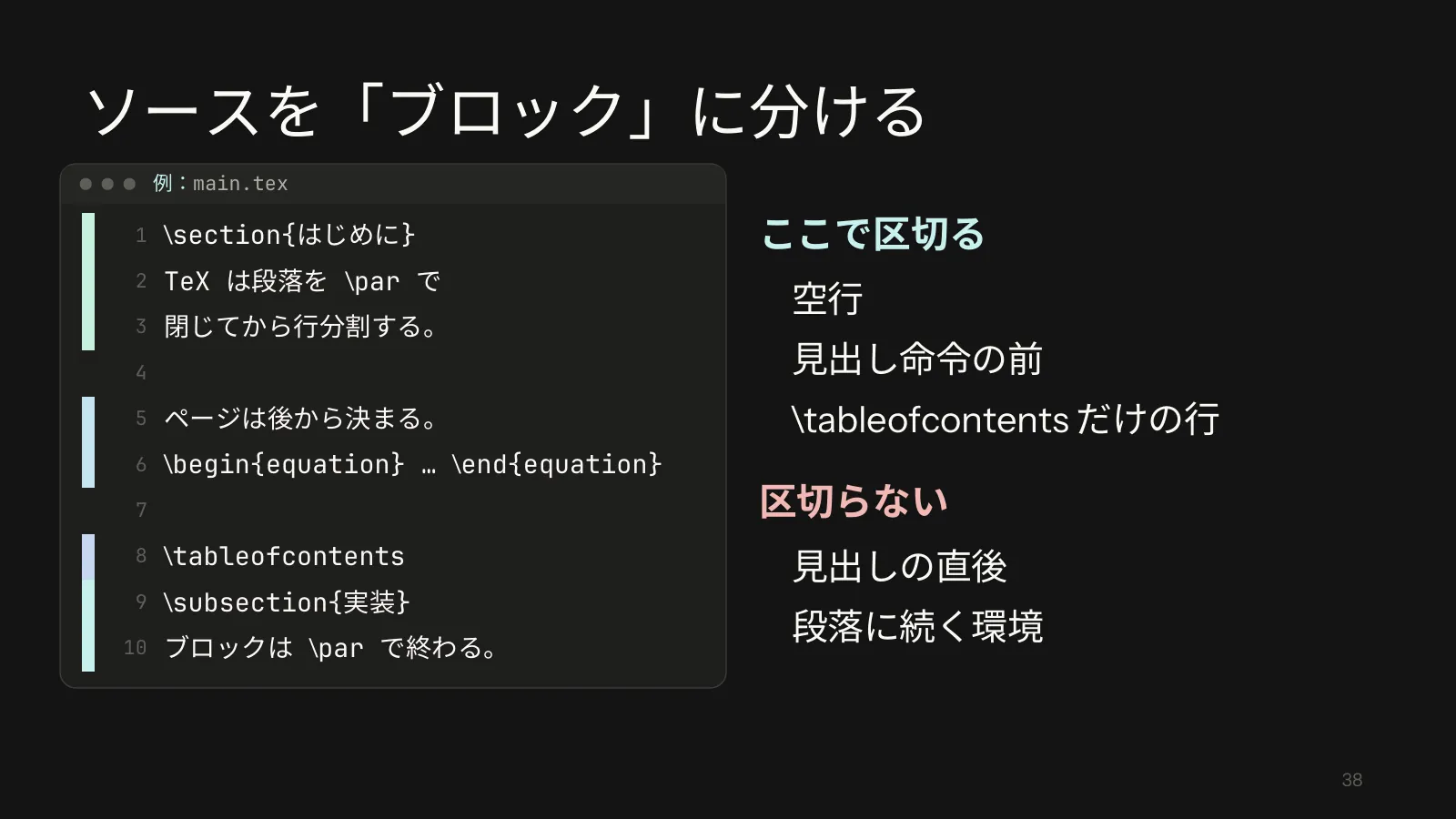
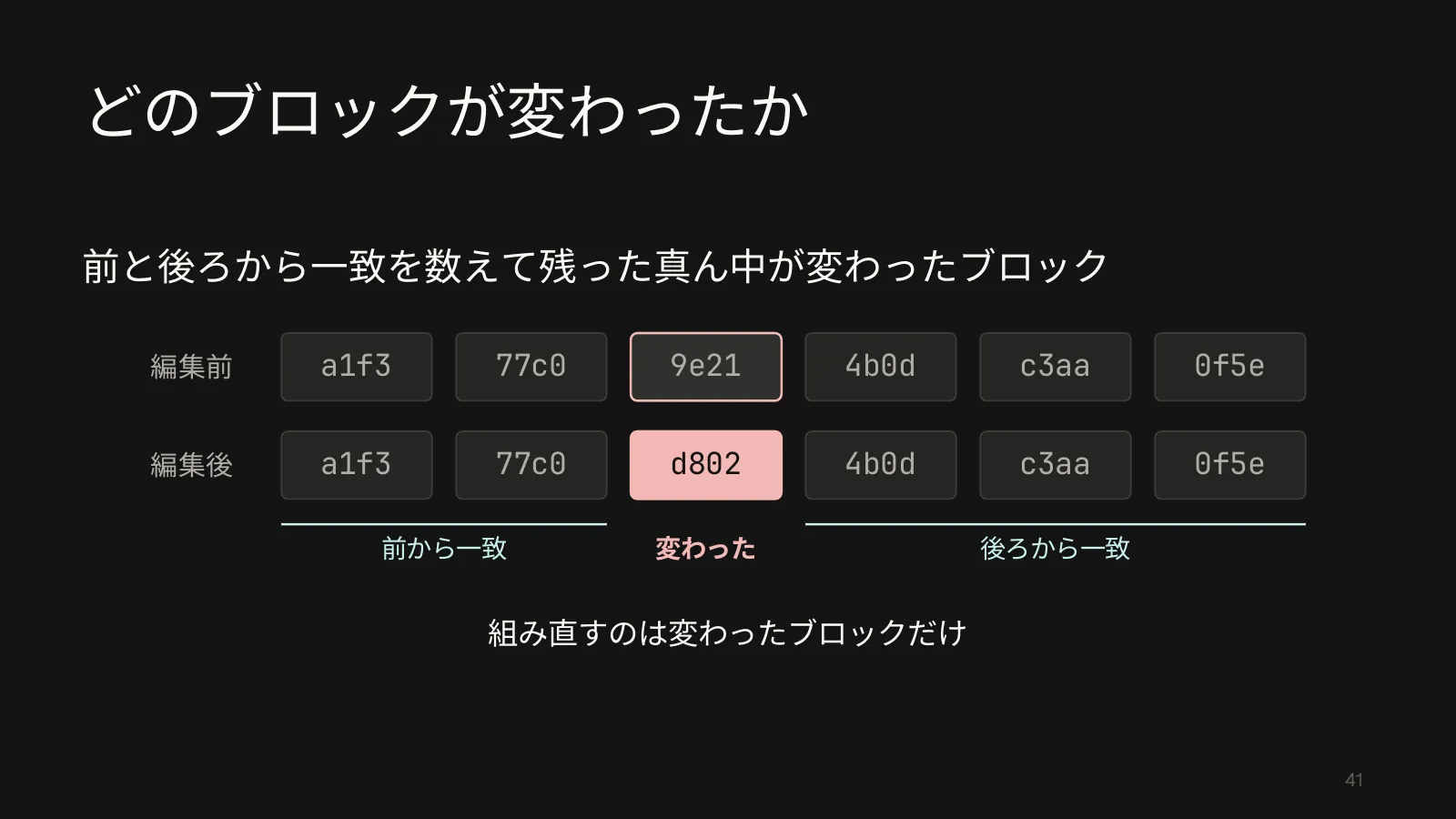
スライド38「ソースを「ブロック」に分ける」
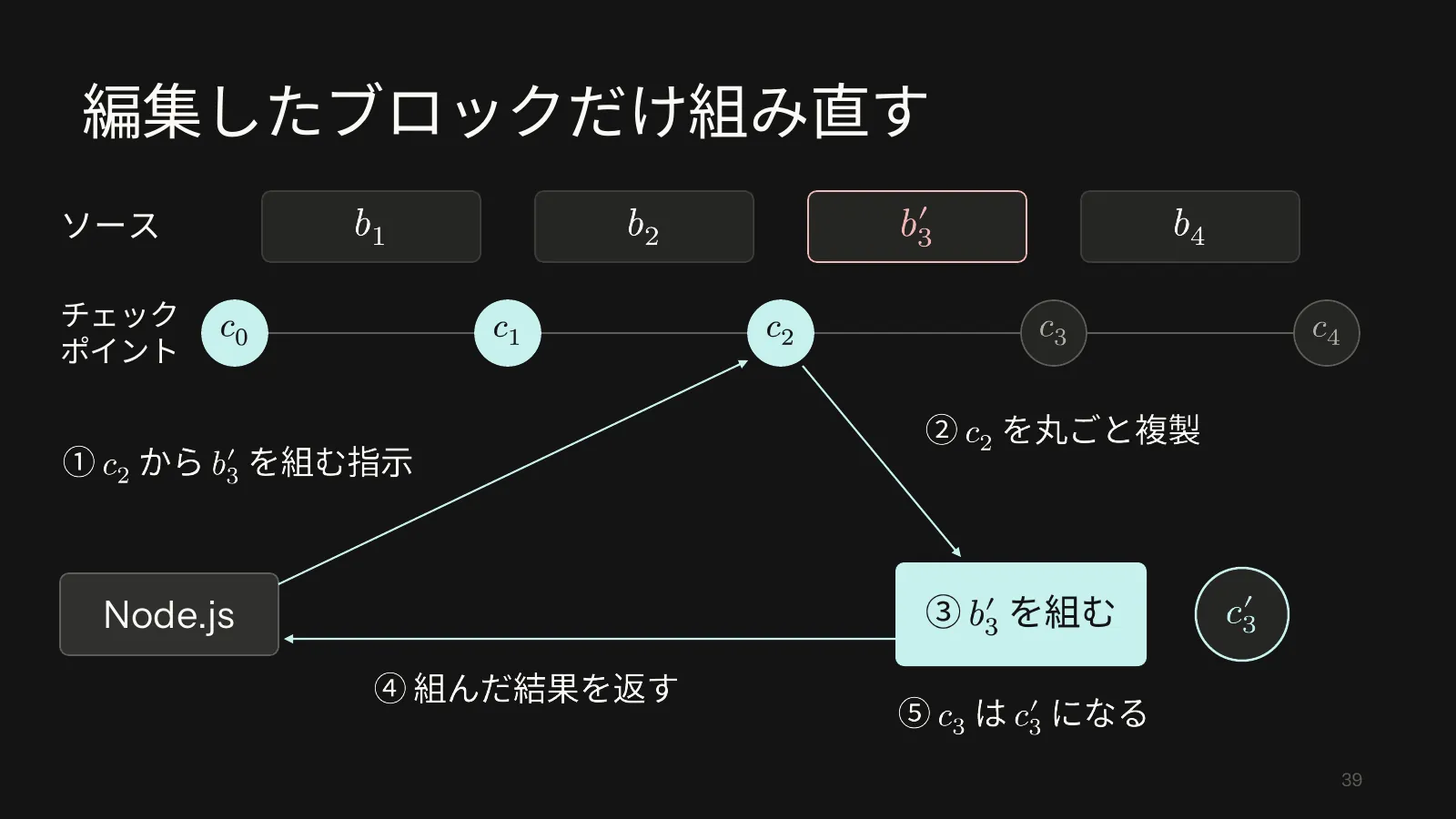
スライド39「編集したブロックだけ組み直す」
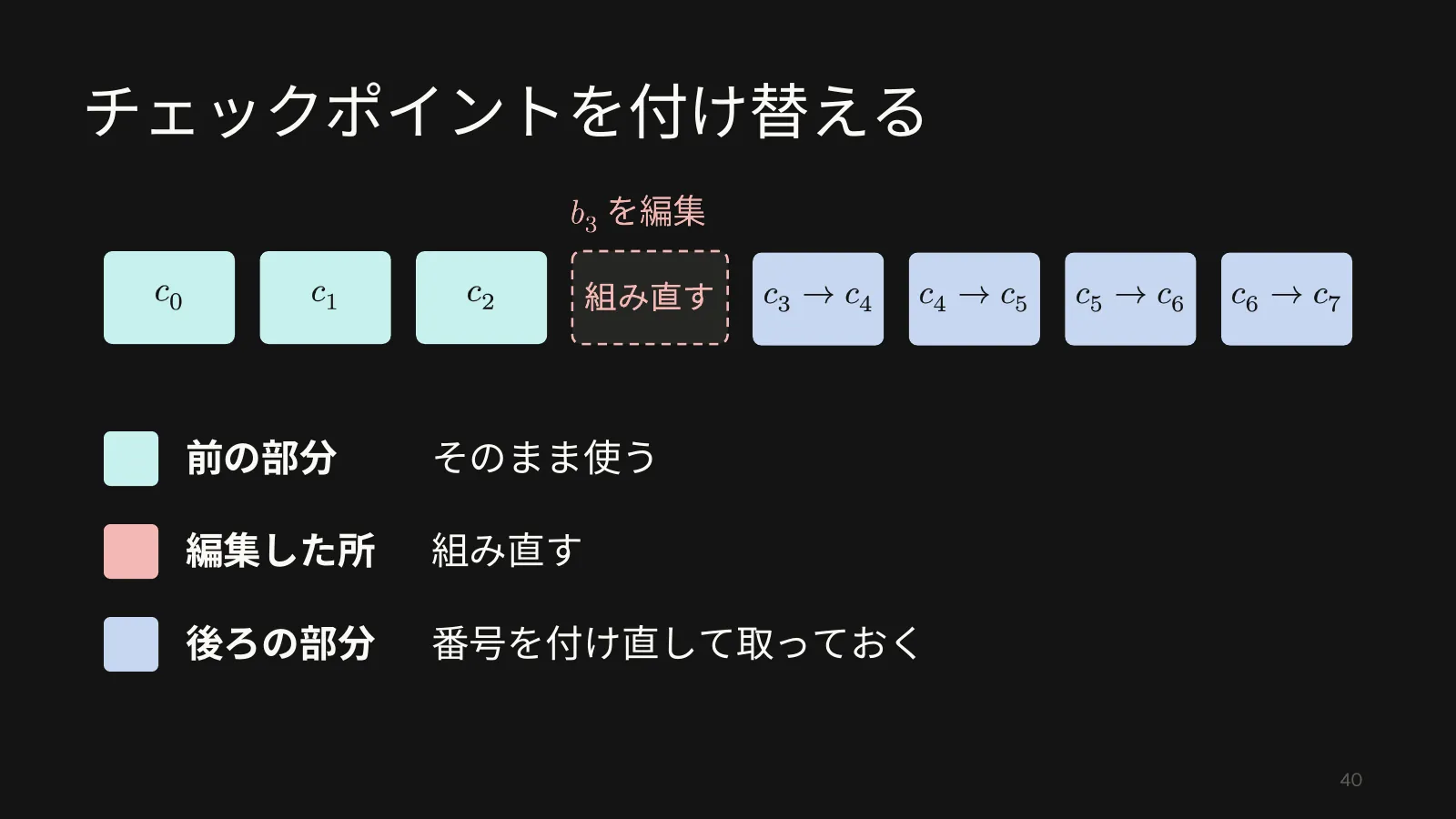
スライド40「チェックポイントを付け替える」
スライド41「どのブロックが変わったか」
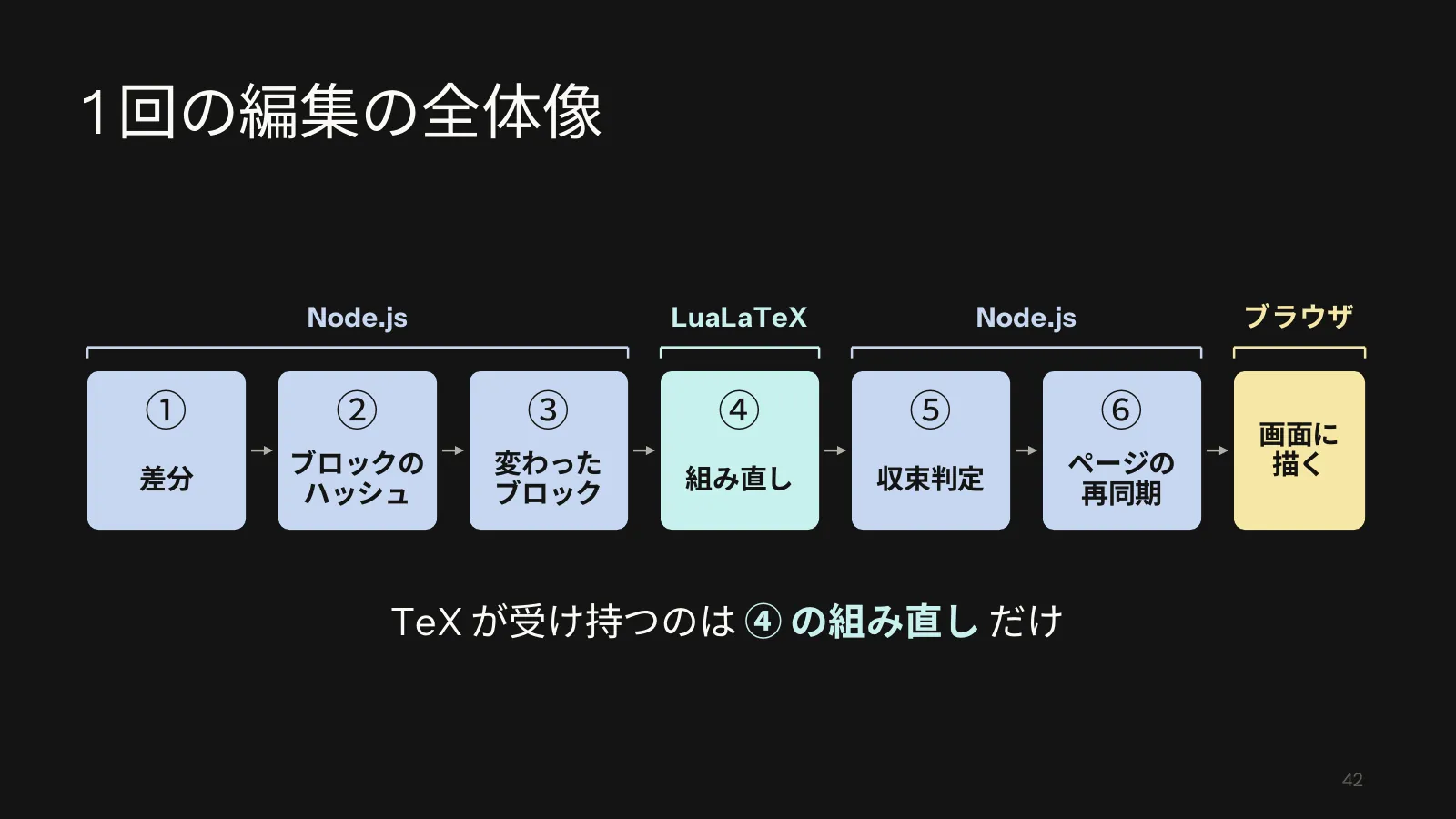
スライド42「1 回の編集の全体像」
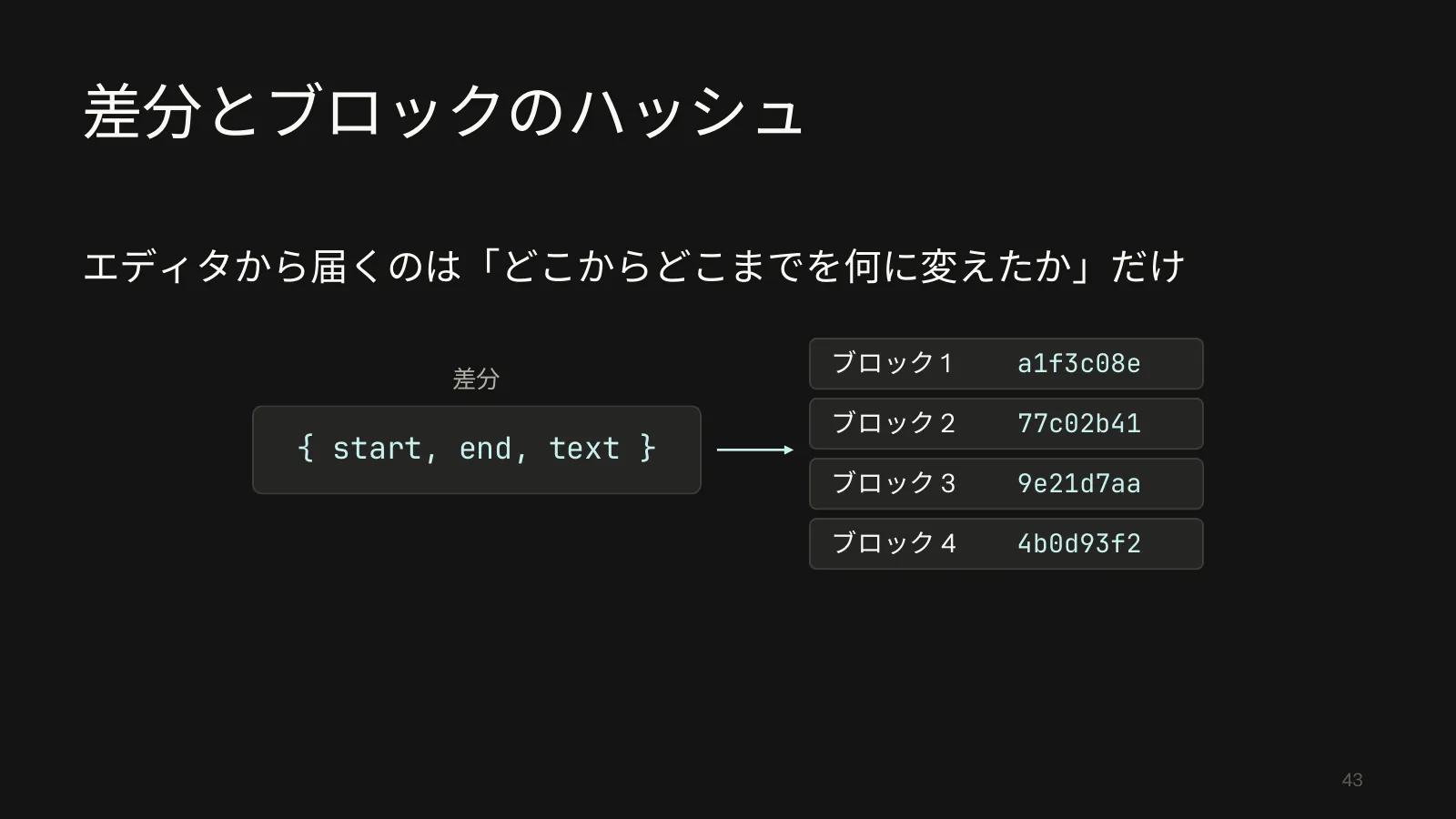
スライド43「差分とブロックのハッシュ」
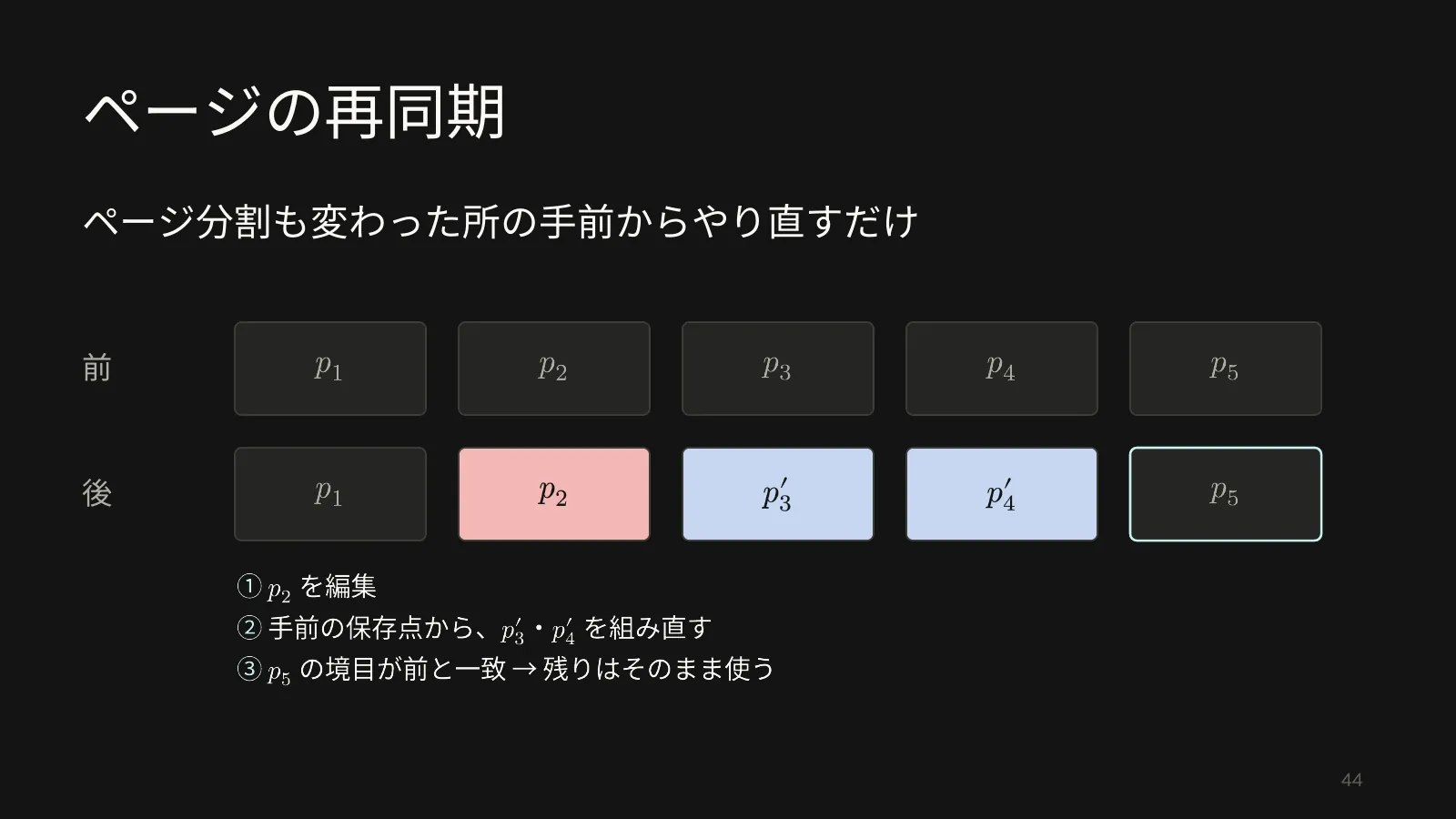
スライド44「ページの再同期」
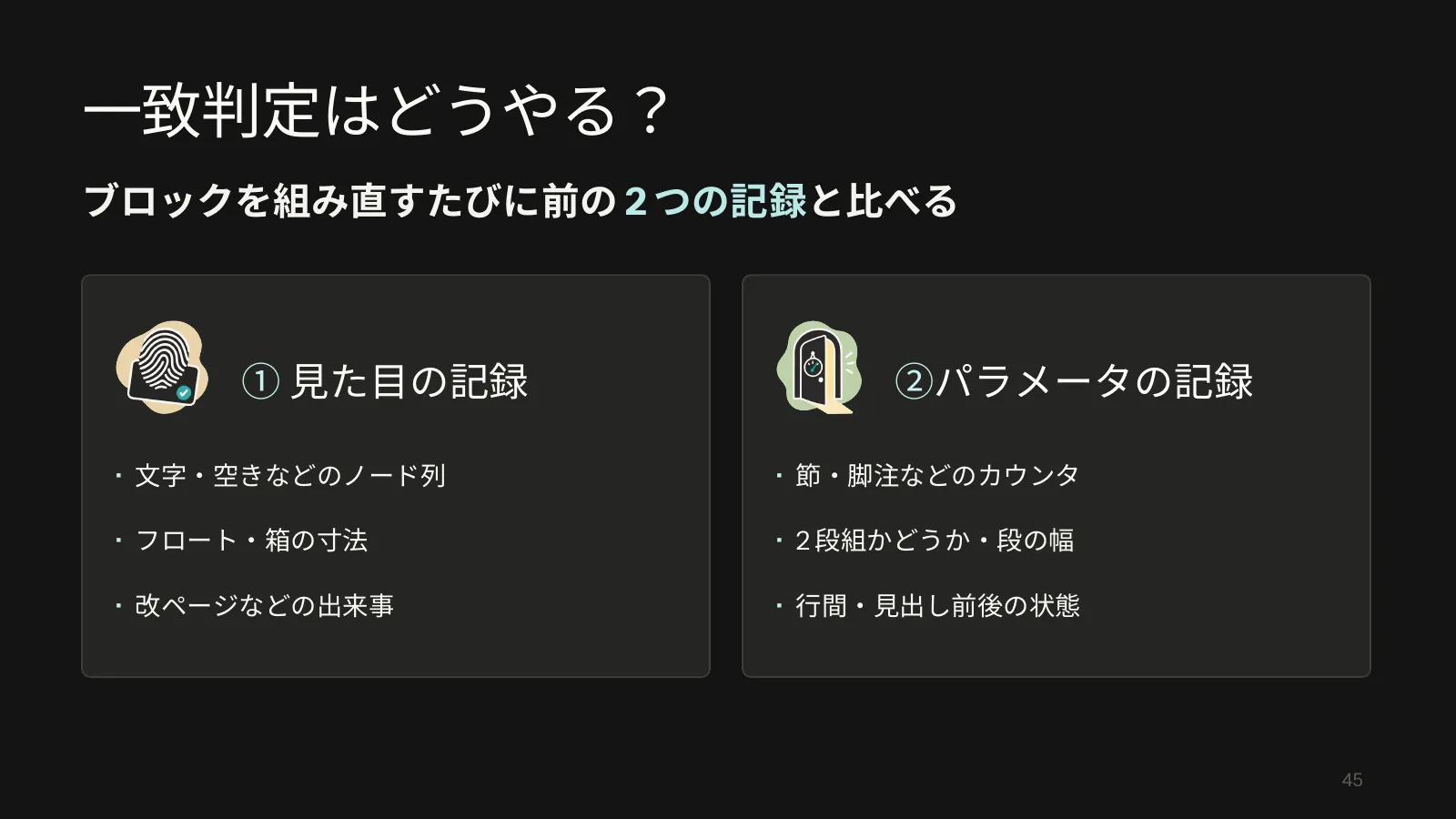
スライド45「一致判定はどうやる?」
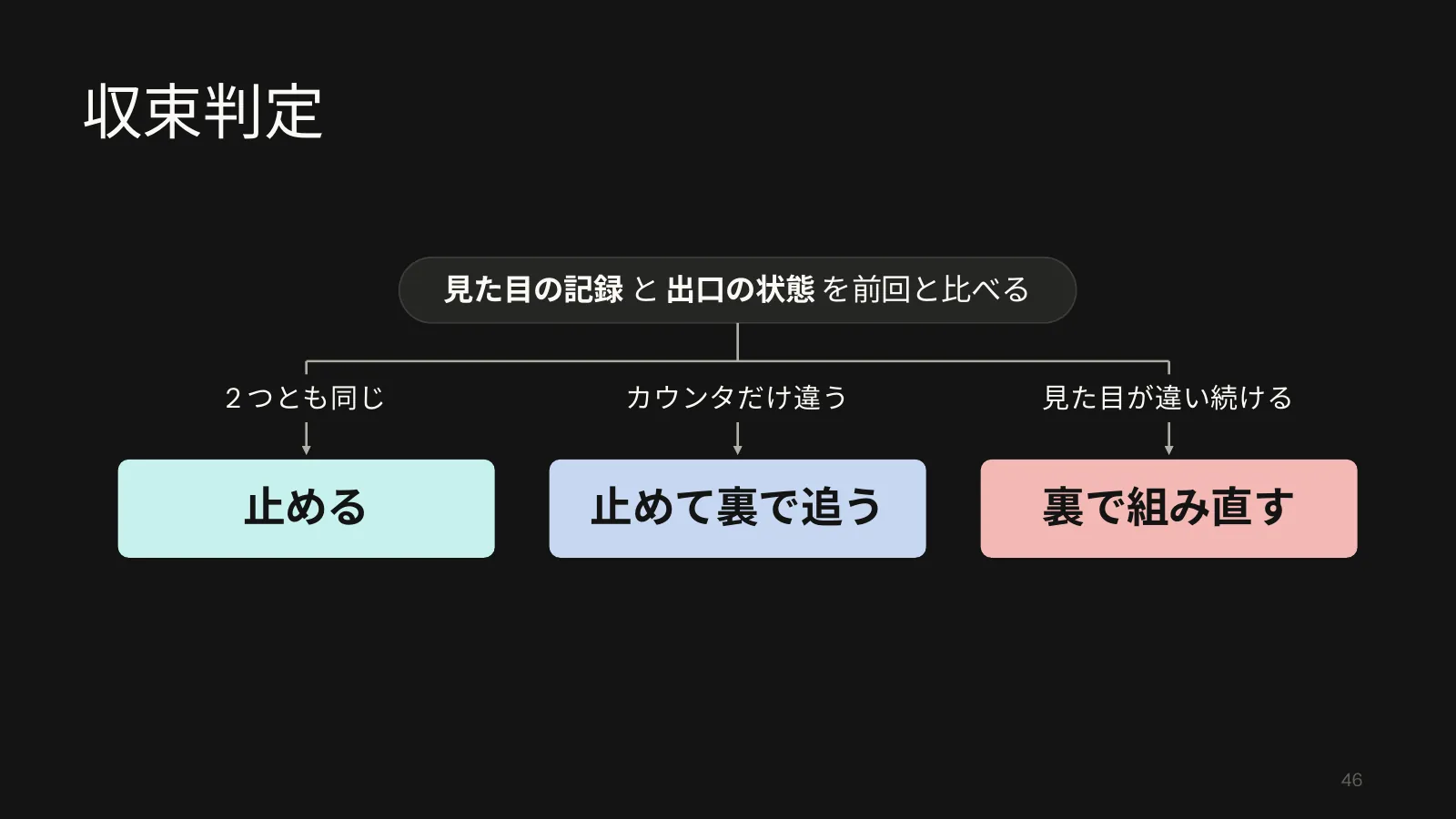
スライド46「収束判定」
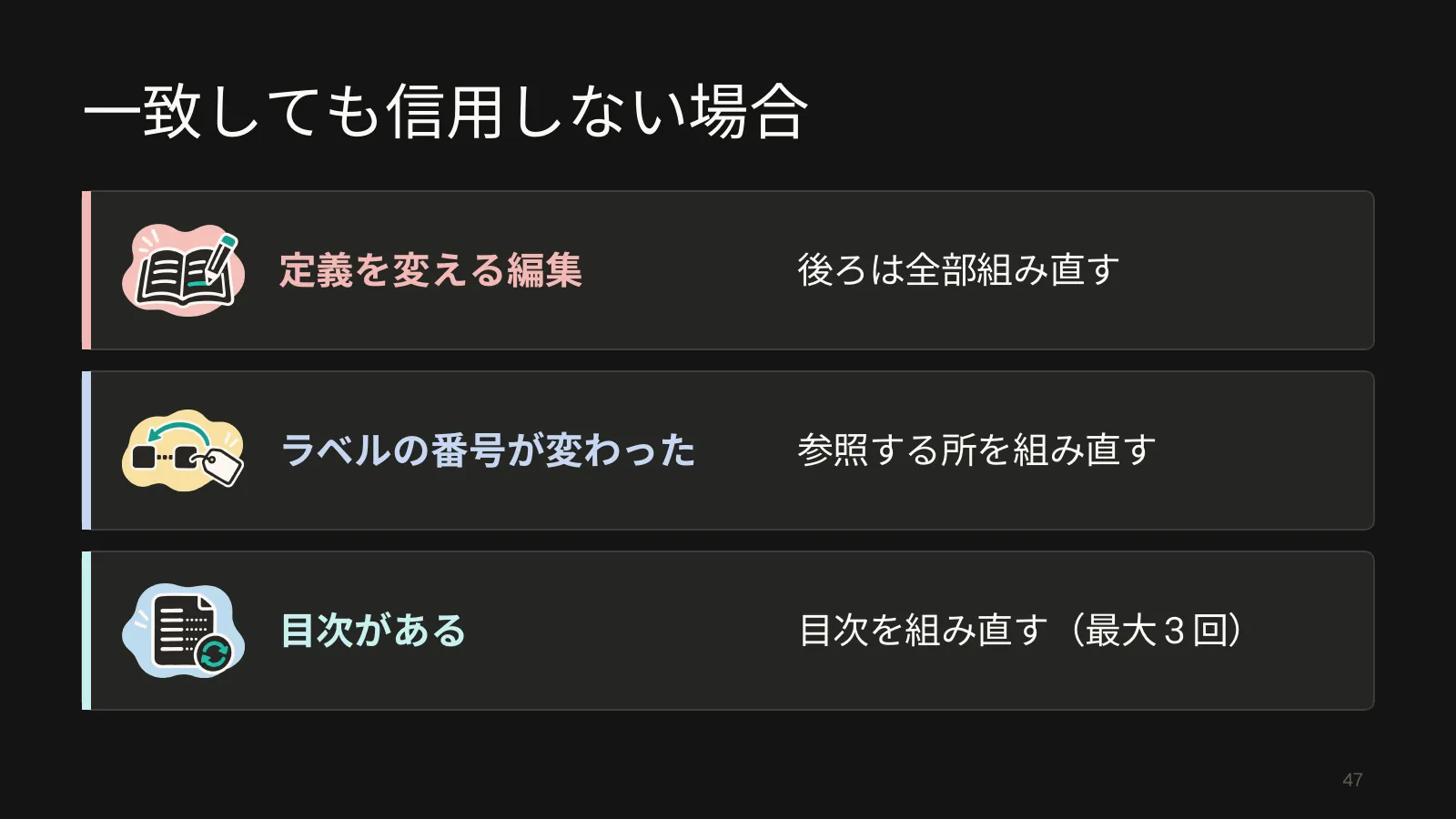
スライド47「一致しても信用しない場合」
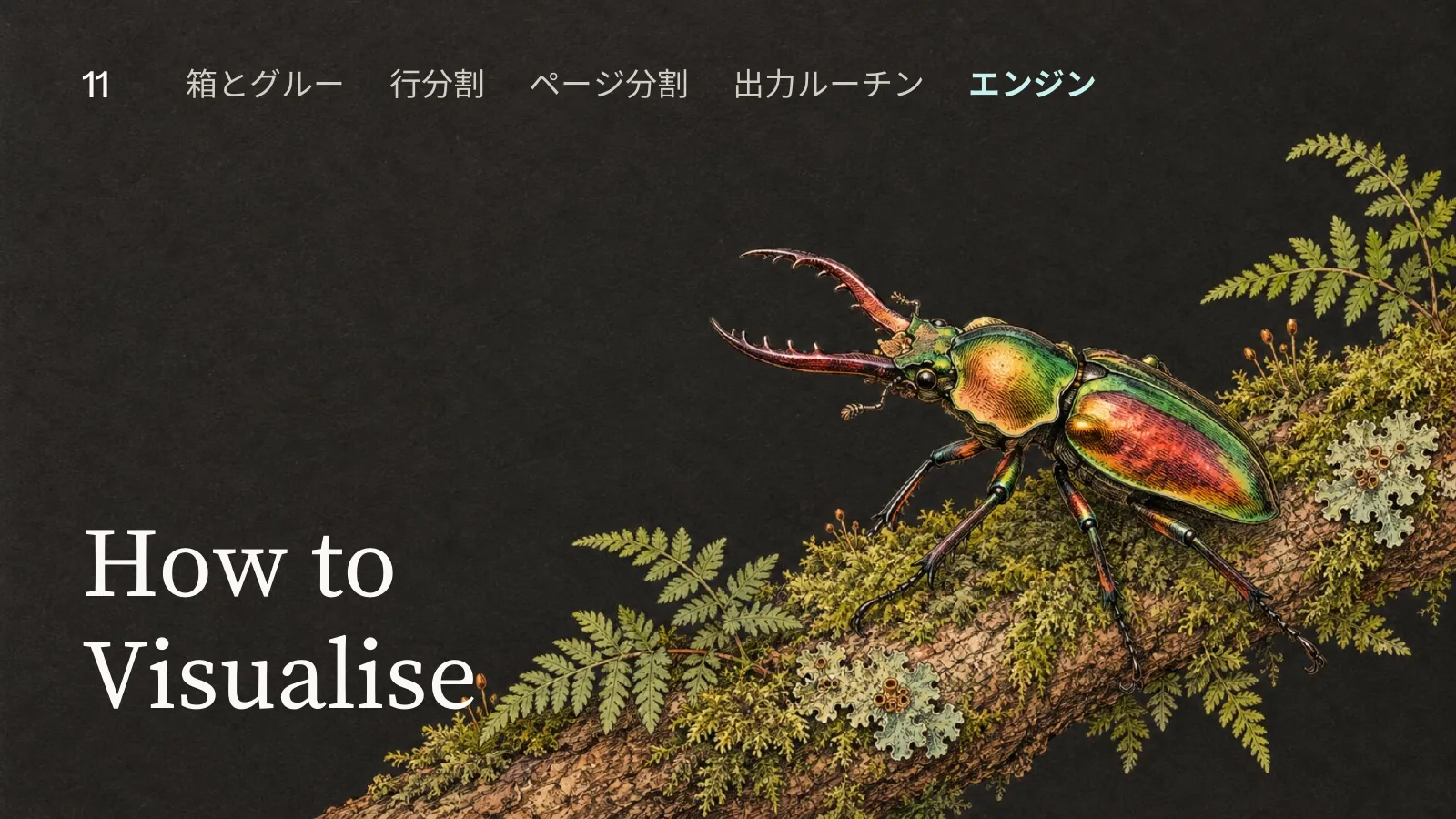
スライド48「How to Visualise」
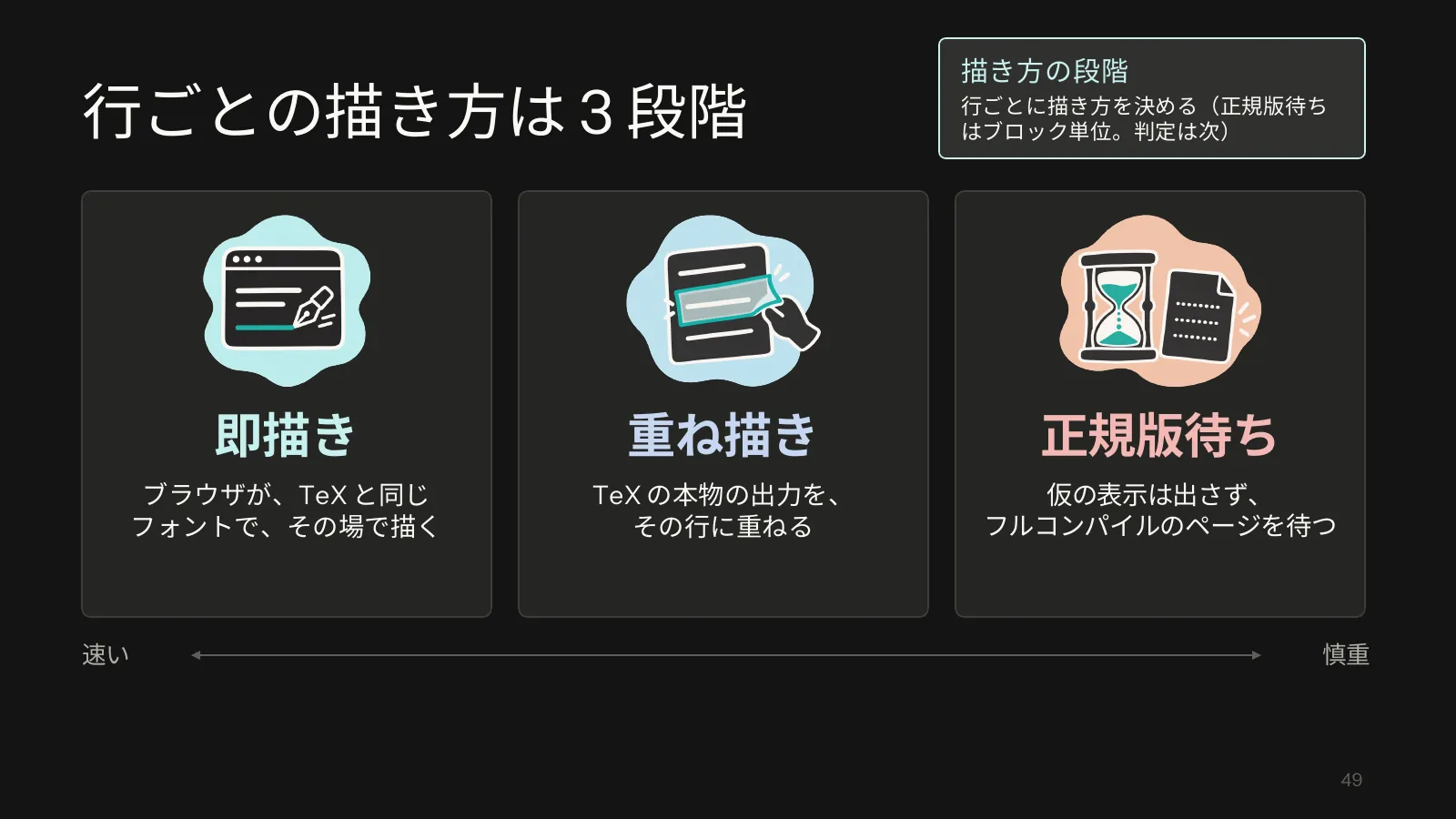
スライド49「行ごとの描き方は 3 段階」
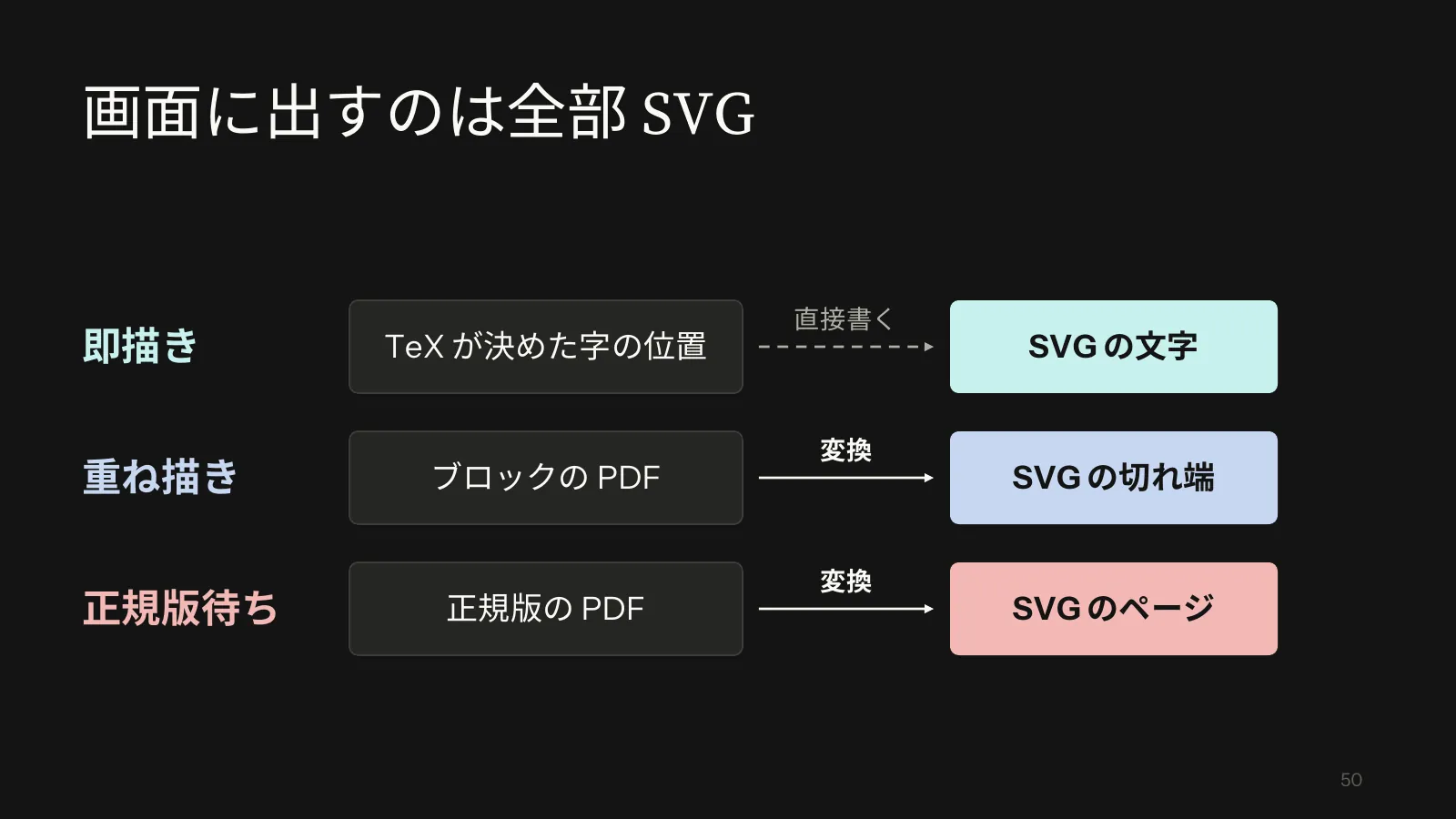
スライド50「画面に出すのは全部 SVG」
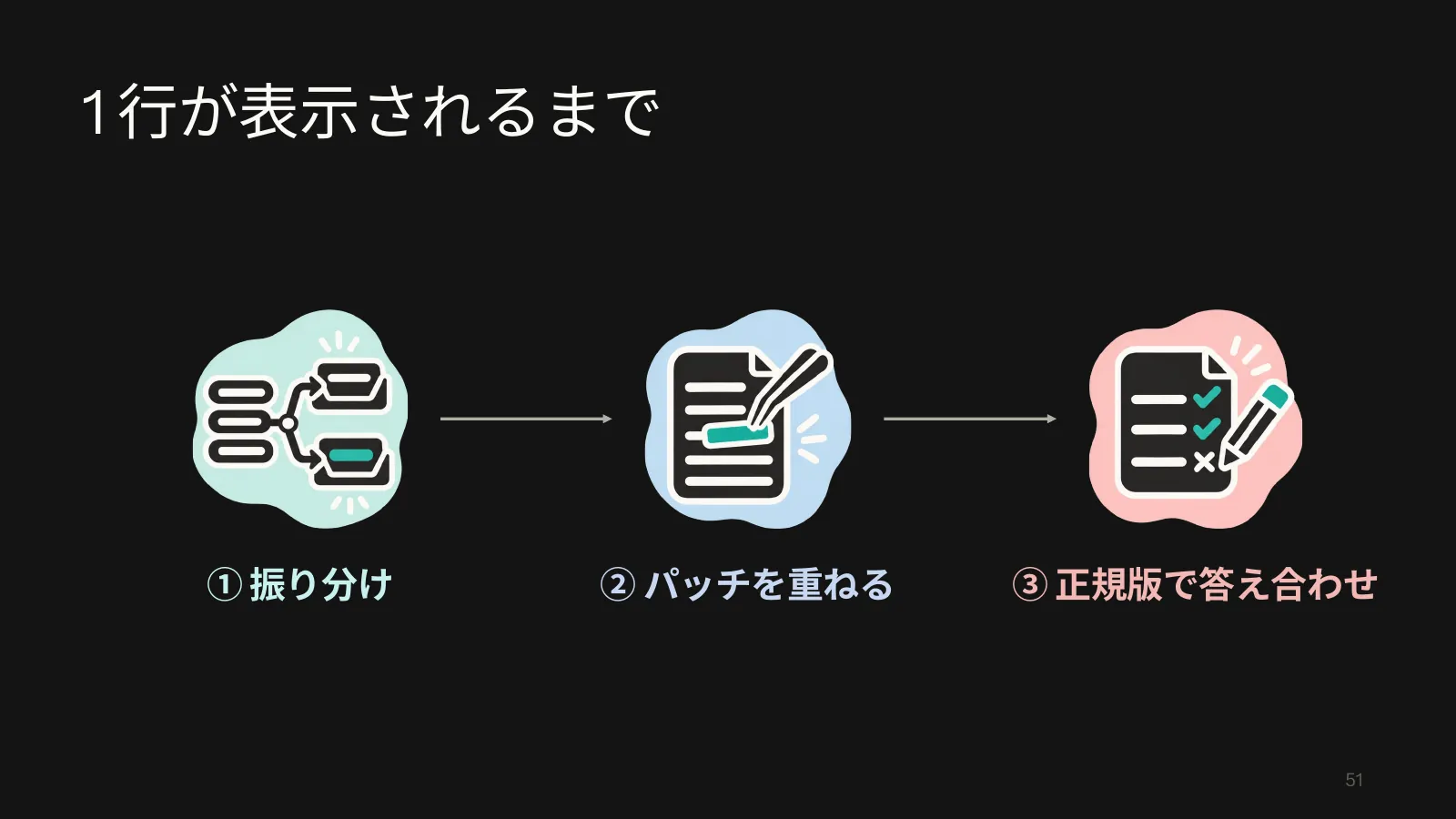
スライド51「1 行が表示されるまで」
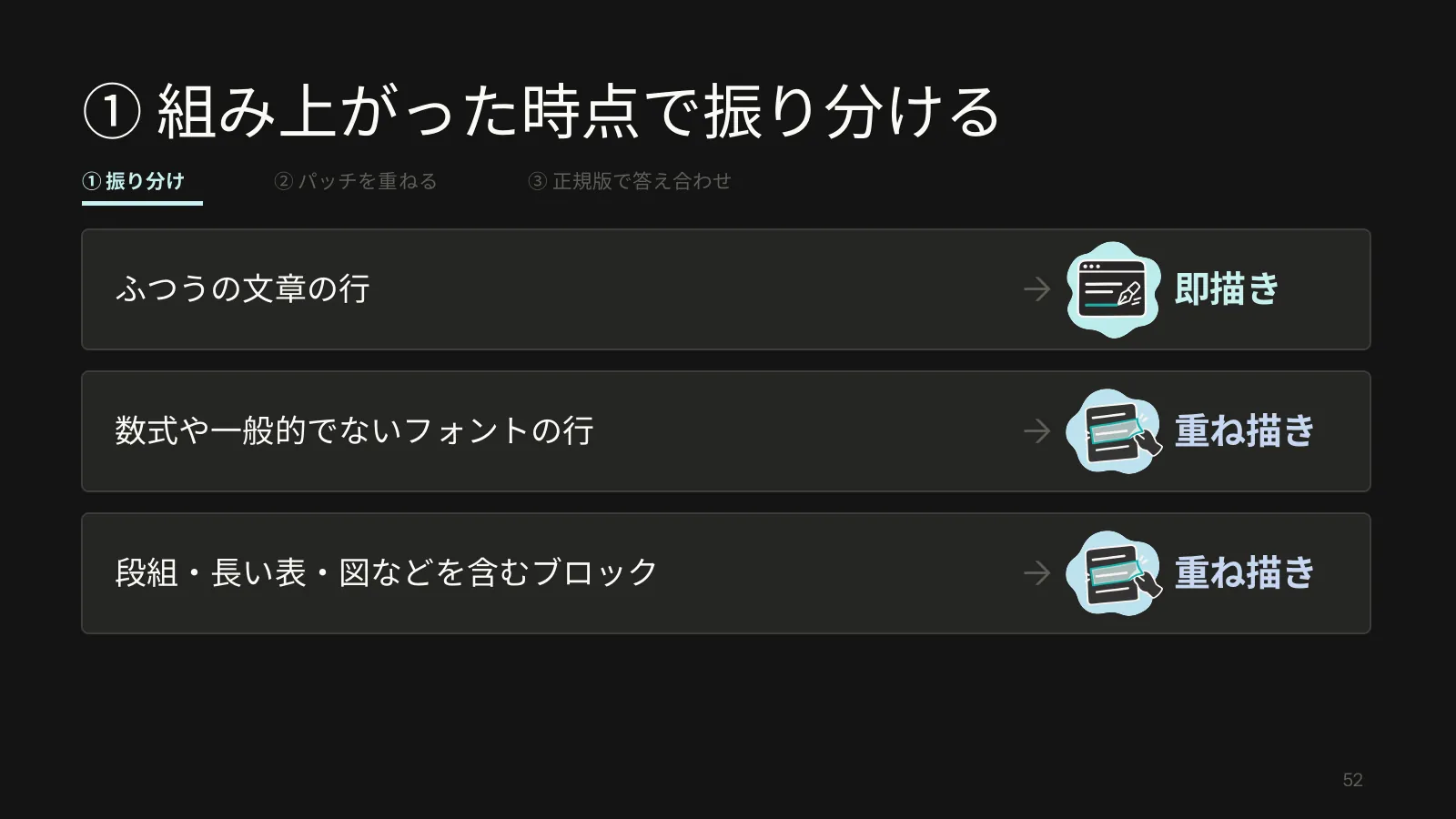
スライド52「① 組み上がった時点で振り分ける」
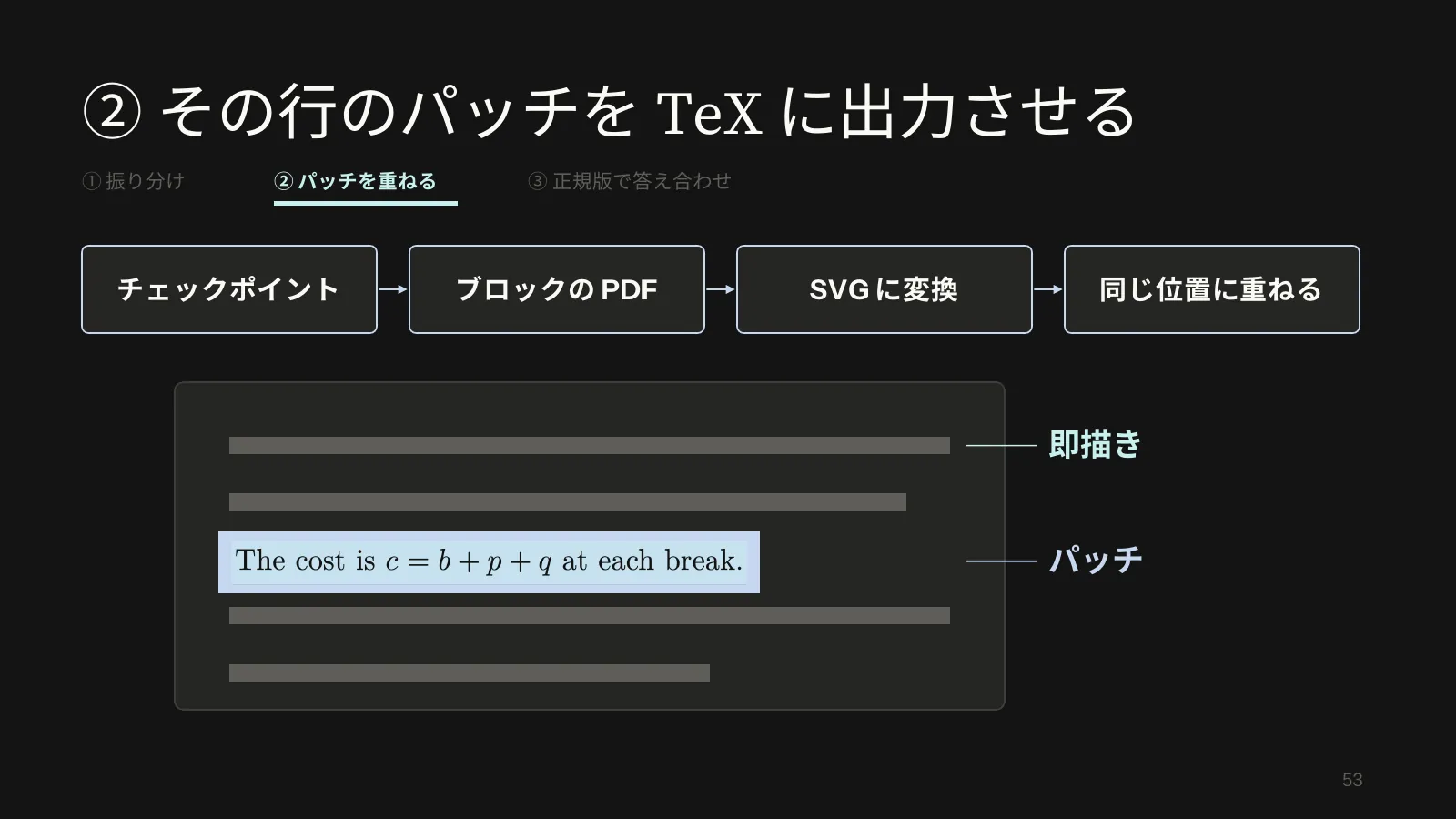
スライド53「② その行のパッチを TeX に出力させる」
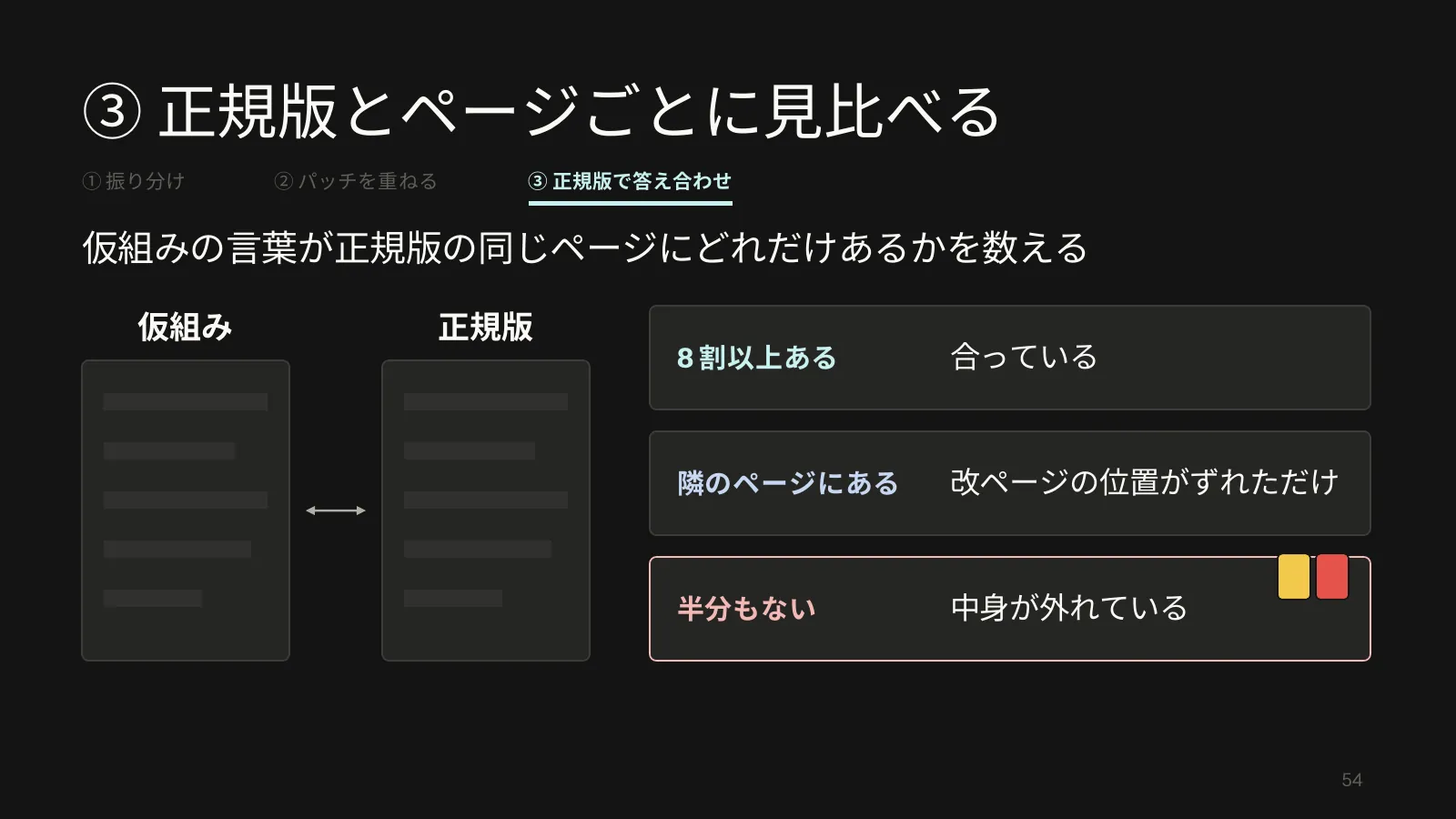
スライド54「③ 正規版とページごとに見比べる」
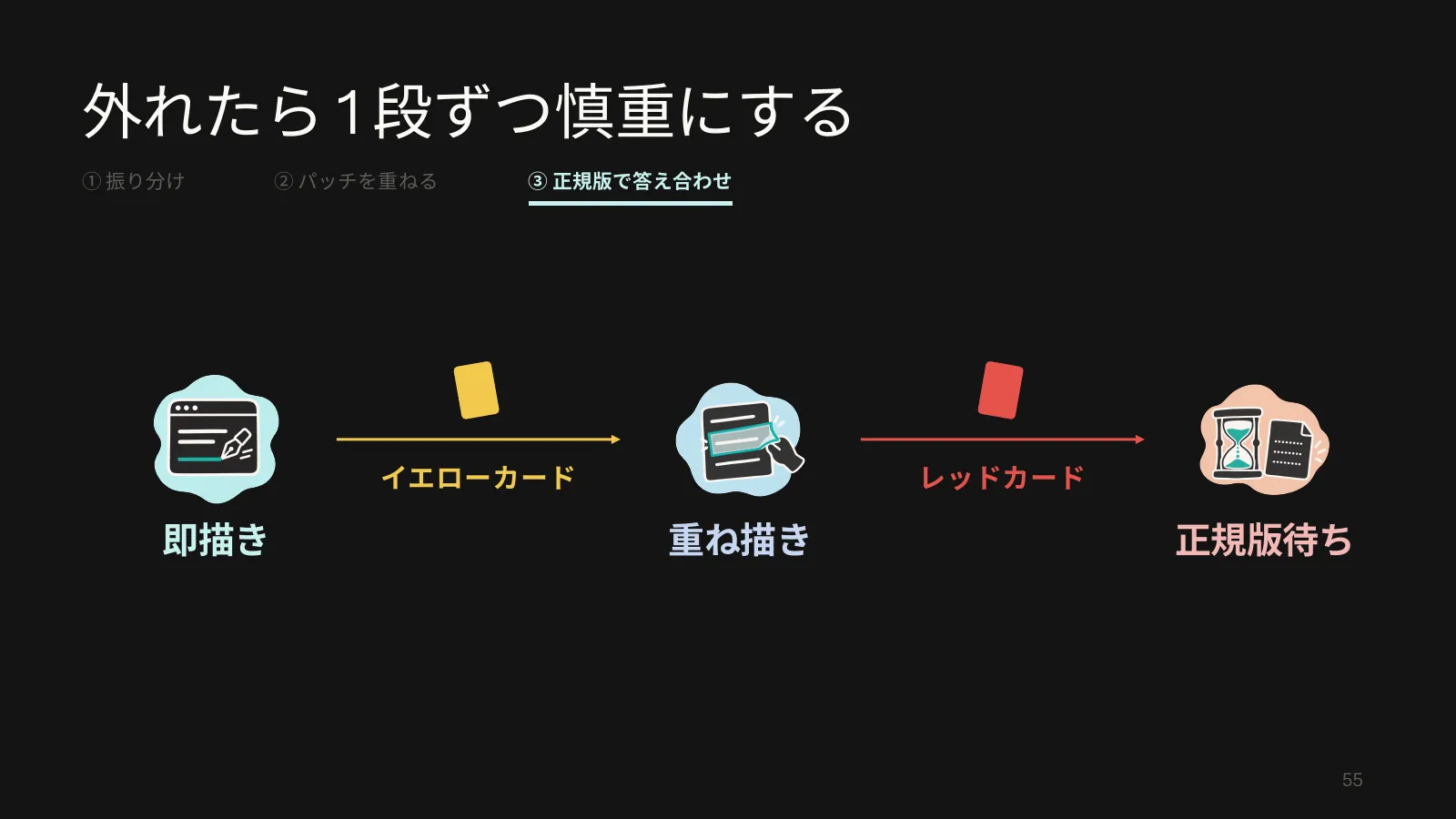
スライド55「外れたら 1 段ずつ慎重にする」
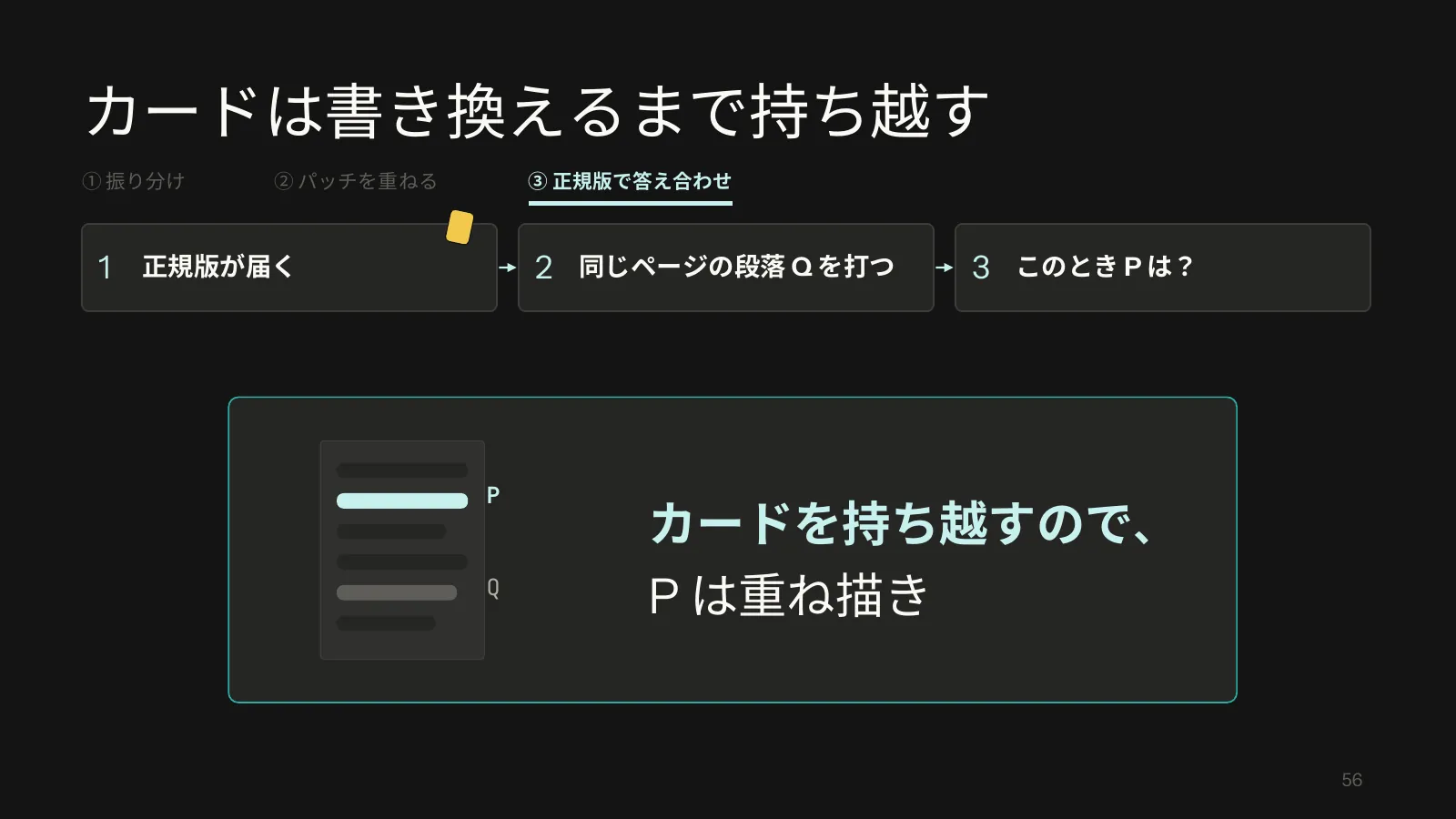
スライド56「カードは書き換えるまで持ち越す」
スライド57「Falling Back Safely」
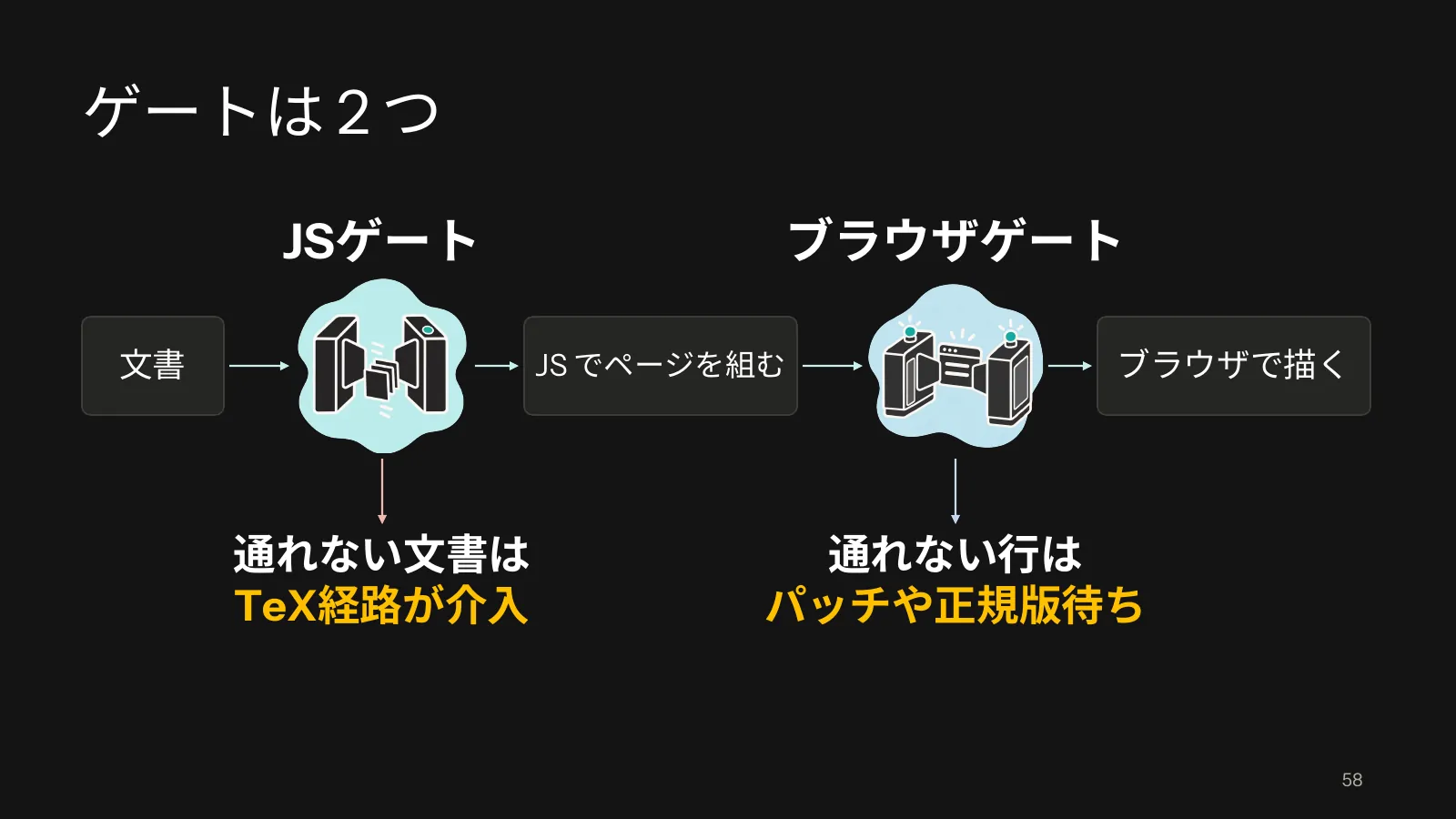
スライド58「ゲートは 2 つ」
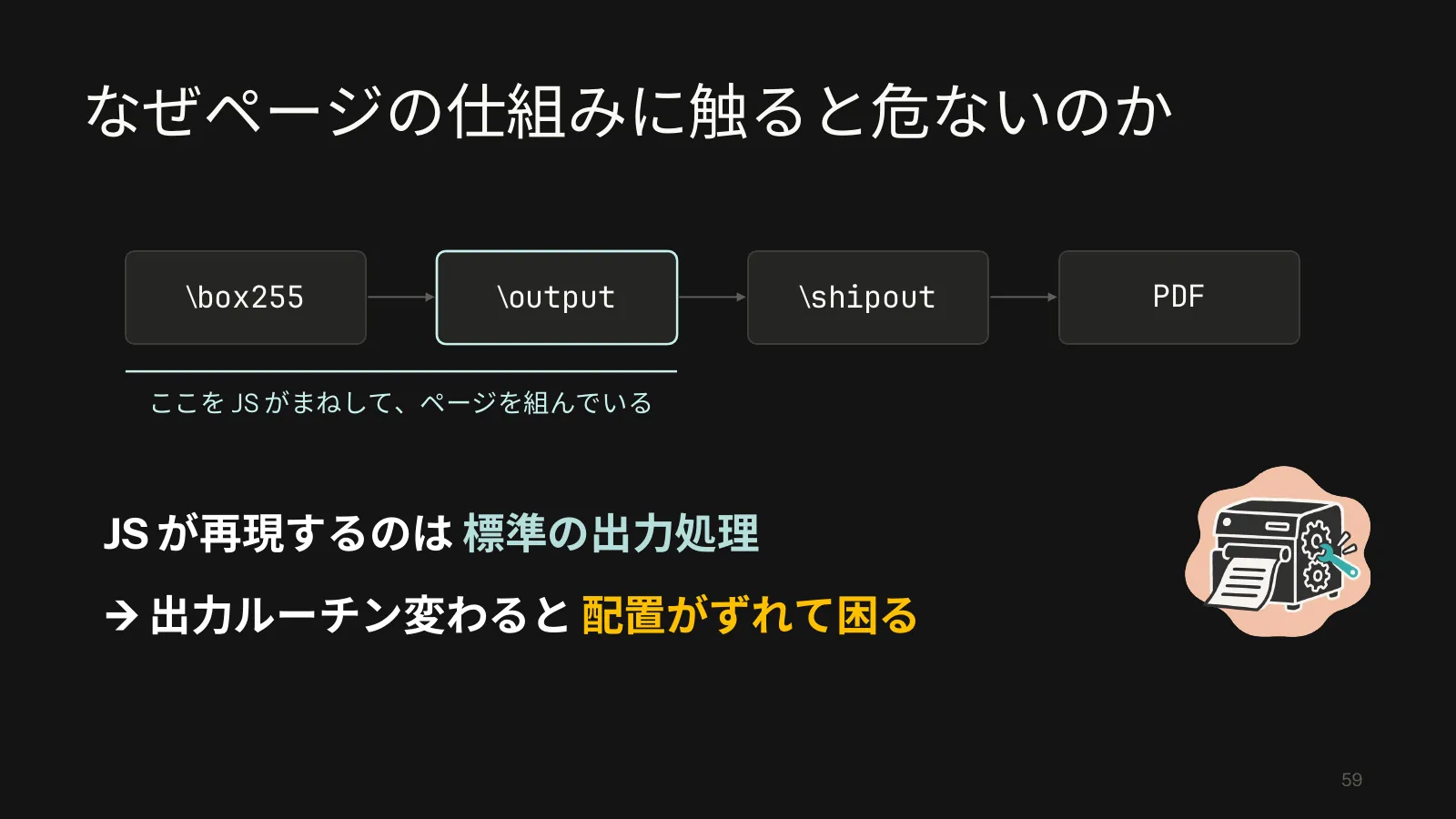
スライド59「なぜページの仕組みに触ると危ないのか」
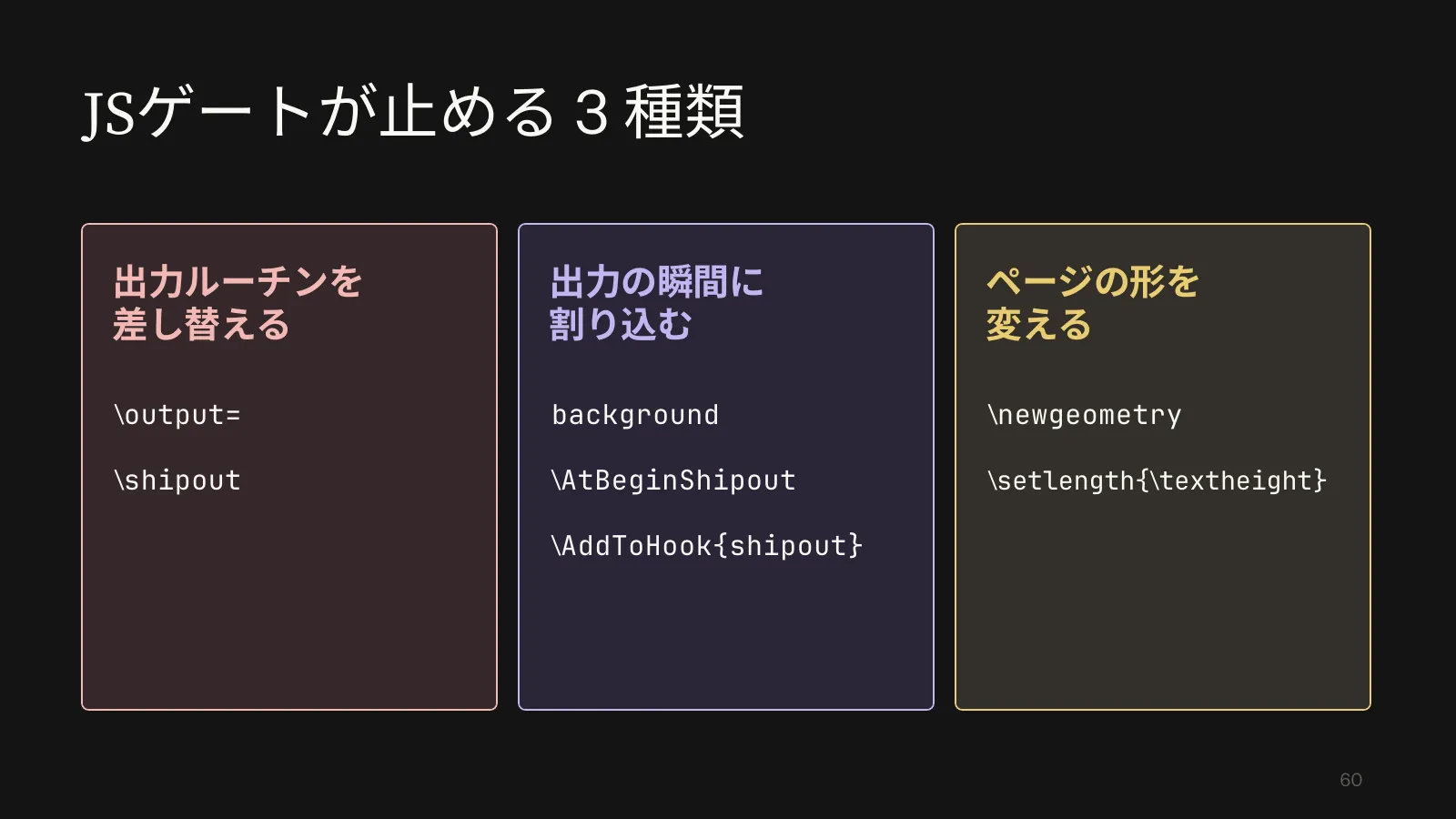
スライド60「JSゲートが止める 3 種類」
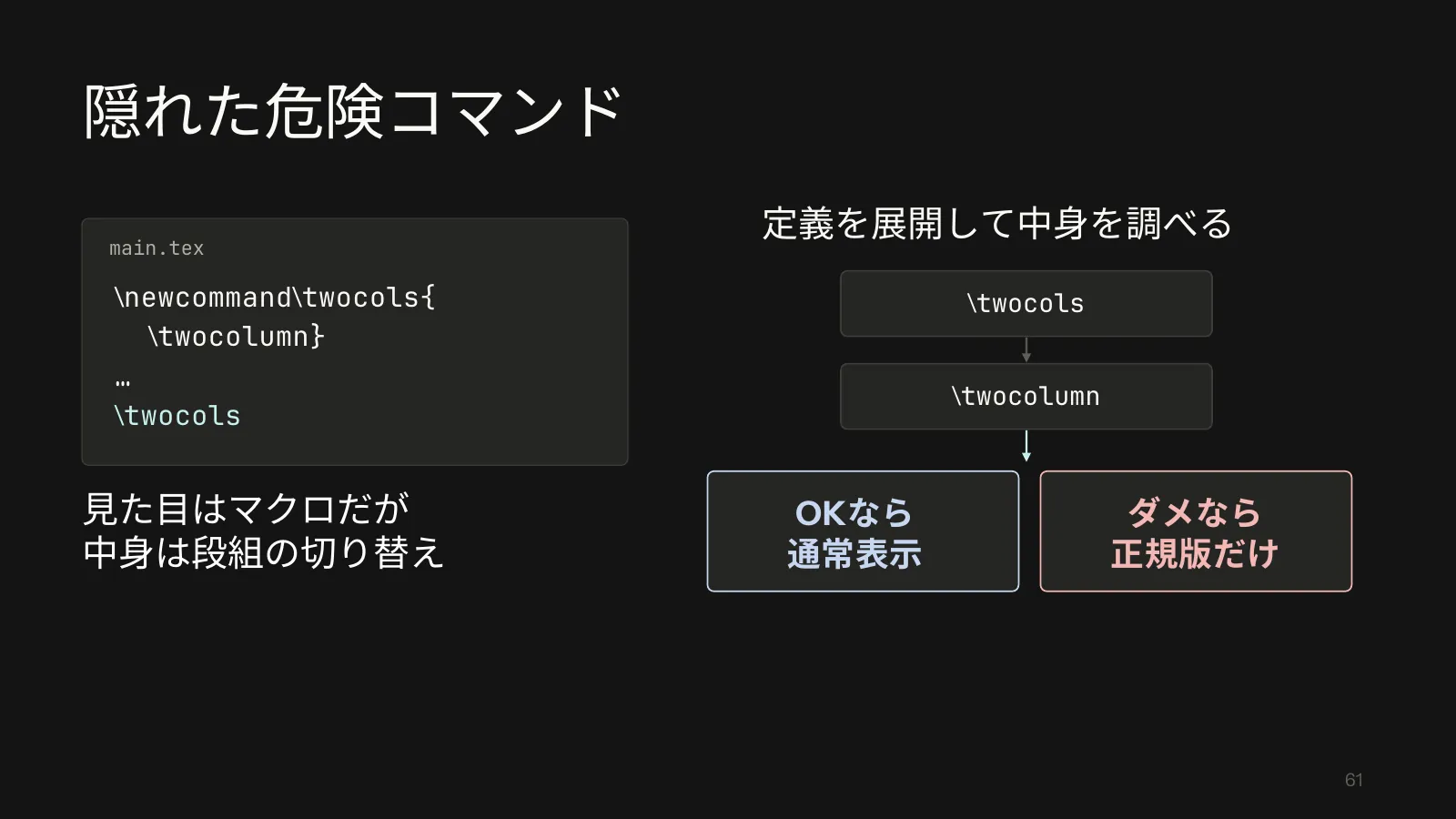
スライド61「隠れた危険コマンド」
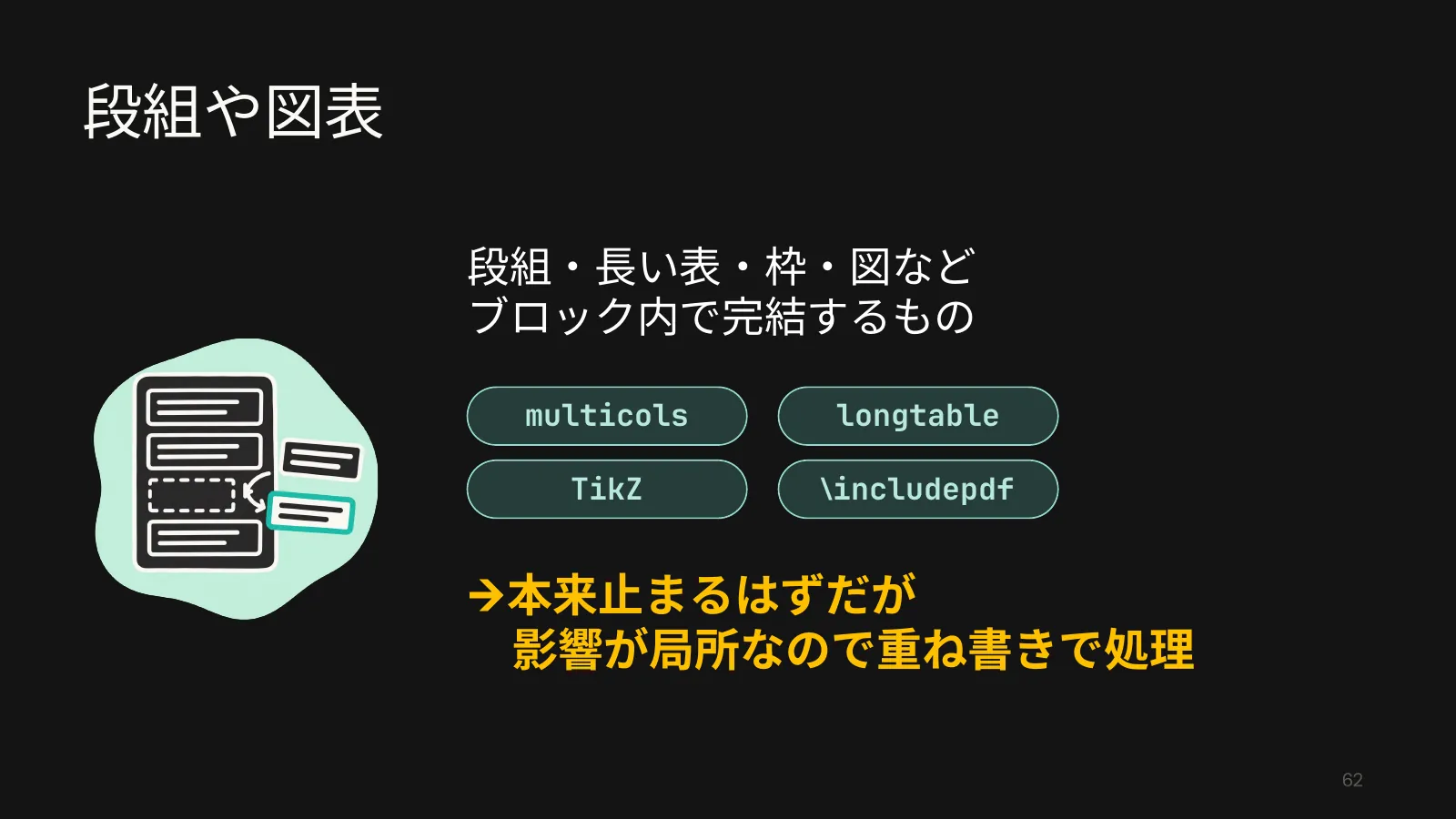
スライド62「段組や図表」
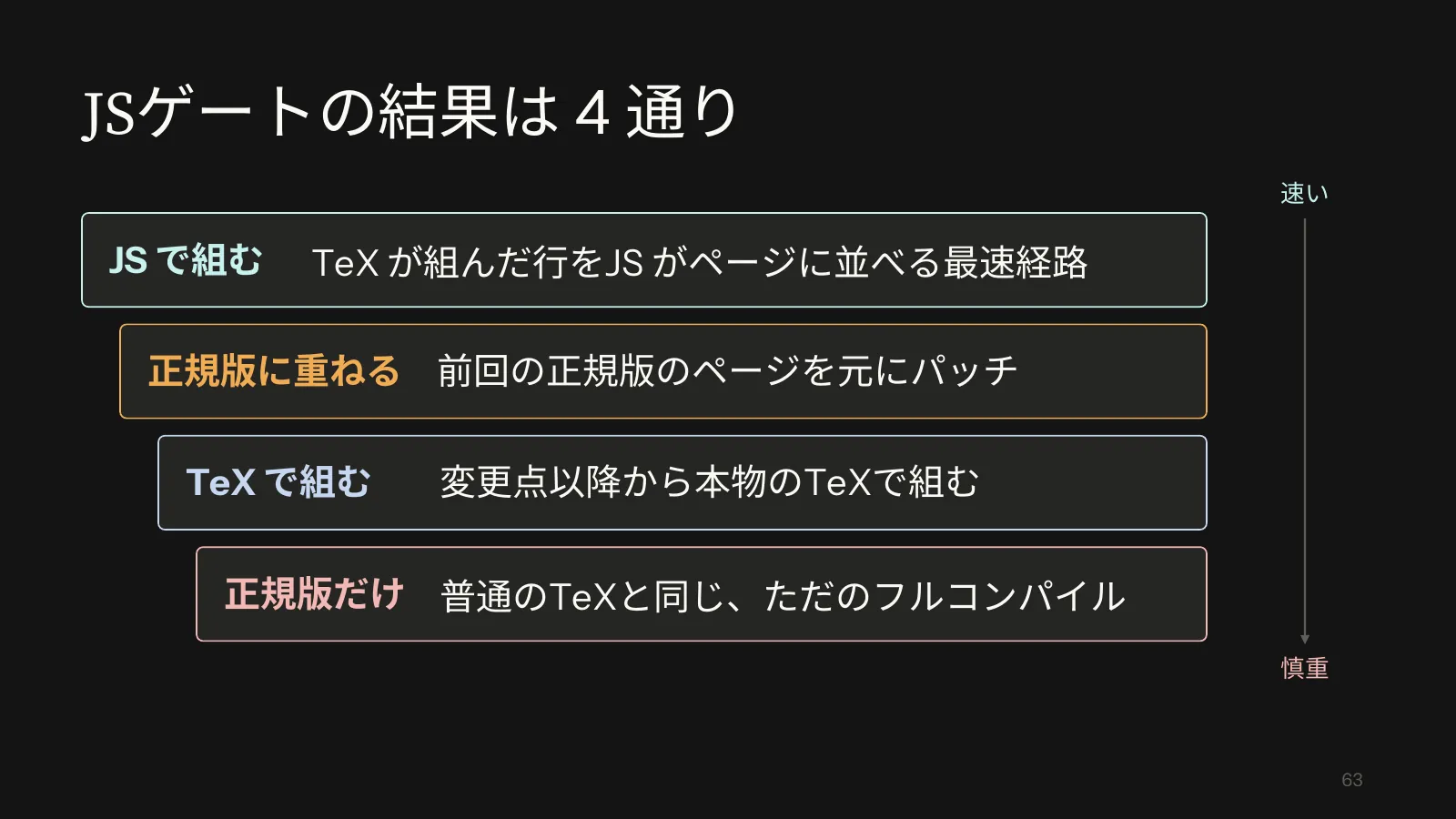
スライド63「JSゲートの結果は 4 通り」
スライド64「これから」
スライド65「ありがとうございました」
06 — WritingQiita / GitHub
07 — Now@KKTeX_LaTeX3

いまは Fermion で組版と採点の道具をつくっています。

Currently building typesetting and grading tools at Fermion.

川口 晃世 / KKTeX
© 2026 KKTeX